144
Using the Menu
The Shooting Menu (A, B, C, or D Mode)
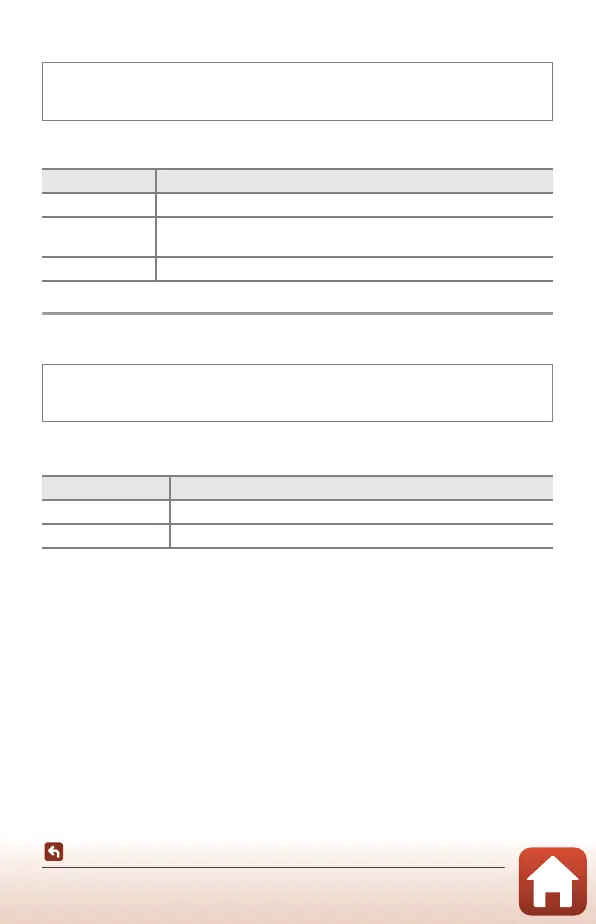
Noise Reduction Filter
Set the strength of the noise reduction function that is normally performed when
saving images.
M Exposure Preview
Set whether or not to reflect the brightness to the shooting screen when the
exposure is changed in D (manual) mode.
Rotate the mode dial to A
,
B
,
C, or D M d button M A
,
B
,
C, or D menu
icon M Noise reduction filter M k button
Option Description
Q High Performs noise reduction at a level higher than the standard strength.
M Normal
(default setting)
Performs noise reduction at the standard strength.
R Low Performs noise reduction at a level lower than the standard strength.
Rotate the mode dial to A
,
B
,
C or D M d button M A
,
B
,
C or D menu icon
M M exposure preview M k button
Option Description
On (default setting) Reflects the brightness to the shooting screen.
Off Does not reflect the brightness to the shooting screen.



 To Next Page
 Loading...











