68
Movies
Movie Playback
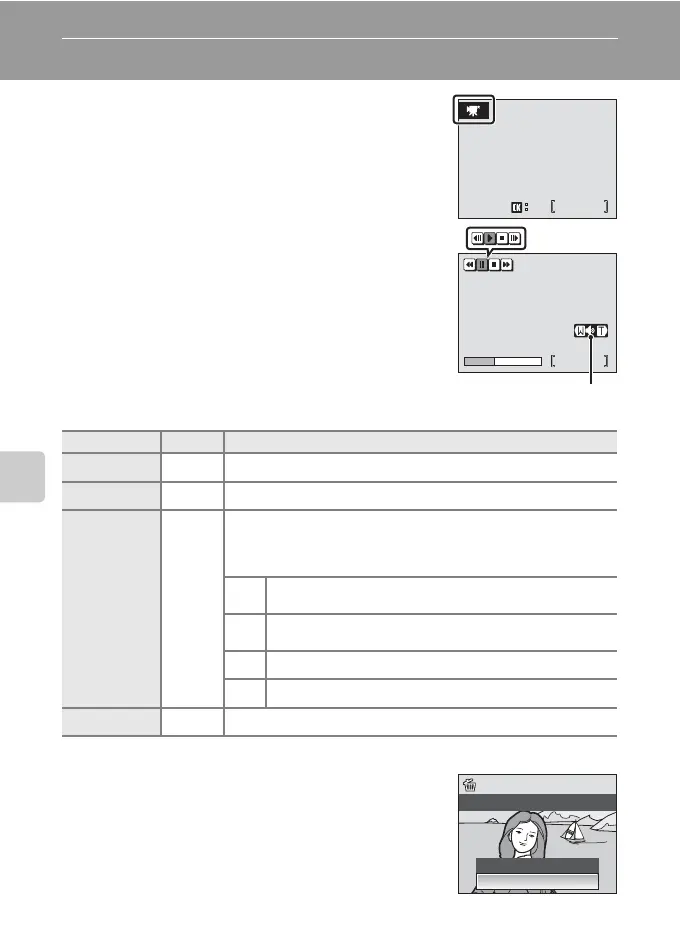
In full-frame playback (c 28), movies are
recognized by movie mode icons. To play a movie,
display it in full-frame playback and press d.
The movie mode icon varies depending upon a
movie option (c 65) selected in shooting mode.
Use the zoom buttons to adjust playback volume.
Press t (j) to lower volume, or v (k) to raise
volume.
Rotate the rotary multi selector to advance or
rewind the movie.
Playback controls appear at the top of the monitor.
Press the rotary multi selector I or J to choose a
control, then press d to perform the selected
operation. The following operations are available.
Deleting Movie Files
Press T when displayed in full-frame playback
(c 28), or when selected in thumbnail (c 46) or
thumbnail wheel (c 47) playback. A confirmation
dialog is displayed. Choose [Yes] and press d to
delete the movie, or choose [No] and press d to
return to the normal playback display without
deleting the movie.
To Press Description
Rewind Q
Rewind movie. Playback resumes when d is released.
Advance U
Advance movie. Playback resumes when d is released.
Pause R
Pause playback.
While paused, use the rotary multi selector to advance or
rewind the movie. The following operations can be
performed while playback is paused.
V
Rewind movie by one frame. Rewind continues while
d is pressed.
W
Advance movie by one frame. Advance continues
while d is pressed.
z Resume playback.
S End playback and return to full-frame playback.
End S
End playback and return to full-frame playback.
0010.AVI
15/11/2007 15:30
10s
10s
M
0010.AVI
15/11/2007 15:30
z
4s
4s
Volume indicator
Pausing
During playback
No
Yes
Erase 1 image?



 To Next Page
 Loading...








