EasyManua.ls Logo

Nikon D700 - Page 123

Nikon D700
533 pages
Print Icon
To Next Page IconTo Next Page
To Previous Page IconTo Previous Page
Loading...
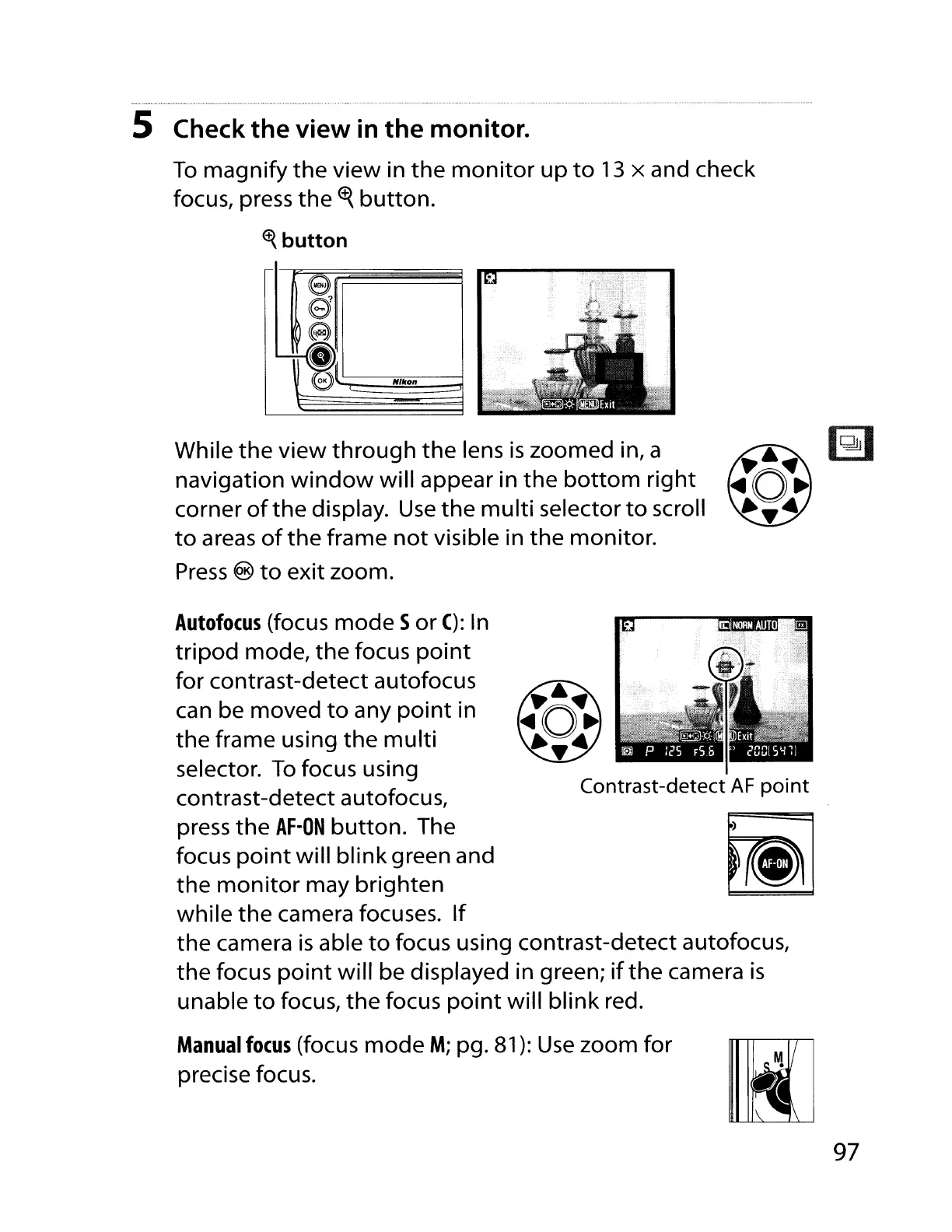
5 Check
the
view
in
the
monitor.
To
magnify
the
view
in
the
monitor
up
to
13
x and check
focus, press
the
~
button.
<t{
button
e
e
~
.....
kI
e
"Ikon
While
the
view
through
the
lens
is
zoomed in, a
navigation
window
will appear in
the
bottom
right
corner
of
the
display.
Use
the
multi
selector
to
scroll
to
areas
of
the
frame
not
visible in
the
monitor.
Press
®
to
exit zoom.
Contrast-detect
AF
point
Autofocus
(focus
mode
S
or
C):
In
tripod
mode,
the
focus
point
for contrast-detect autofocus
can be moved
to
any
point
in
the
frame using
the
multi
selector.
To
focus using
contrast-detect autofocus,
press
the
AF-ON
button.
The
focus
point
will
blink
green and
the
monitor
may brighten
while
the
camera focuses.
If
the
camera
is
able
to
focus using contrast-detect autofocus,
the
focus
point
will be displayed in green;
if
the
camera
is
unable
to
focus,
the
focus
point
will
blink
red.
Manual
focus
(focus
mode
M;
pg. 81):
Use
zoom for
precise focus.
97

Table of Contents

Other manuals for Nikon D700

Related product manuals