5: Shutter-Priority Auto
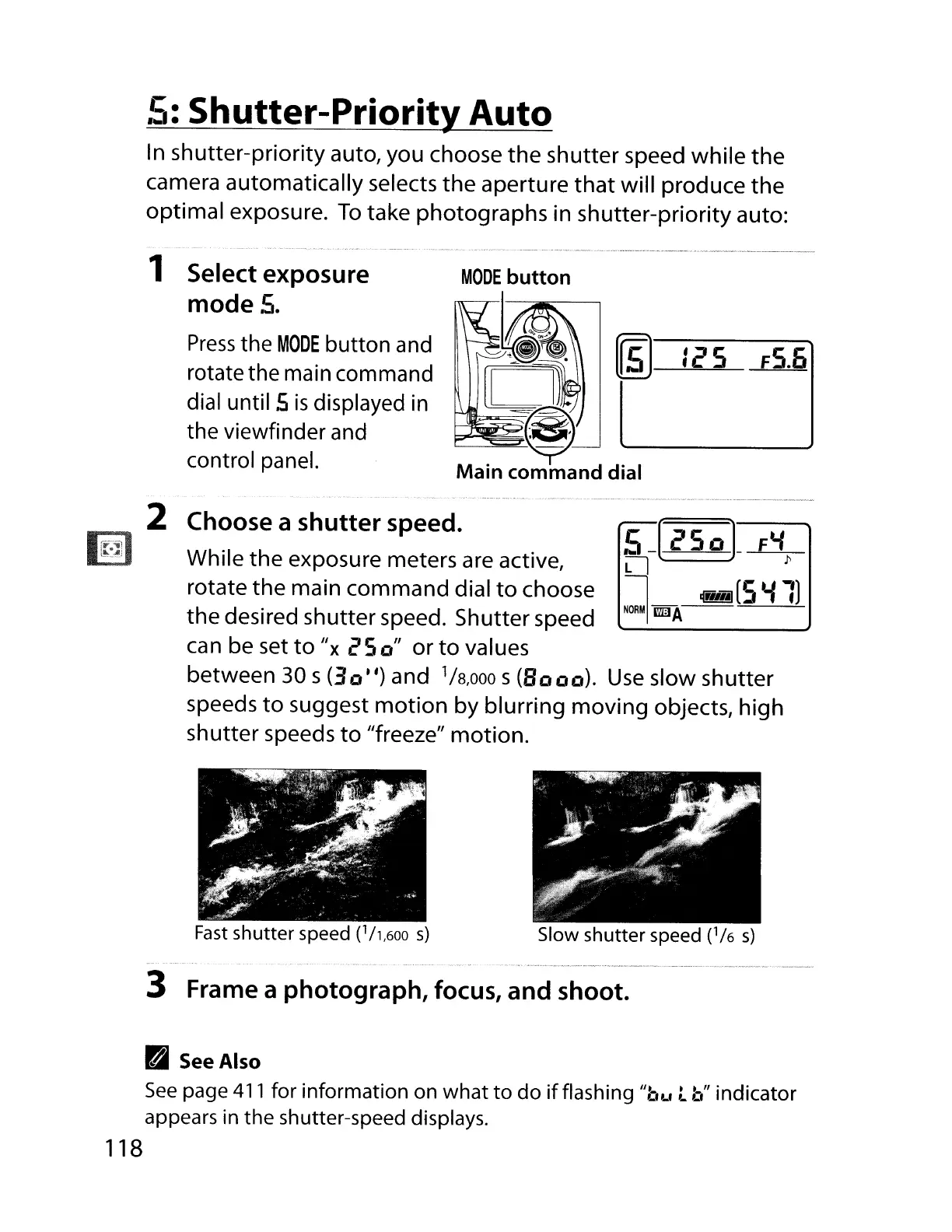
In shutter-priority auto, you choose the shutter speed while the
camera automatically selects the aperture
that
will produce the
optimal exposure.
To
take photographs in shutter-priority auto:
1 Select exposure
mode
S.
Press
the
MODE
button
and
rotate the main command
dial until
5
is
displayed
in
the viewfinder
and
control panel.
~
125
F5.6
2 Choose a
shutter
speed.
While the exposure meters
are
active,
rotate the main command dial
to
choose
the desired shutter speed. Shutter speed
can be set
to
/Ix
25
0"
or
to
values
between 30 s
(30")
and
1/
8
,000
s
(Booo).
Use
slow shutter
speeds
to
suggest
motion
by blurring moving objects, high
shutter speeds
to
/lfreeze" motion.
Fast
shutter
speed
(l/1,600
s)
Slow
shutter
speed
(1/
6
s)
3 Frame a photograph, focus, and shoot.
B
See
Also
See
page
411
for information on
what
to
do
if
flashing "bLl t
b"
indicator
appears in the shutter-speed displays.
118



 To Next Page