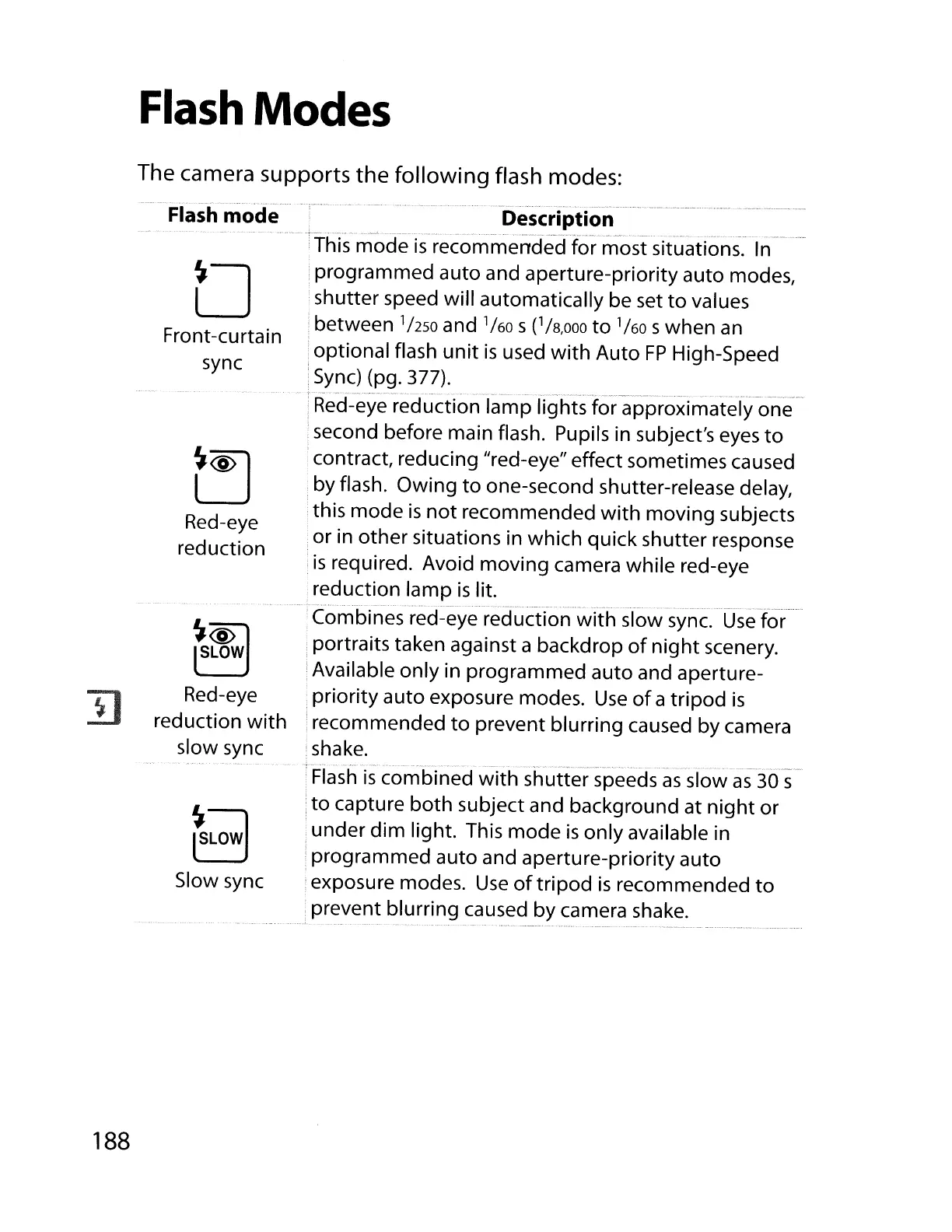
Flash Modes
The camera supports the
following
flash modes:
II
Flash mode
o
Front-curtain
sync
~
Red-eye
reduction
~~
~
Red-eye
reduction
with
slow sync
rs
LOW
]
Slow sync
Description
~..
•
'-.,_
._
•.
."'
.,
••
~,
'.'
d..
•
••.
..m,"""
,
..
'~."."
••
This mode
is
recommended for most situations.
In
i programmed auto and aperture-priority auto modes,
shutter speed will automatically be set
to
values
between
'1250
and '/60 s('/8,000
to
'/60 swhen
an
optional flash
unit
is
used
with
Auto
FP
High-Speed
Sync)
(pg. 377).
".,w_~
.._.•._
•.•
, .
__
.....
~._._
¥'_V_"~
__
'
__
"_"""""V""V
•••••
·_.~
••
_.~.,_
._·y
~_._.~.¥
..
y~
••
_m
__
.
_.¥¥.~."
•...
__
Red-eye reduction lamp lights for approximately one
second before main flash. Pupils in subject's eyes
to
contract, reducing "red-eye" effect sometimes caused
.by flash. Owing
to
one-second shutter-release delay,
this mode
is
not
recommended
with
moving subjects
or in other situations in which quick shutter response
is
required. Avoid moving camera while red-eye
reduction lamp
is
lit.
Combines red-eye reduction
with
slow sync.
Use
for
portraits taken against a backdrop
of
night
scenery.
Available only in programmed auto and aperture-
priority auto exposure modes.
Use
of
a tripod
is
recommended
to
prevent blurring caused by camera
shake.
,,-
",
.....
,,~
.....
-.
.
..
~"...
".'~-""
Flash
is
combined
with
shutter speeds
as
slow
as
30
s
to
capture both subject and background at
night
or
under
dim
light. This mode
is
only available in
programmed auto and aperture-priority auto
exposure modes.
Use
of
tripod
is
recommended
to
prevent blurring caused by camera shake.
188



 To Next Page