EasyManua.ls Logo

Nikon D700 - Page 161

Nikon D700
533 pages
Print Icon
To Next Page IconTo Next Page
To Previous Page IconTo Previous Page
Loading...
Auto
bracketing
set
WIl
WB
bracketing
[QK)
II
White
Balance
Bracketing
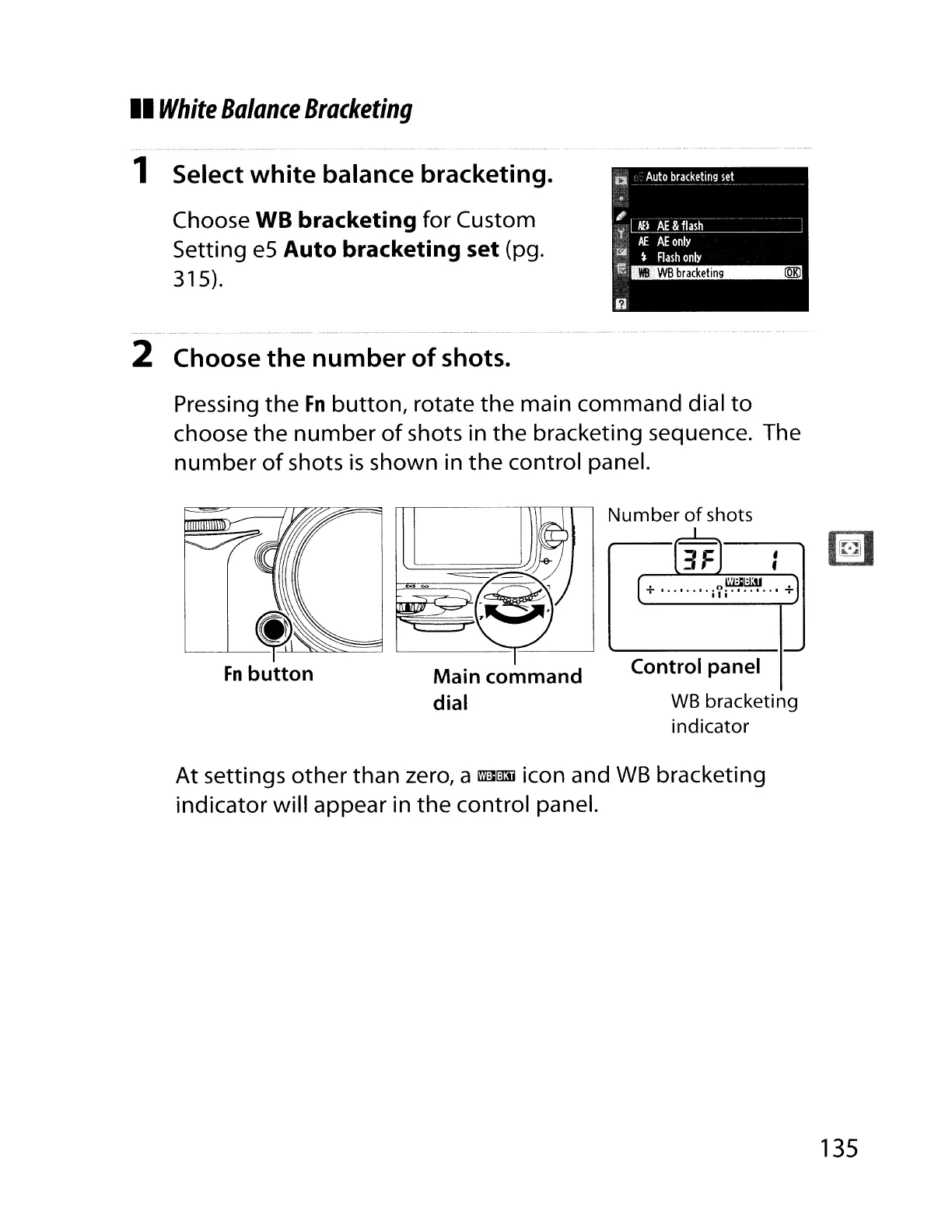
1 Select
white
balance
bracketing.
Choose WB
bracketing
for Custom
Setting e5
Auto
bracketing
set
(pg.
315).
2
Choose
the
number
of
shots.
#
AEI
AE&fl.ish-----
---
Af.
AE
only
t
Flash
only
"'Ie
Pressing
the
Fn
button,
rotate
the
main command dial
to
choose
the
number
of
shots in
the
bracketing sequence. The
number
of
shots
is
shown in
the
control panel.
Number
of
shots
,...L..
l3FJ
,
f
[
~.J
+
········iyi········
+
Control
panel
WB
bracketing
indicator
At settings
other
than zero, a
mmJj
icon and WB bracketing
indicator will appear in
the
control panel.
135

Table of Contents

Other manuals for Nikon D700

Related product manuals