EasyManua.ls Logo

Nikon D700 - Page 172

Nikon D700
533 pages
Print Icon
To Next Page IconTo Next Page
To Previous Page IconTo Previous Page
Loading...
II
The
WB
Button
At settings
other
than
13
(Choose
color
temp.)
and PRE (Preset
manual), the
WB
button
can be used
to
fine-tune
white
balance on
the
amber (A)-blue
(B)
axis (pg. 144;
to
fine-tune
white
balance
when
13
or
PRE
is
selected, use
the
shooting menu
as
described on
page 144).
Six
settings in
both
directions are available; each
increment
is
equivalent
to
about
5 mired (pg. 145).
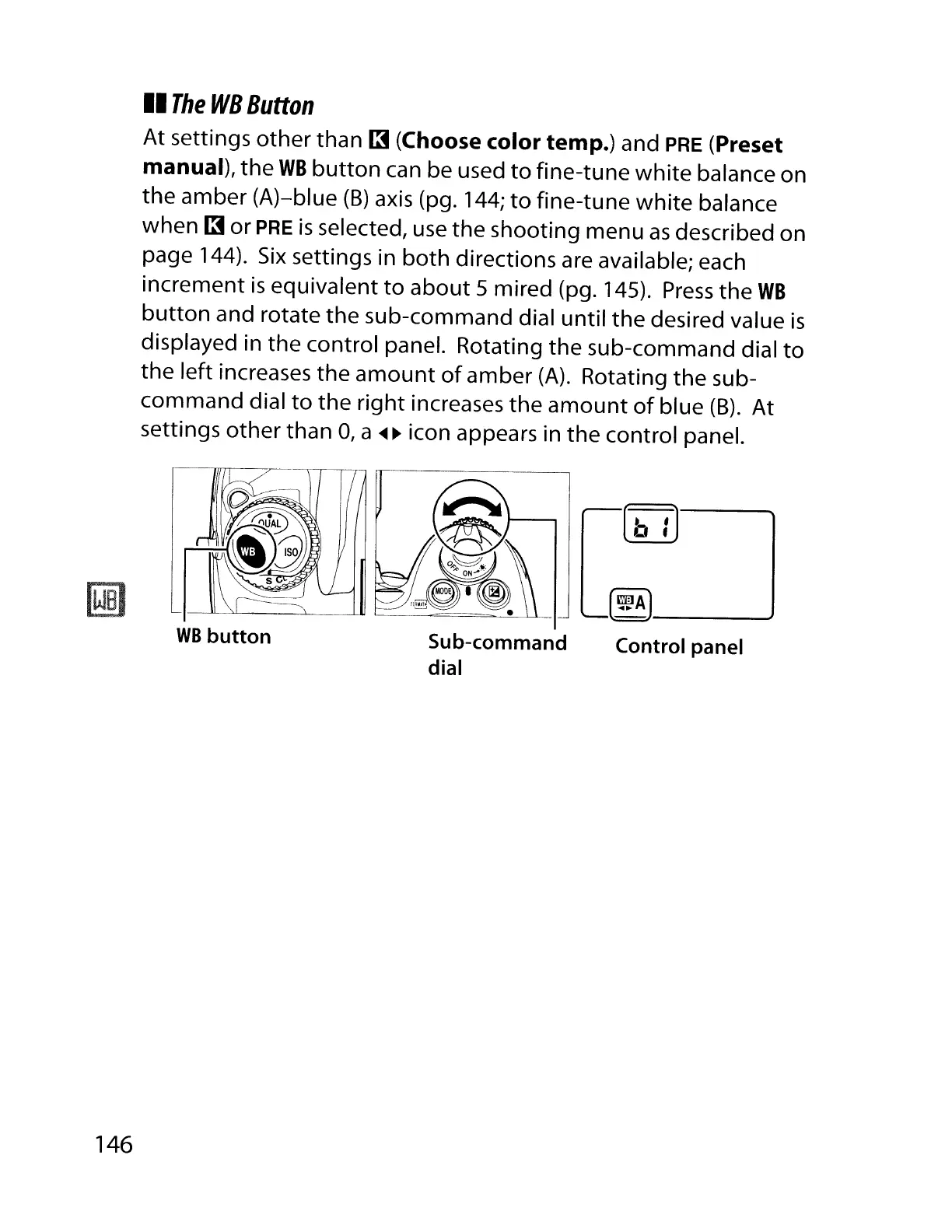
Press
the
WB
button
and rotate
the
sub-command dial until the desired value
is
displayed in
the
control panel. Rotating
the
sub-command dial
to
the left increases the
amount
of
amber
(A).
Rotating
the
sub-
command dial
to
the
right increases the
amount
of
blue
(8).
At
settings
other
than
0,
a
<Ill
~
icon appears in
the
control panel.
146
WB
button
Sub-command
dial
(~A)
..J
Control panel

Table of Contents

Other manuals for Nikon D700

Related product manuals