II
Saving
Custom
Picture
Controls
to
the
Memory
Card
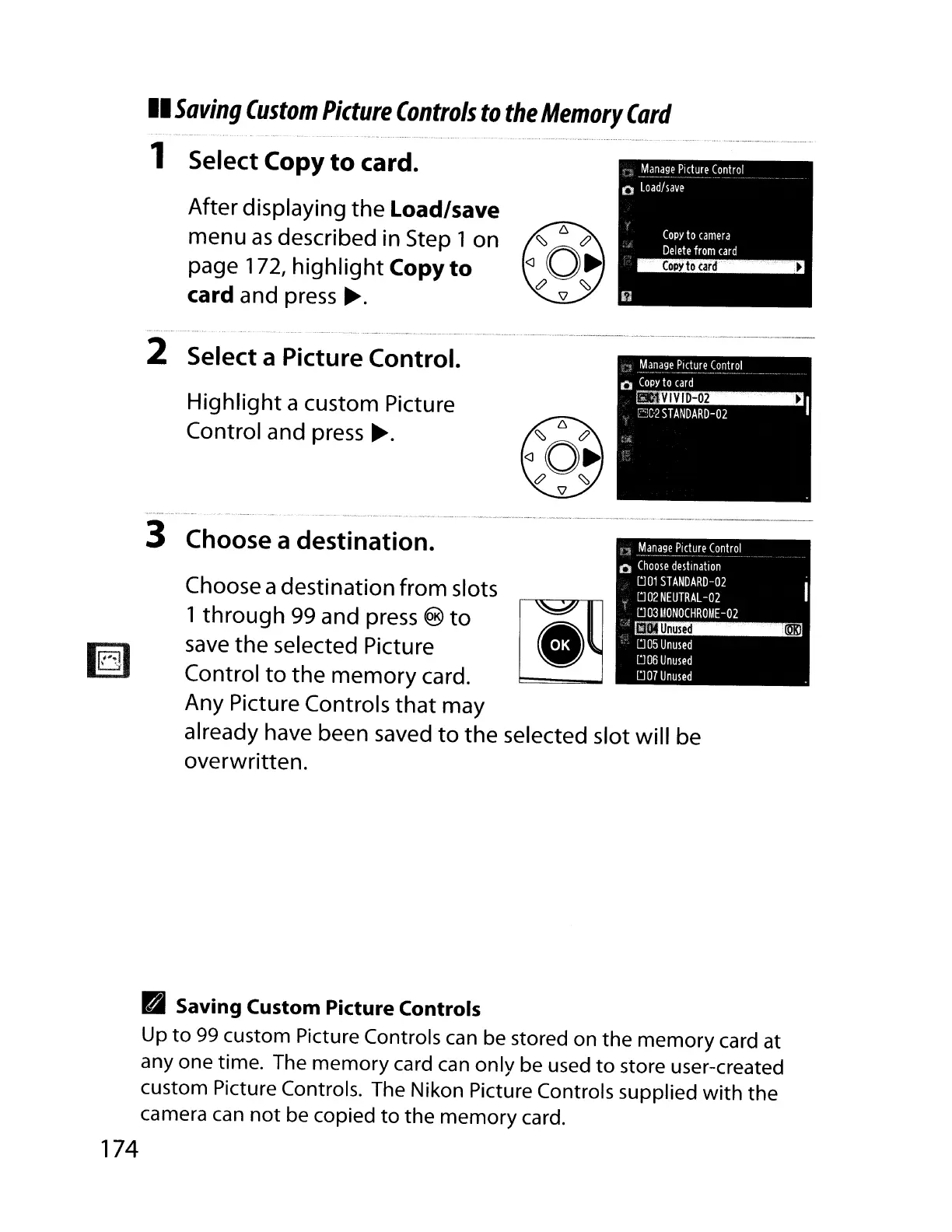
1 Select Copy
to
card.
After displaying the Load/save
menu
as
described in Step 1on
page 172,
highlight
Copy
to
card and press
~.
2 Select a Picture Control.
Highlight
a custom Picture
Control and press
~.
.
Unused
IDKl
005
Unused
006
Unused
007
Unused
'j
Manage
Picture
Control
o
Choose
destination
001
STANDARD-02
002
NEUTRAL
-02
003110NOCHROllE-02
Choose adestination from slots
1through 99 and press
®
to
~
save
the selected Picture •
Control
to
the memory card.
Any Picture Controls
that
may
already have been saved
to
the selected slot will be
overwritten.
3 Choose a destination.
• Saving Custom Picture Controls
Up
to
99
custom Picture Controls can be stored on the memory card at
anyone
time. The memory card can only be used
to
store user-created
custom Picture Controls. The Nikon Picture Controls supplied
with
the
camera can
not
be copied
to
the memory card.
174



 To Next Page