EasyManua.ls Logo

Nikon D700 - Page 233

Nikon D700
533 pages
Print Icon
To Next Page IconTo Next Page
To Previous Page IconTo Previous Page
Loading...
II
Pausing
Interval
Timer
Photography
Interval
time
photography
can be paused by:
Pressing
the
®
button
between intervals
Highlighting
Start>
Pause in
the
interval
timer
menu and
pressing ®
Turning
the
camera
off
and
then
on
again (if desired,
the
memory
card can be replaced
while
the
camera
is
off)
Selecting live
view
(~),
self-timer
(~),
or
mirror-up
(Mup)
release
modes
To
resume shooting:
j)ause
@1003
IEIINow
D
Interval
timer
shooting
01
Choose
start
time
~
m
Start
time
ilCll
I
I:ilIl
~0
~
\~)OOOl'OO"
IiGJ003
x2=0006
6
€3Move
(:)Set
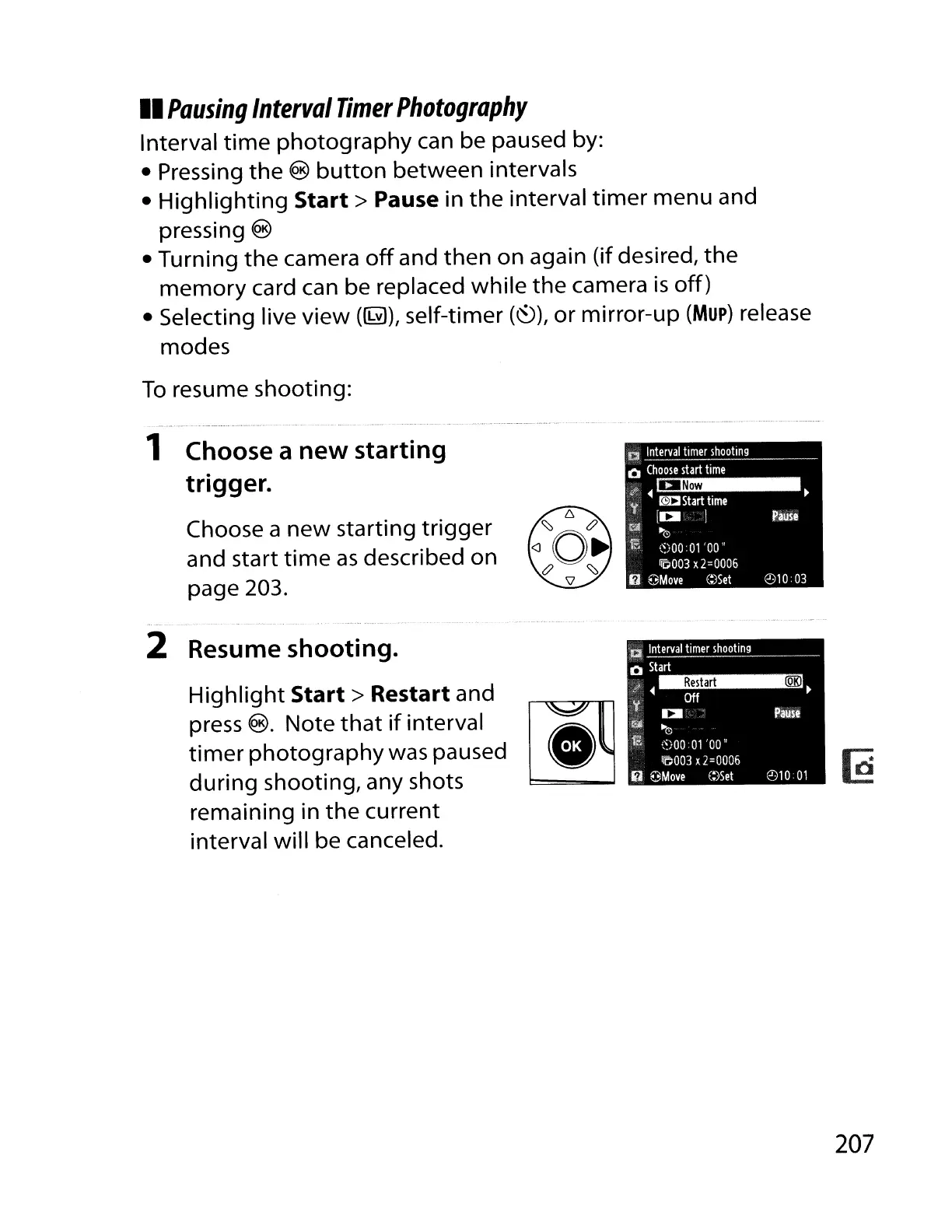
Choose a
new
starting
trigger
and start
time
as
described on
page 203.
1 Choose a
new
starting
trigger.
-
2 Resume shooting.
Highlight
Start>
Restart and
press
®.
Note
that
if
interval l
~..
~
timer
photography
was paused
during
shooting, any shots
remaining in
the
current
interval
will
be canceled.
207

Table of Contents

Other manuals for Nikon D700

Related product manuals