Option
Cropping
Description
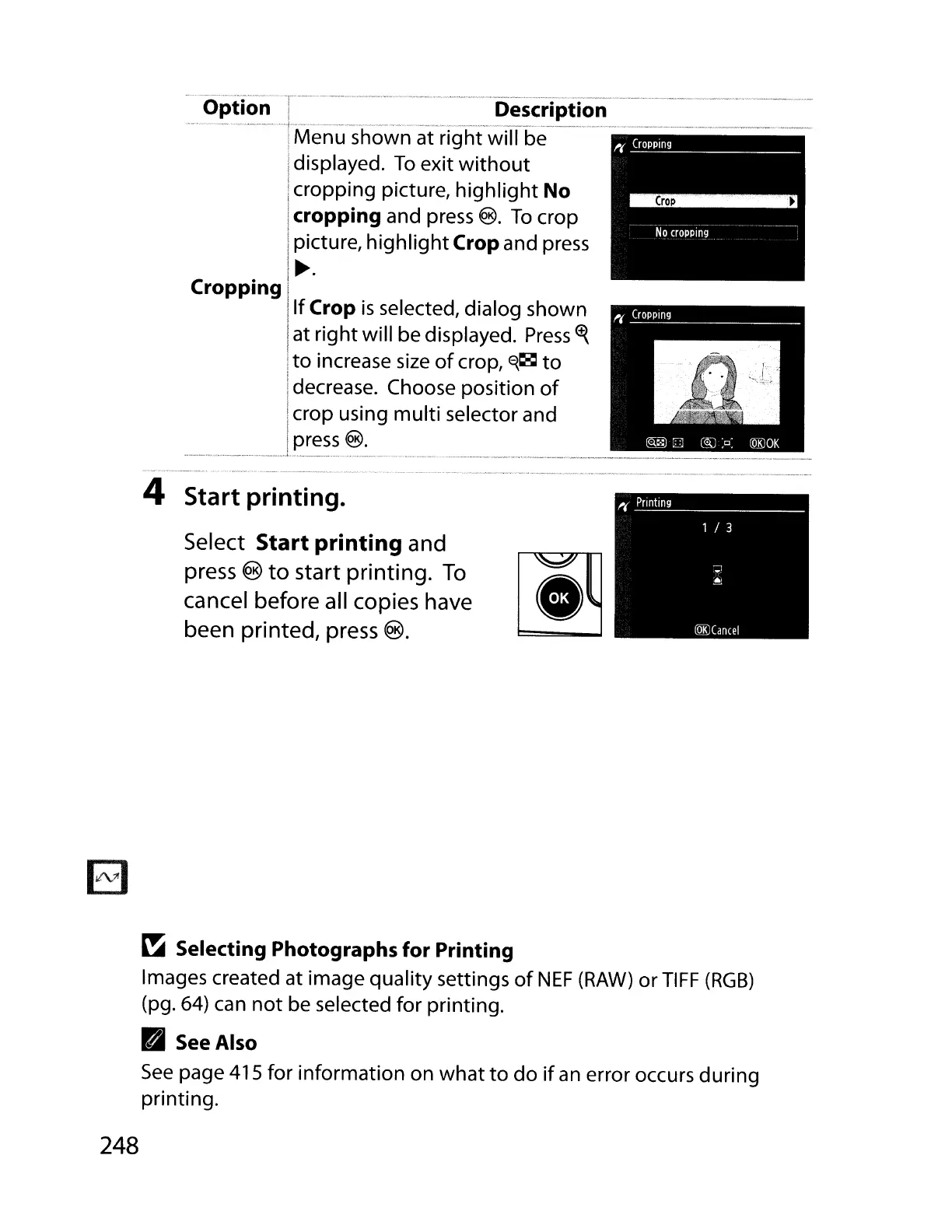
Menu at right will be
displayed.
To
exit
without
cropping picture,
highlight
No
cropping and press
®.
To
crop
picture,
highlight
Crop and press
~.
If
Crop
is
selected, dialog shown
at right will be displayed.
Press
<t{
to
increase
size
of
crop,
~~
to
decrease. Choose position
of
crop using multi selector and
press
®.
.
_-_
--_ _
•....••
_
-_
...•.
_._-_... .•.•..
_--_._---_
..
_
__
..
_•...•...
_--_.
__
..
__
•.
__
._-_
..
__
._--_
..
_--
_
..
_ . .
~
~_
..
_
.. ..
~_
..
,
..
__
._.
__
,"
·.·.A
..
..
"¥_
•
~
._
•••
~
, ,
~.
._-~.
~
.•
_.,
•••••
~_
....
_~~
~R_.~._.
__•
4 Start printing.
Select Start printing and
press ®
to
start printing.
To
[~..
~
cancel before all copies have
been printed, press
®.
~
Selecting Photographs for Printing
Images created at image quality settings
of
NEF
(RAW)
or
TIFF
(RGB)
(pg.
64)
can
not
be selected for printing.
Pal
See
Also
See
page 415 for information on
what
to
do
if
an
error occurs during
printing.
248



 To Next Page