•
1~~_1
100-1~~
•••
8+G;Set
@JZoom
(@OK
!'(
Print
(DPOF)
A
~
~
6)
e
Nllfon
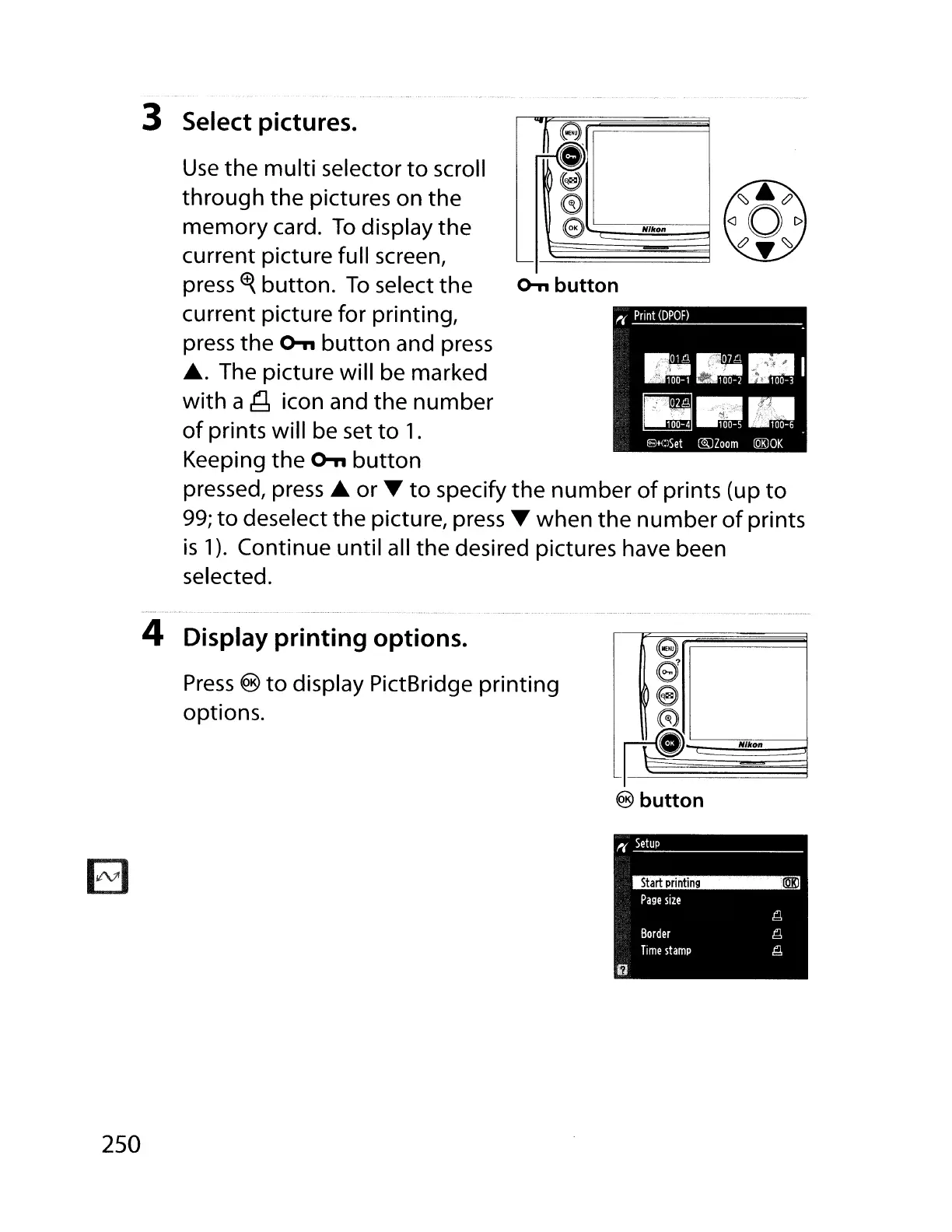
Use
the
multi
selector
to
scroll
through
the pictures on the
memory card.
To
display the
current picture full screen,
press
~
button.
To
select the
o-n
button
current picture for printing,
press the
o-n
button
and press
.... The picture will be marked
with
a
~
icon and the number
of
prints will be set
to
1.
Keeping the
o-n
button
pressed,
press'"
or'"
to
specify the
number
of
prints (up
to
99;
to
deselect the picture,
press'"
when
the
number
of
prints
is
1).
Continue until all the desired pictures have been
selected.
3 Select pictures.
........................................
4 Display printing options.
Press
®
to
display PictBridge printing
options.
e
e
18
A
_Pl~N'kon~
®
button
EJ
~(
Setup
Start
printing
@KJ
Page
size
~
Border
~
Time
stamp
~
iJ
250



 To Next Page