al
0: AF-On
for
MB-Dl
0
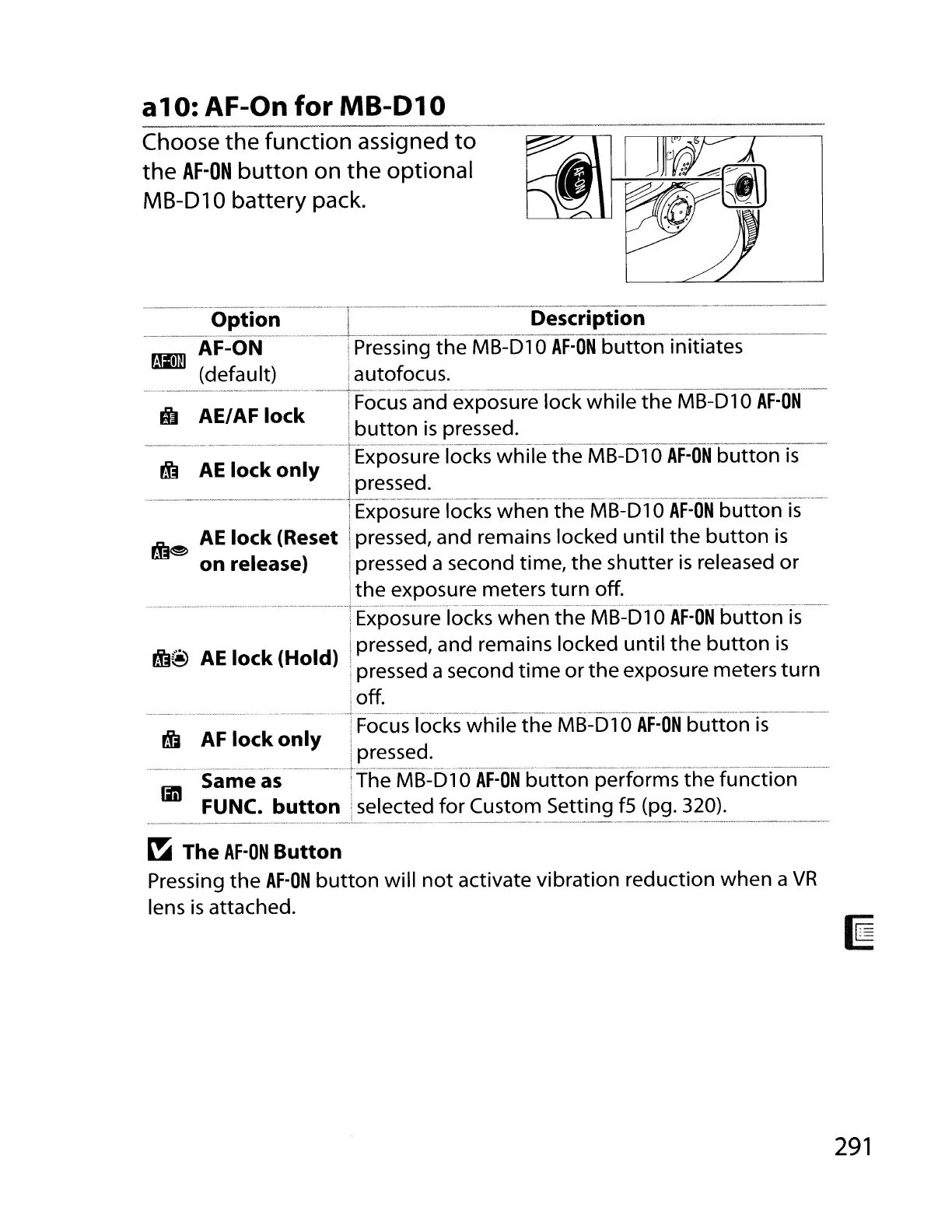
Choose the function assigned
to
the
AF-ON
button
on
the
optional
MB-Dl0
battery pack.
Hi
AEI
AF
lock
--
.
__
..
_--_._---
Option
I
Description
--A-F~ON---l.
Pressing
the
MB-Dl
0
AF-ON
button
initiates
rmD
(default) j autofocus.
·~~,··.·"_,,,~~~_,,"~._~·'_~,,n.~.N_''''.,,,,~"~
__
··.~.~··
__
~
.",.
_~~'~~'
__
~'~~~Oy~~.
."
·,
_
Focus and exposure lock
while
the
MB-Dl
0
AF-ON
I
button
is
pressed.
----
-',-Exposure-Iocks whife
the
MB~51
0
AF-1ftfbuttonTs-
fEj
AE
lock
only
____
....
__
.
.....
_._.
__
._.
._lE~~~~~_d
~
. . .
__
.
...
__
.
....
_.
__
..
_.
__
._
..
IExposure locks
when
the
MB-Dl
0
AF-ON
button
is
pj]~
AE
lock
(Reset Ipressed, and remai.ns locked
until
t~e
button
is
on
release) ! pressed a second time,
the
shutter
IS
released
or
j
the
exposure meters
turn
off
.
.........
_..
_._.............
-_.
. + -
_.
_
..
_..
_...
......_--
...._.......
_....
_ _
_._
_
__
.
iExposure locks
when
the
MB-Dl
0
AF-ON
button
is
fEj@
AE
lock
(Hold) !pressed, and
rema~ns
locked
until
the
button
is
i pressed a second
time
or
the
exposure meters
turn
I
Ioff.
B'i-~;··;~~~-~~~·····--·l
Focu-s"jocks-whHeihe'MS=BfOAF:ON
button
i
5-----
Y :pressed.
...........
-.......................
..
_._
_ _ +
-.--.._
..
_-_
__
_ _
..
_
__
-.
..
____
__
..
-
..
_--_
_---_
-.".-
Same as !The
MB-Dl
0
AF-ON
button
performs
the
function
liD
FUNC.
button!
selected
for
Custom Setting
fS
(pg. 320).
~
The
AF-ON
Button
Pressing
the
AF-ON
button
will
not
activate
vibration
reduction
when
a
VR
lens
is
attached.
291



 To Next Page