e3: Flash Cntrl
for
Built-in Flash
Choose the flash mode for the built-in flash.
-_..
.
--.--r-----~.-
..
-------.--.--.----
..
-.-
..
--
....
--
....
-.--._.--
...
_--
Option I Description
_____
__
..
._
_
__
n_.
,_.
.
__
v._
_.
__
..
__.
__
..
~_.
.
__
..
._
..
_.,
__
._
.. .. ..
~_._
..
_
TTL~
TTL !
Flash
?utput
is.a.djusted automatically in response
to
(default) ishooting conditions.
~-~~~~~~~~an·~.~~~:
..
~~.:~:l~~?·?:~~~~~~~!!.~:~.~~I~~~TIp~~~~l·~~·::::::~~::·:::·:_·:·::·:::~:~:·=.
RPT~
Repeating !The
fla~h
fires repeat.edly
while
the
shutter
is
open,
flash I producmg a strobe-light effect (pg. 310).
.
-.--
-.--.--
.•...
----.-
-
",·
..
· ·
..
···,1····
...•......
",
"
......•......
""
, ,
_"
, -
-._-,
..
-.-_.~-
..
.
~.
.
,---
,.,
"'
..
,',
~
"'.,
,,~
"
-."
~
,,,
.
C~
Commander!
Use
the
built-in flash
as
a master flash controlling
mode :one or more remote optional flash units (pg. 311).
_,
,
..
_ " _.
.,._"",,.
, ...•L
__
.
__
r4l1
"Manual" and "Repeating Flash"
~
icons
blink
in
the
control panel and
viewfinder
when
these options are
selected.
r4l1
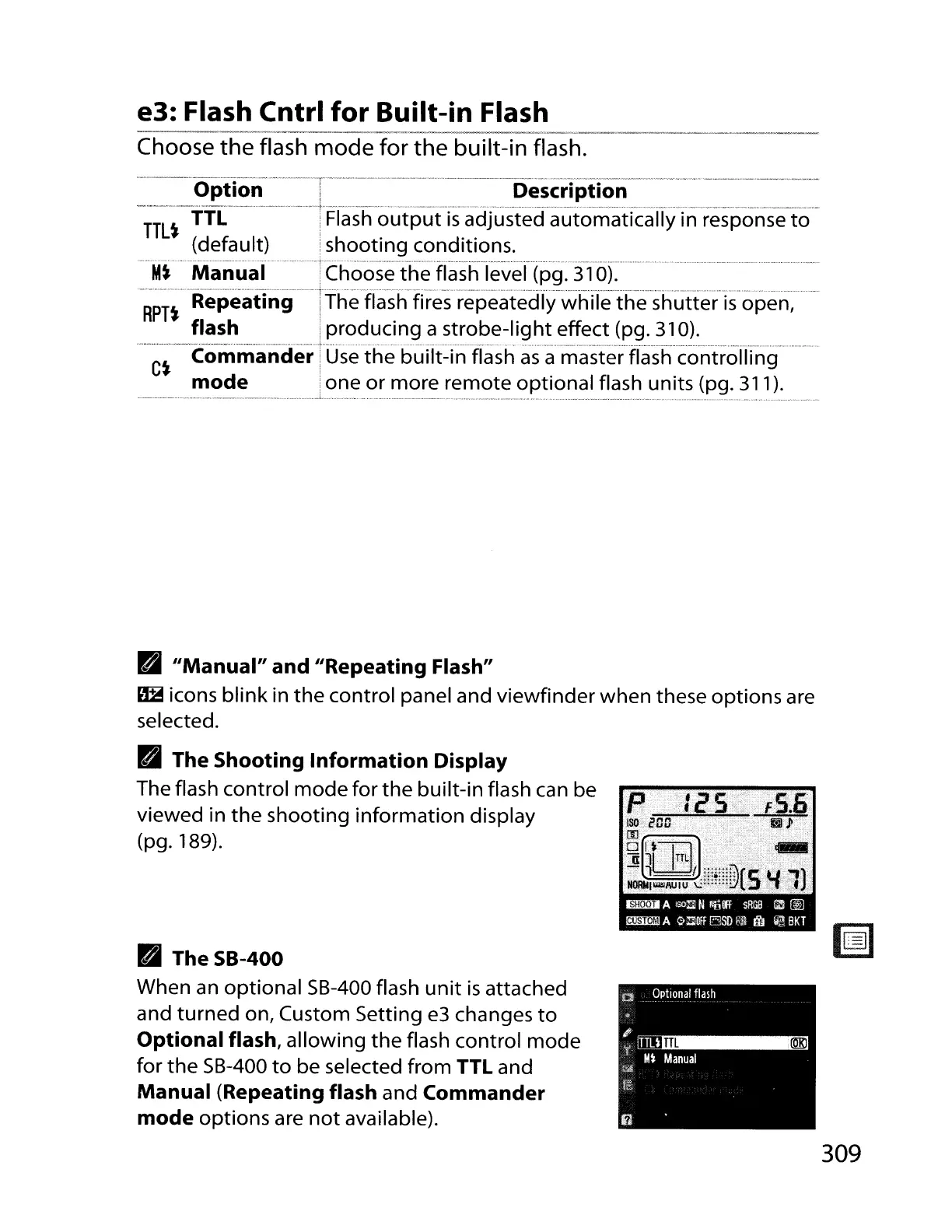
The Shooting Information Display
The flash control
mode
for
the
built-in flash can be
viewed in
the
shooting
information
display
(pg. 189).
• TheSB-400
When an
optional
5B-400 flash
unit
is
attached
and
turned
on, Custom Setting
e3
changes
to
Optional flash, allowing
the
flash control
mode
for
the
5B-400
to
be selected from TTL and
Manual (Repeating flash and Commander
mode
options are
not
available).
309



 To Next Page