EasyManua.ls Logo

Nikon D700 - Page 386

Nikon D700
533 pages
Print Icon
To Next Page IconTo Next Page
To Previous Page IconTo Previous Page
Loading...
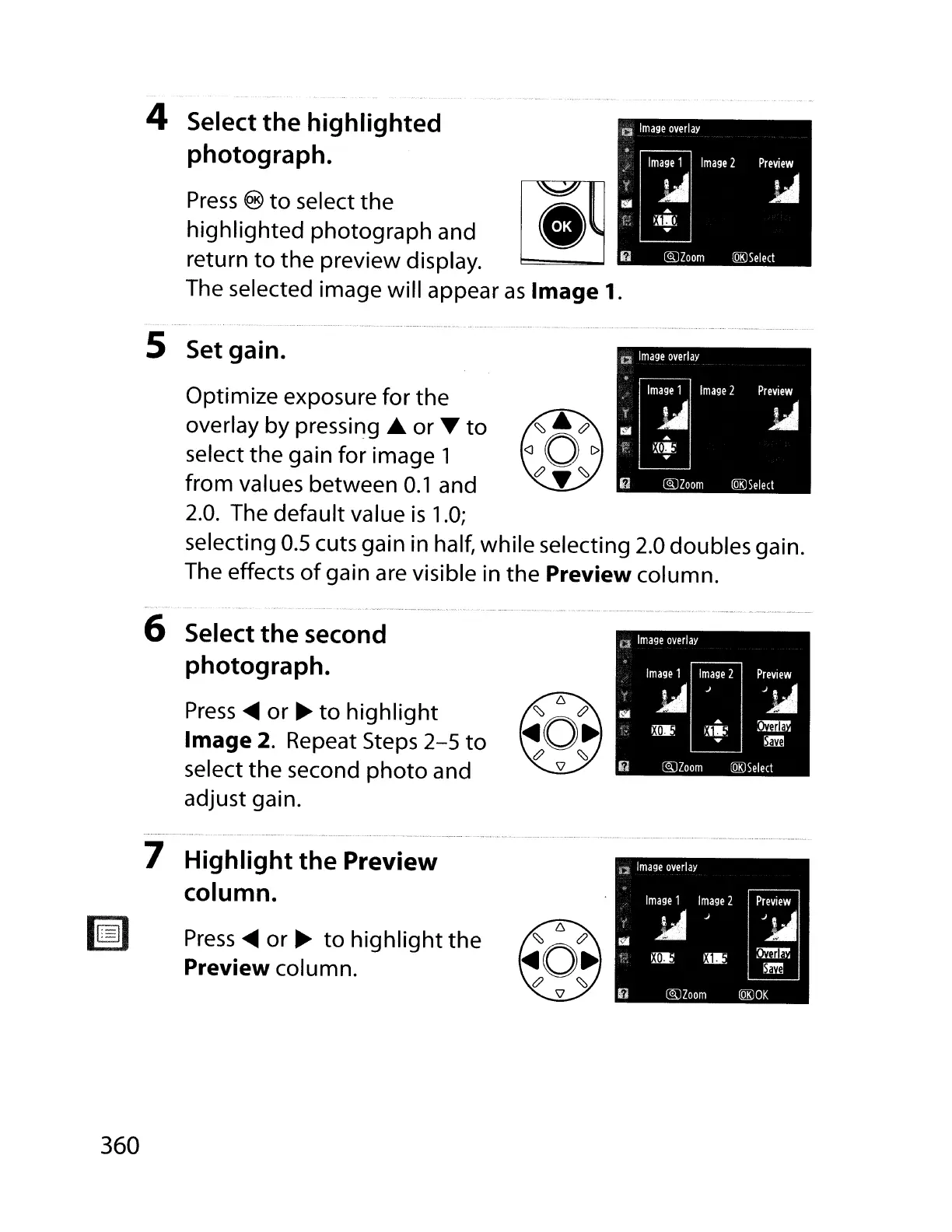
4 Select the highlighted
photograph.
Press
®
to
select the
highlighted
photograph and
return
to
the
preview display.
The selected image will appear
as
Image
1.
Optimize exposure for the
overlay by
pressi~g
or 'Y
to
select
the
gain for image 1
from values between
0.1
and
2.0.
The default value
is
1.0;
selecting
0.5
cuts gain in half, while selecting 2.0 doubles gain.
The effects
of
gain are visible in
the
Preview column.
5 Set gain.
--.
-
-~
- .._
..
_._---.
.'
..
--_.
__
._-.
_.
-~
.
-,.
__
...
~-.-
..
_._-~
..
_
...
-
..
~-
.-~.
-
--~--
.-
_
..
_--~--._..
..-_.~-~,
----.-
..
-
---
6 Select the second
photograph.
Press
....
or
~
to
highlight
Image 2. Repeat Steps
2-5
to
select
the
second
photo
and
adjust gain.
7 Highlight the Preview
column.
lsi
Press
....
or
~
to
highlight
the
Preview column.
360

Table of Contents

Other manuals for Nikon D700

Related product manuals