EasyManua.ls Logo

Nikon D700 - Page 388

Nikon D700
533 pages
Print Icon
To Next Page IconTo Next Page
To Previous Page IconTo Previous Page
Loading...
Side-by-Side Comparison
__
..
~~_~_
..
_
.••.
__
",~
__
.
.~
__
.,_
....
_
••
,._K,·~,_,,_
..•
'~_'~.~~A'_''''-
._._
..
__
-=.»._
.....
~...
_·.~
__
..
'
..
--=.N'
....
~
__
._--...,~
...
__
~_·.·_·~_
...
__
..
~
__
¥v
.~_._~~.~
__
•••
p
•••
_
.••
_.
__
__
•••••
~._~~_
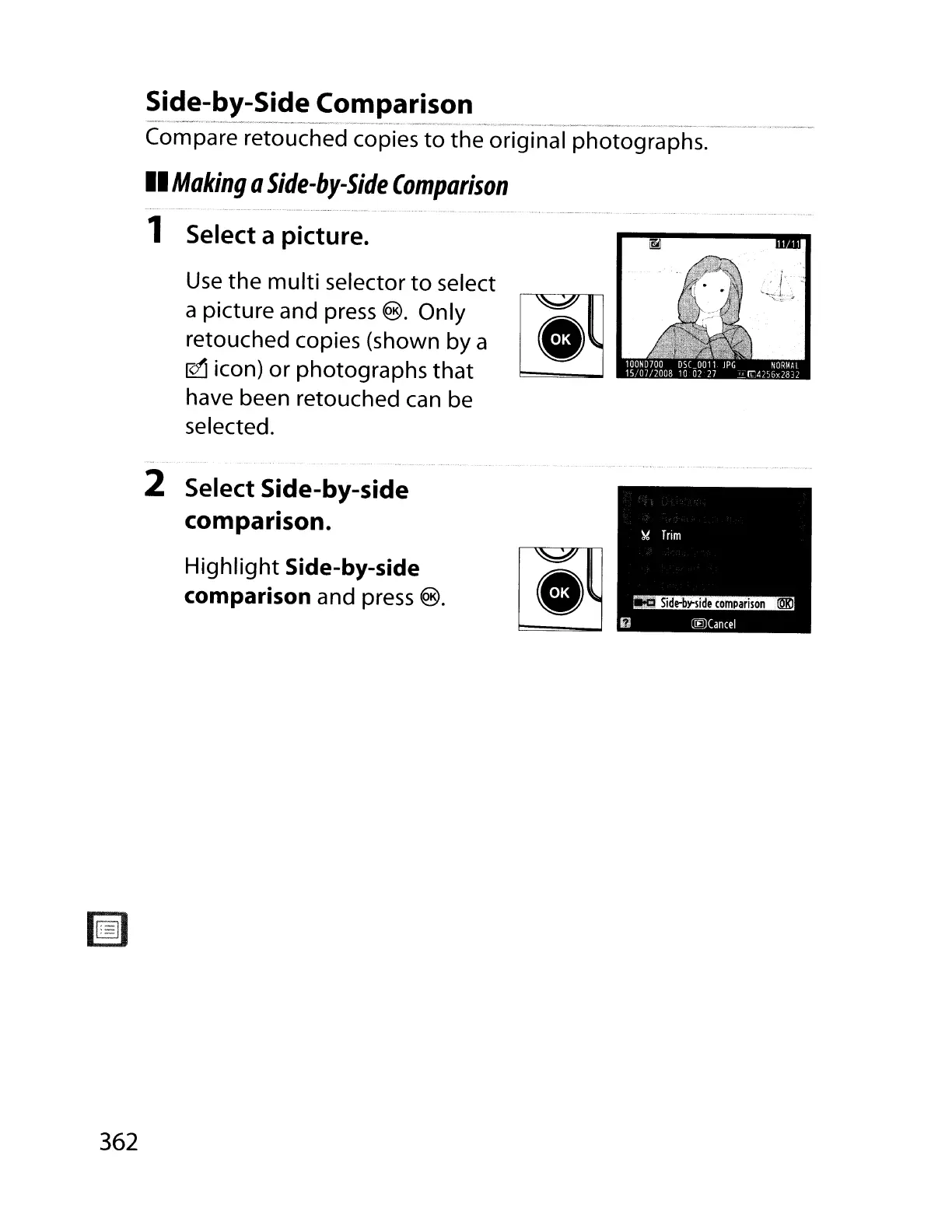
Compare retouched copies
to
the
original photographs.
II
Making
a
Side-by-Side
Comparison
1 Select a picture.
Use
the
multi
selector
to
select
a picture and press
®. Only
~
::t~uch)ed
cOhPies
(ShohwnhbY
a
"',
"'
~
Icon
or
p
otograp
stat
have been retouched can be
selected.
2 Select Side-by-side
comparison.
Highlight
Side-by-side
comparison
and press ®.
362

Table of Contents

Other manuals for Nikon D700

Related product manuals