EasyManua.ls Logo

Nikon D700 - Page 393

Nikon D700
533 pages
Print Icon
To Next Page IconTo Next Page
To Previous Page IconTo Previous Page
Loading...
Reorderin9--Qptions in
My
Menu
___
..
..
.,
..
~_
_._~
•.
__
..
.
__
~
__
.
..
.
__
.•
~,_
,_
.•
".·m
.•
__
"·_
..
.
__
..•...
_
~
_
.••.•..•..•
"._
_ _
~_
_ _
..
_
__
...•
_
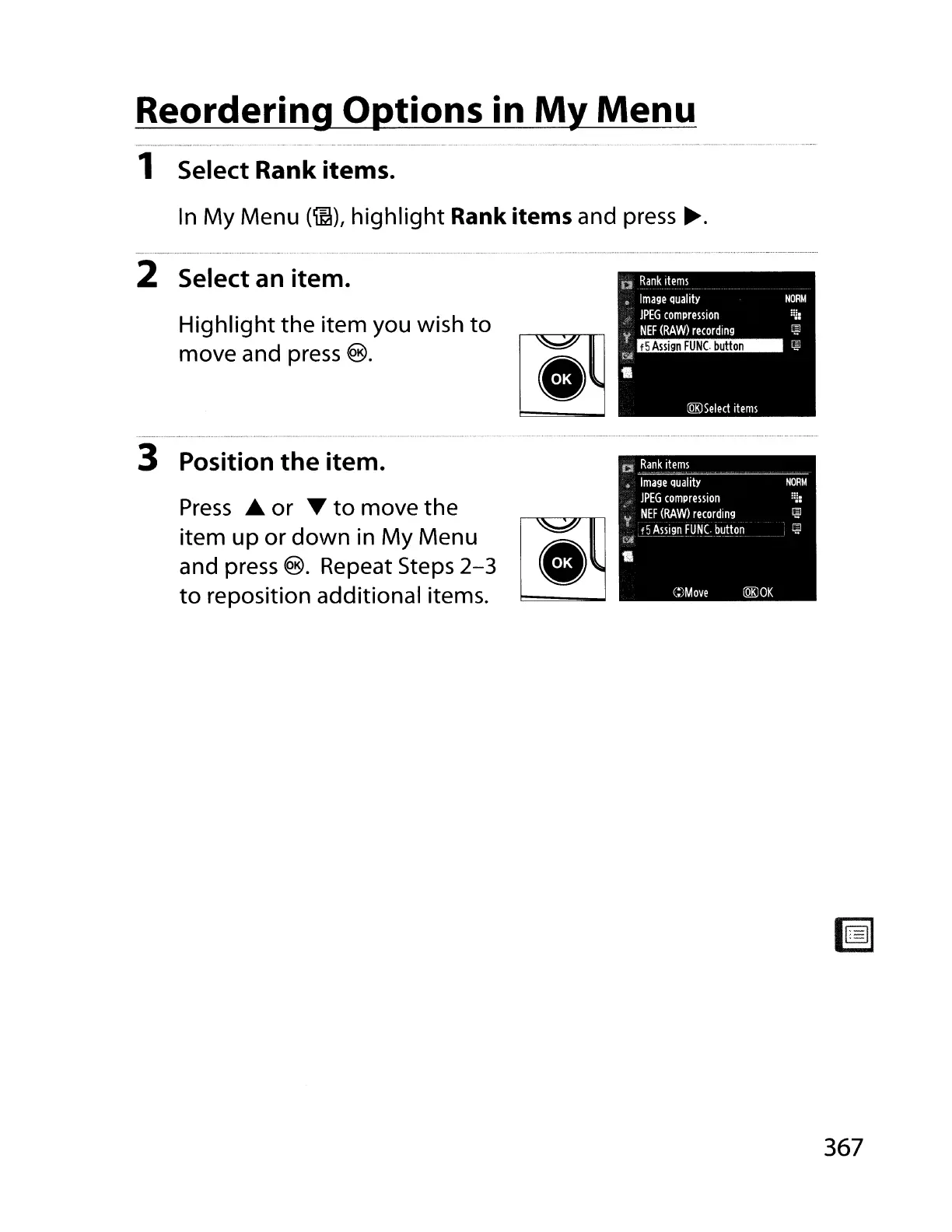
1 Select Rank items.
In
My
Menu
(~),
highlight Rank
items
and
press
~.
;:~:
NORM
f5
Assign
FUNC.
button
:QKJSelect
items
n
Ranklteml
Image
quality
lPEG
comprmion
'f
NEF
(RAW)
recording
(':'ill
Highlight
the
item you wish to
move and
press
®.
2 Select an item.
CI
Rank
items
Image
quality
lPEG
comprelsion
NEF
(RAW)
recording
't
f5
Assign
FUNC.
button
,:Ai
--~--.
-_._.~-
3 Position the item.
Press
.A.
or T
to
move the
item up or down
in
My
Menu
~
and
press
®. Repeat Steps
2-3
to
reposition additional items.
C:)Move
l@OK
NORM
!~:
367

Table of Contents

Other manuals for Nikon D700

Related product manuals