EasyManua.ls Logo

Nikon D700 - Page 44

Nikon D700
533 pages
Print Icon
To Next Page IconTo Next Page
To Previous Page IconTo Previous Page
Loading...
II
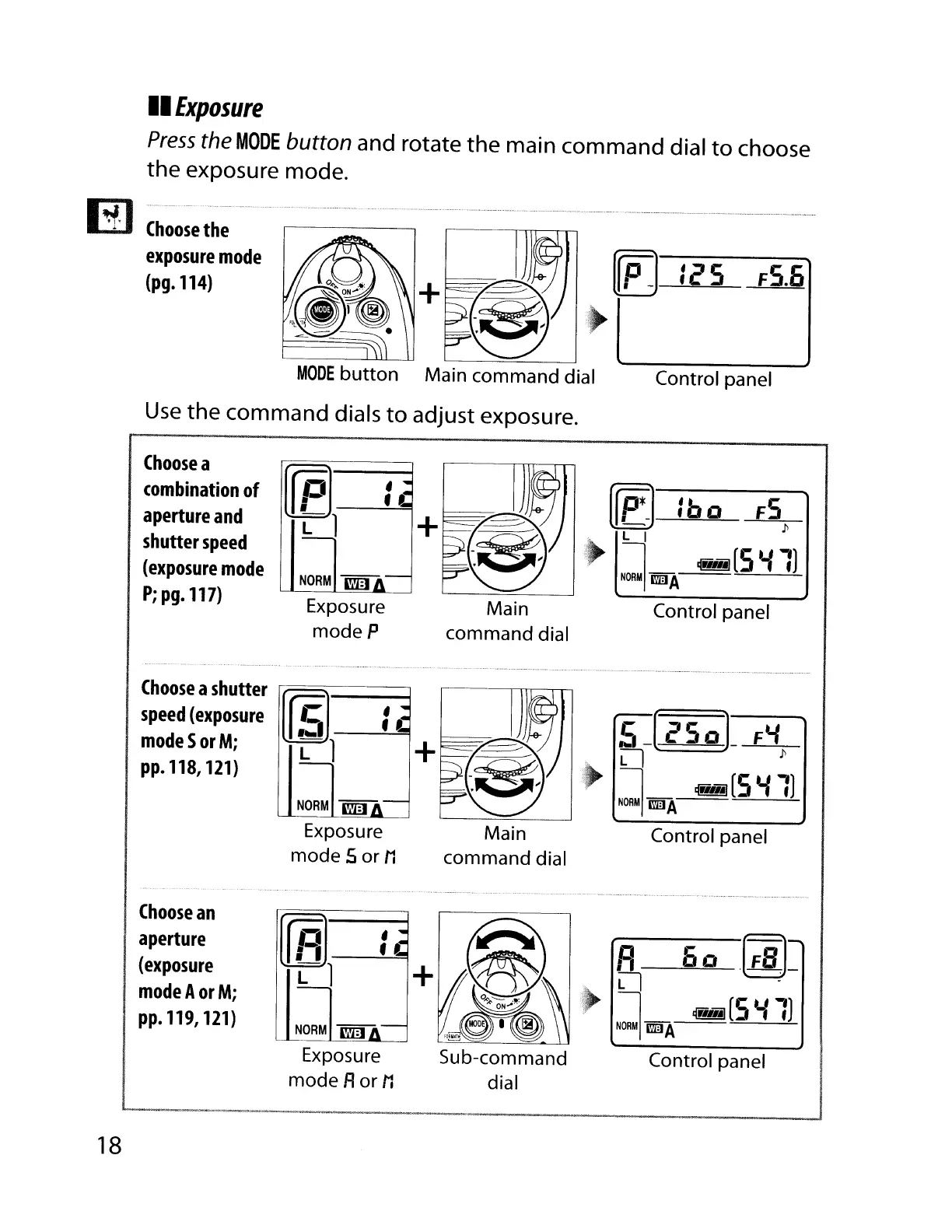
Exposure
Press
the
MODE
button and rotate
the
main command dial
to
choose
the
exposure mode.
Choose
the
exposure
mode
(pg.114)
tcS
FS.5
MODE
button
Main command dial
Use
the
command
dials
to
adjust exposure.
Control panel
Main
command dial
Choose
a
combination
of
aperture
and
shutter
speed
(exposure
mode
P;
pg.
117)
[r
f]l----:-..:
-'"""\1 +
NORM
i'lJ:1
Exposure
modeP
[f
P*
-1
: b 0
FS
p
, L I
~
1
~(S'il)
NORUIl'mJA
'----=---
Control panel
Main
command dial
Choose
a
shutter
r-:[==-]----,
speed
{exposure
f!:i
~:~I
modeSorM; L 1
pp.
118,
121)
NORM
l'l'A:1
Exposure
mode 5
or
11
5J
cSoL
Ft.i
,
Ll
P
.~
1
~(S'il)
NORMI
rmJA
'----=---'
Control panel
18
Choose
an
aperture
(exposure
modeAorM;
pp.
119,
121)
(r
R]
----:-..:
"""II
Ll
+
NORM
""A:I
Exposure
mode Ror
11
Sub-command
dial
A
50
.(~_
.
Ll
-
'~
1_
~(S'il)
NORMIl'mJA
Control panel

Table of Contents

Other manuals for Nikon D700

Related product manuals