EasyManua.ls Logo

Nikon D700 - Page 496

Nikon D700
533 pages
Print Icon
To Next Page IconTo Next Page
To Previous Page IconTo Previous Page
Loading...
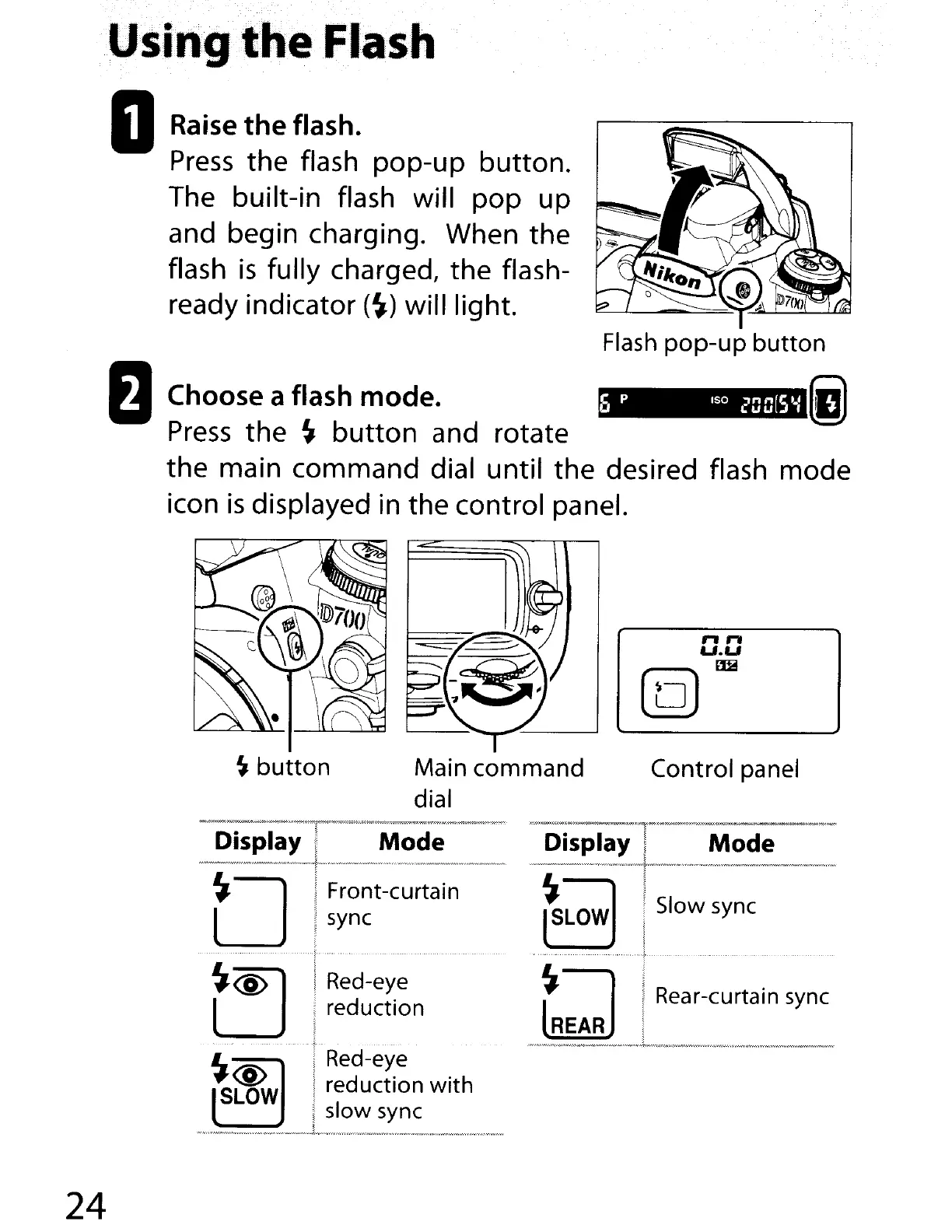
DRaise
the
flash.
Press
the flash pop-up button.
The built-in flash will
pop
up
and begin charging. When the
flash
is
fully charged, the flash-
ready indicator
(~)
will light.
fJ
Choose a flash mode.
(I
Press
the
~
button
and rotate
the main command dial until the desired flash mode
icon
is
displayed in the control panel.
~
button
Main command
dial
" "
U.U
Em
(Q)
Control panel
24
Display ,
Mode
-----_._-----_
...
.j-..,
....
,----_
...
__
.
__
....
_._----------,
O
I
.•
Front-curtain
I sync
~
~@
]1
~:J~~~~n
.
..
....
~
,.-
._
...
~._--.~
t,,·
...
.
..
~
iRed-eye
#~
i d . . h
SLOW
i
re
uctlon
WIt
I slow sync
.........
w ......
_"._,
.....
,."
.•
.,.,,,..'''''w
.........................
~
.......
~l
....
~
...
'u,,
.•
w •.•y ...-..,.,
..
"'."w,,'~.·,,"'
............
',
.....
.....
",
........
·.•·
.....
-."w.,-,·.·.·.·,
...
,w,.w

Table of Contents

Other manuals for Nikon D700

Related product manuals