EasyManua.ls Logo

Nikon D700 - Page 56

Nikon D700
533 pages
Print Icon
To Next Page IconTo Next Page
To Previous Page IconTo Previous Page
Loading...
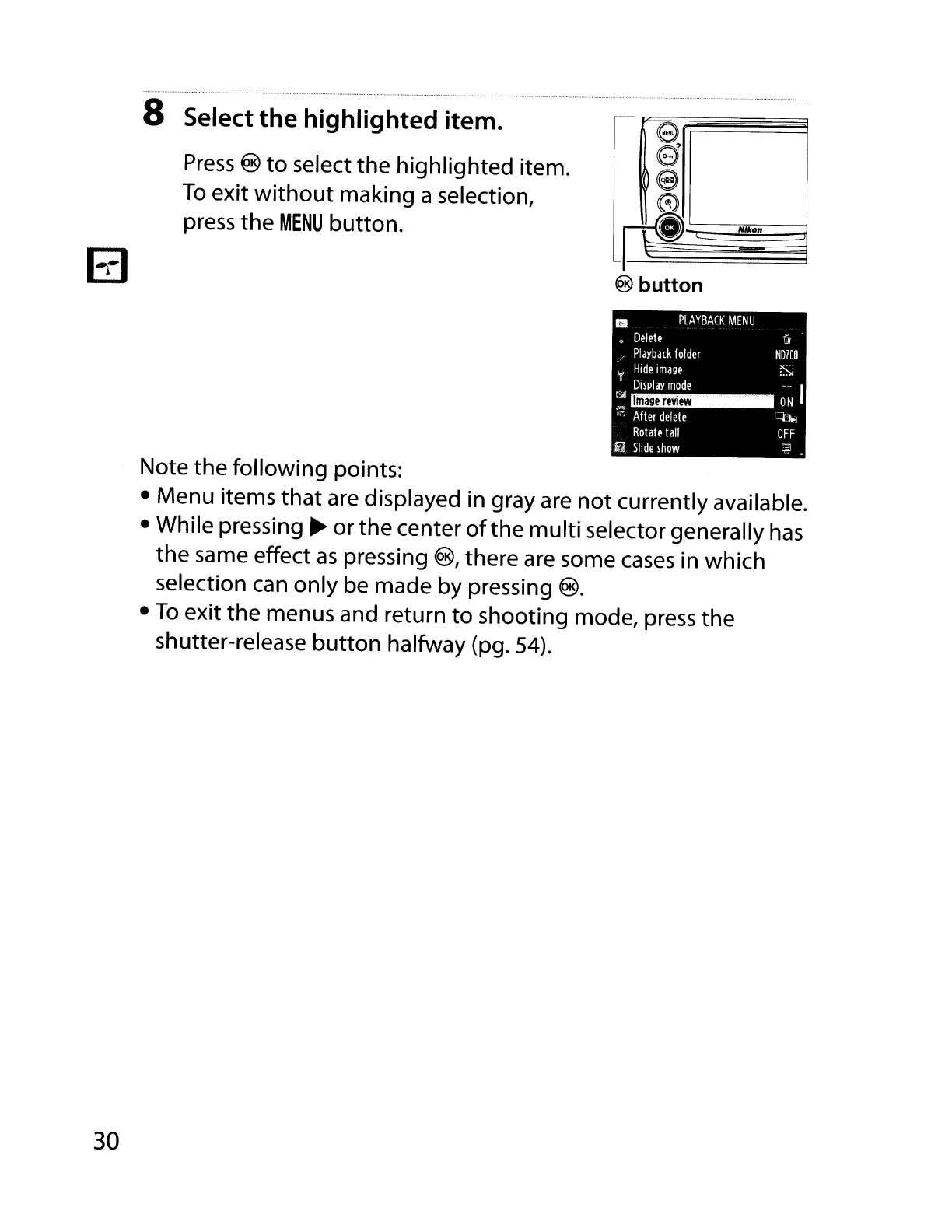
8 Select the highlighted item.
Press
® to
select
the highlighted item.
To
exit without making a selection,
press
the
MENU
button.
e
e
18
~
"dI~NI"OII~
@ button
Image
review
a
PLAYBACK
MENU
Delete
Playback
folder
l'
Hide
Image
Display
mode
:>4
t;;:
After
delete
Rotate
tall
!!ij
Slide
show
U1J
ND700
Si
;~
I
~
OFF
~.
30
Note the following
points:
Menu
items
that
are
displayed
in
gray
are
not currently available.
While
pressing
~
or
the center ofthe multi
selector
generally
has
the
same
effect
as
pressing
®, there
are
some
cases
in
which
selection
can
only
be
made
by
pressing
®.
To
exit the
menus
and
return
to
shooting mode,
press
the
shutter-release button halfway
(pg.
54).

Table of Contents

Other manuals for Nikon D700

Related product manuals