EasyManua.ls Logo

Nikon D700 - Page 85

Nikon D700
533 pages
Print Icon
To Next Page IconTo Next Page
To Previous Page IconTo Previous Page
Loading...
II
Choose
Image
Area
Choose
the
image
area used
when
Off
is
selected
for
Auto
OX
crop (pg. 61).
__
. _
..
...
~_.
~_._._,.~~
.....
~.,,~.~
v····,_···_··
"p
••
¥
••
Option Description
'y_W
__
~_~
"~~_'Y
"
•.
~
..
_
~.
~~
•..•
~
__
.•
_.
__
.
~_~
..
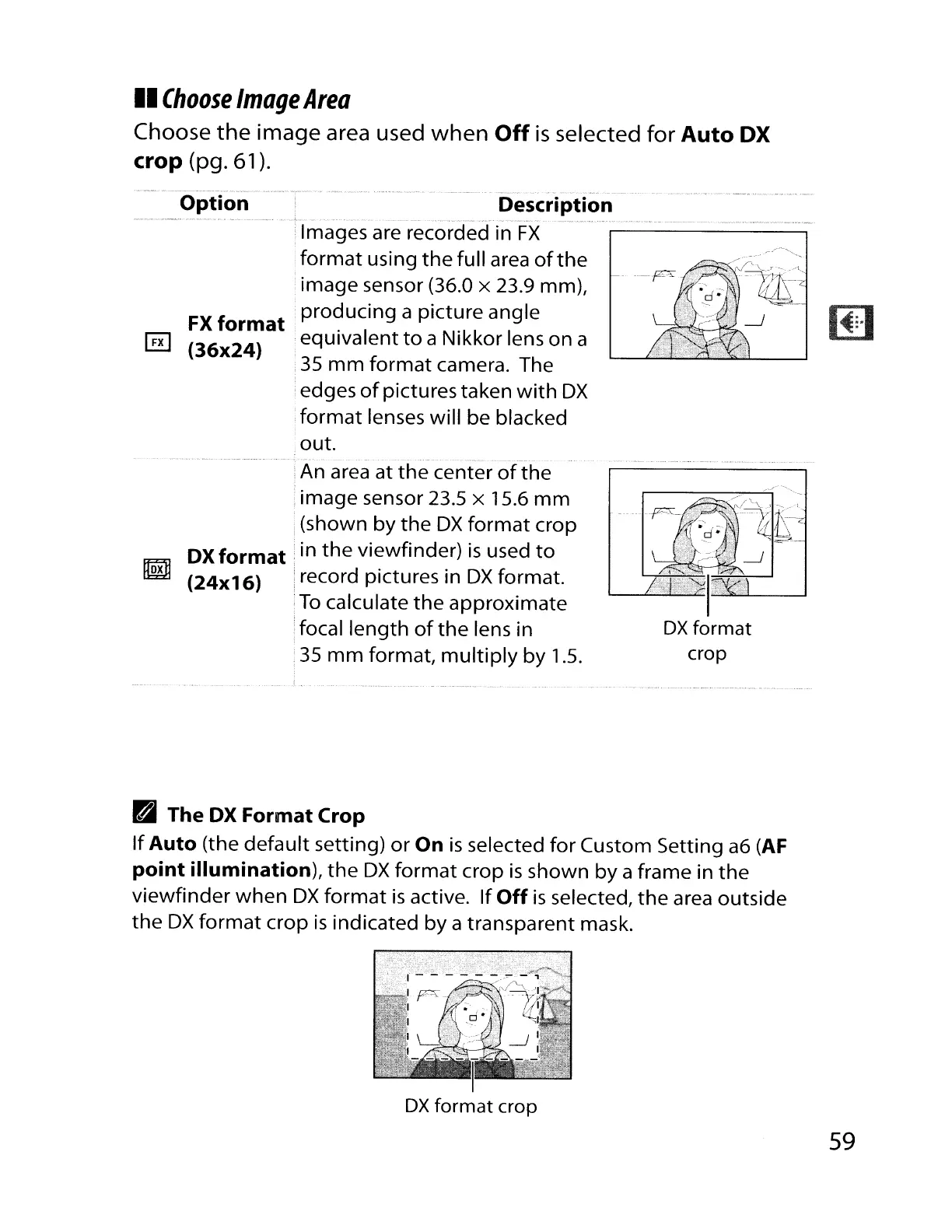
Images are recorded in
FX
format
using
the
full area
ofthe
image sensor (36.0 x 23.9 mm),
FX
format
producing
a picture angle
~
(36x24)
,equivalent
to
a Nikkor lens
on
a
35
mm
format
camera. The
edges
of
pictures taken
with
OX
;
format
lenses will be blacked
.out.
!An area at
the
center
of
the
image sensor 23.5 x 15.6
mm
(shown
by
the
OX
format
crop
OX
format:
in
the
viewfinder)
is
used
to
m
(24x16)
record pictures in
OX
format.
To
calculate
the
approximate
focal
length
of
the
lens in
35
mm
format,
multiply
by
1.5.
B The
OX
Format Crop
If
Auto (the
default
setting)
or
On
is
selected
for
Custom Setting
a6
(AF
point illumination),
the
OX
format
crop
is
shown
by
a frame in
the
viewfinder
when
OX
format
is
active.
If
Off
is
selected,
the
area outside
the
OX
format
crop
is
indicated by a transparent mask.
OX
format
crop
59

Table of Contents

Other manuals for Nikon D700

Related product manuals