EasyManua.ls Logo

Nikon D700 - Page 92

Nikon D700
533 pages
Print Icon
To Next Page IconTo Next Page
To Previous Page IconTo Previous Page
Loading...
P 12S
FS.6
:-l
Jl
o
RAwi)
[s
at
-')
I
~,.
NORM
imlA
66
D
NEF
(RAW)
Recording
The
NEF
(RAW)
recording
item
in
the
shooting
menu
controls
compression (pg. 67) and
bit
depth
(pg. 68) for
NEF
(RAW)
images.
~
JPEG
Compression
JPEG
images can be compressed
for
relatively
uniform
file size
or
optimal
image quality. The
JPEG
compression
option
in
the
shooting
menu
can
be used
to
choose
the
type
of
compression (pg. 67).
~
NEF{RAW)+JPEG
When photographs taken at
NEF
(RAW) +
JPEG
fine,
NEF
(RAW) +
JPEG
normal,
or
NEF
(RAW) +
JPEG
basic are viewed on
the
camera,
only
the
JPEG
image
will
be displayed. When
photographs
taken at these settings
are deleted,
both
NEF
and
JPEG
images
will
be deleted.
~
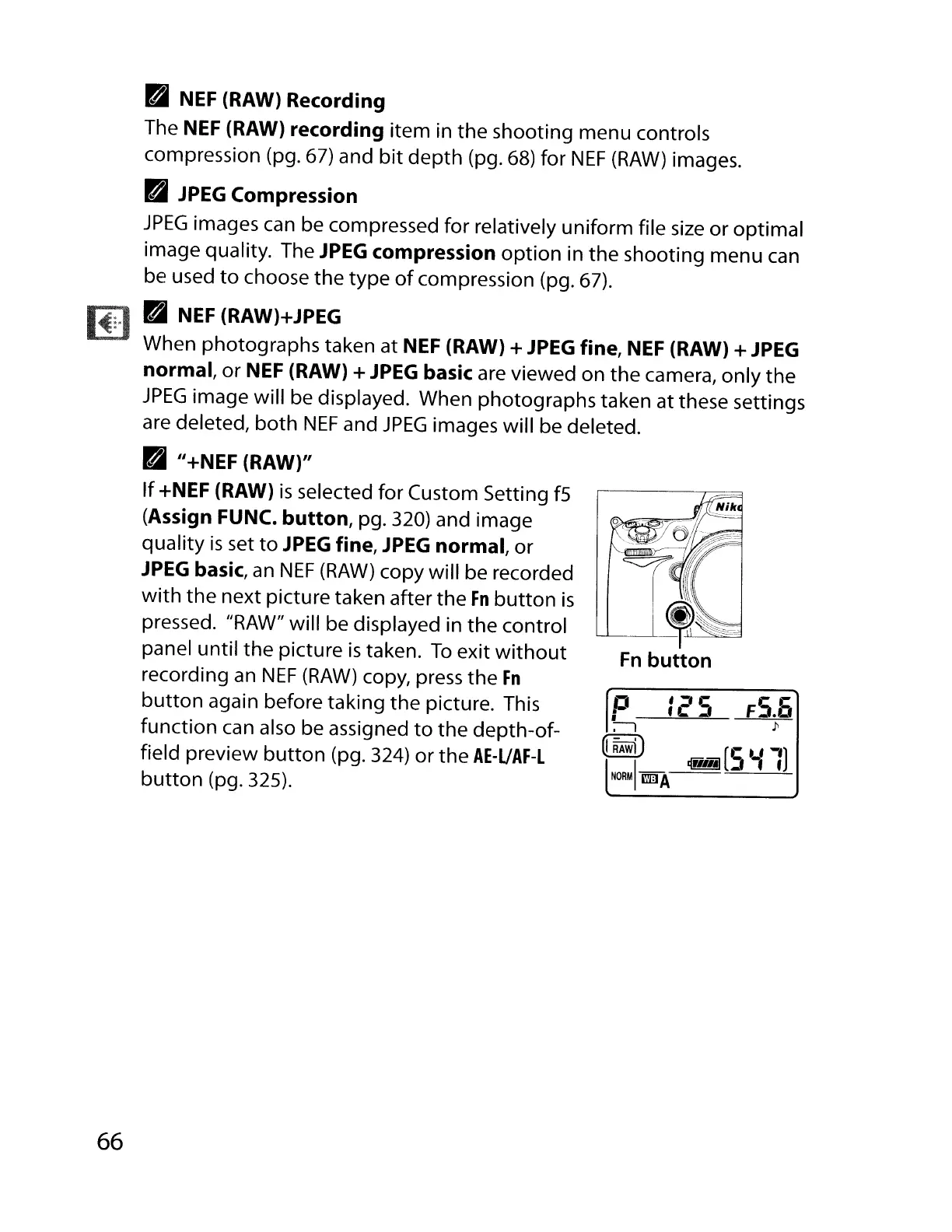
II+NEF (RAW)"
If
+NEF (RAW)
is
selected
for
Custom Setting f5
(Assign FUNC.
button,
pg. 320) and image
quality
is
set
to
JPEG
fine,
JPEG
normal,
or
JPEG
basic,
an
NEF
(RAW)
copy will be recorded
with
the
next picture taken after
the
Fn
button
is
pressed. "RAW"
will
be displayed in
the
control
panel
until
the
picture
is
taken.
To
exit
without
recording an
NEF
(RAW)
copy, press
the
Fn
button
again before taking
the
picture. This
function
can also be assigned
to
the
depth-of-
field preview
button
(pg. 324)
or
the
AE-UAF-L
button
(pg. 325).

Table of Contents

Other manuals for Nikon D700

Related product manuals