127
r
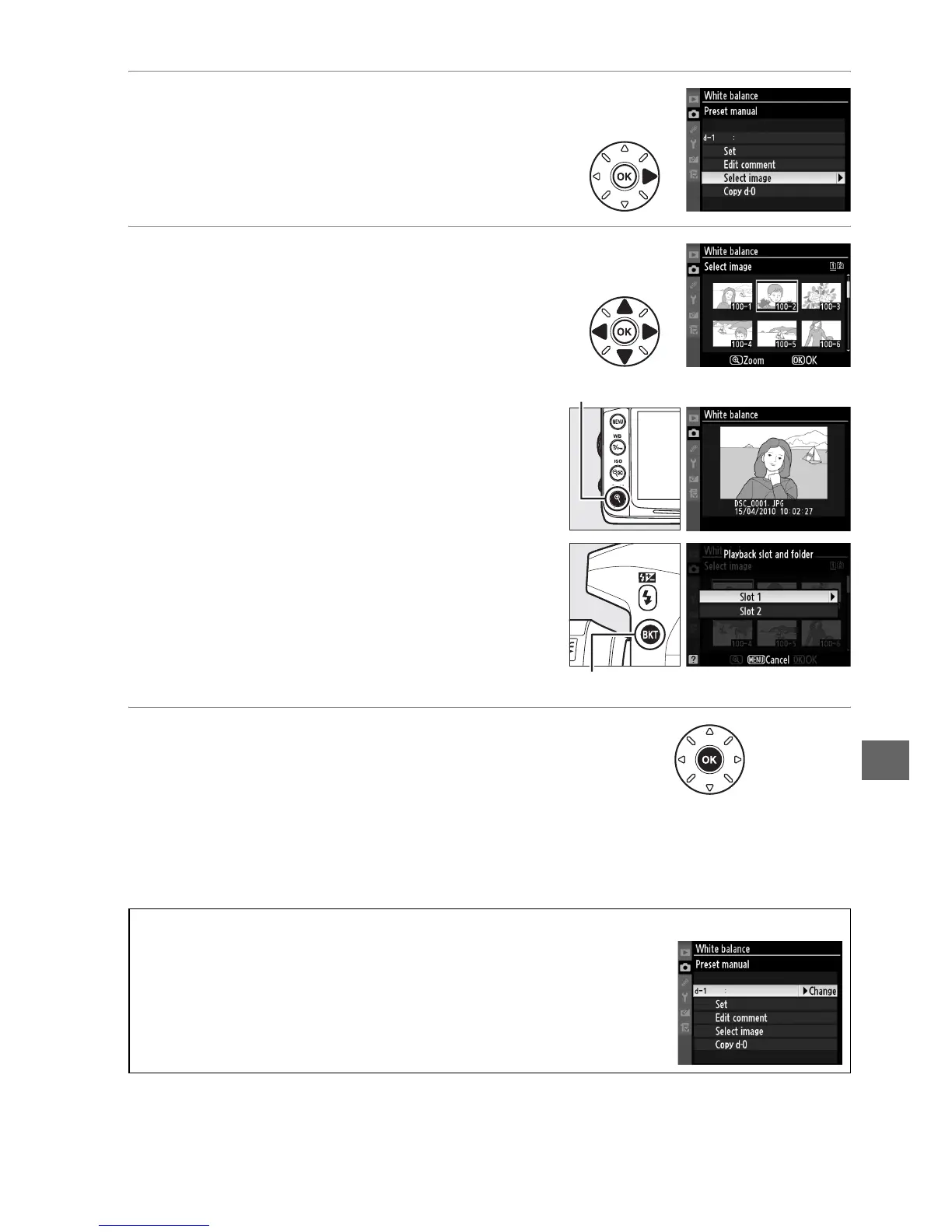
3 Choose Select image.
Highlight Select image and press 2.
4 Highlight a source image.
Highlight the source image.
To view the highlighted image full frame,
press and hold the X button.
To view images in other locations, hold D
and press 1.
The dialog shown at right will
be displayed; select the desired card and
folder (0 164).
5 Copy white balance.
Press J to copy the white balance value for
the highlighted photograph to the selected
preset.
If the highlighted photograph has a
comment (0 238), the comment will be
copied to the comment for the selected
preset.
A Choosing a White Balance Preset
Press 1 to highlight the current white balance preset
(d-0–d-4) and press 2 to select another preset.
X button
D button







 To Next Page