En
23
4
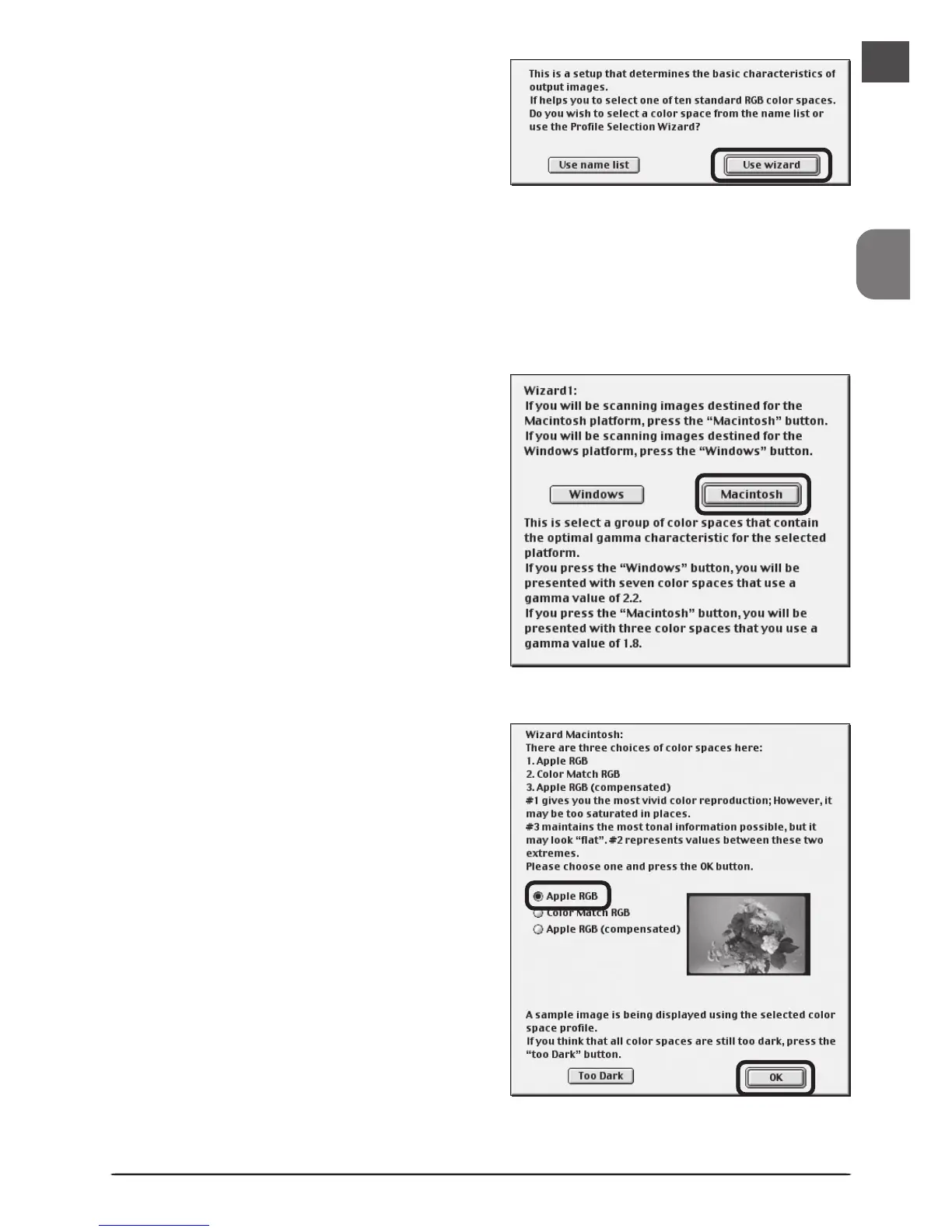
Once the Nikon Scan program files have
been copied to disk, a color-space selec-
tion wizard will be displayed. Click Use
Wizard to have the wizard assist you in
choosing a color-space profile (recom-
mended) or Use name list to choose a
custom profile (see the Nikon Scan Refer-
ence Manual for details). The color-space profile selected during installation can be changed
at any time as detailed in the “Preferences” section of the Nikon Scan Software Manual.
Choosing the correct color-space profile is very important if the scanner is to be used in a
professional setting, for example as part of a production workflow. More information
about the color management system used in Nikon Scan 3 may be found in the Nikon Scan
Software Manual.
5
Clicking Use Wizard in the Color Space
Wizard dialog displays the dialog shown
at right. Click Macintosh.
6
Choose Apple RGB (recommended) and
click OK. More information about the
different profiles is available in the Nikon
Scan Reference Manual.












 To Next Page