En
27
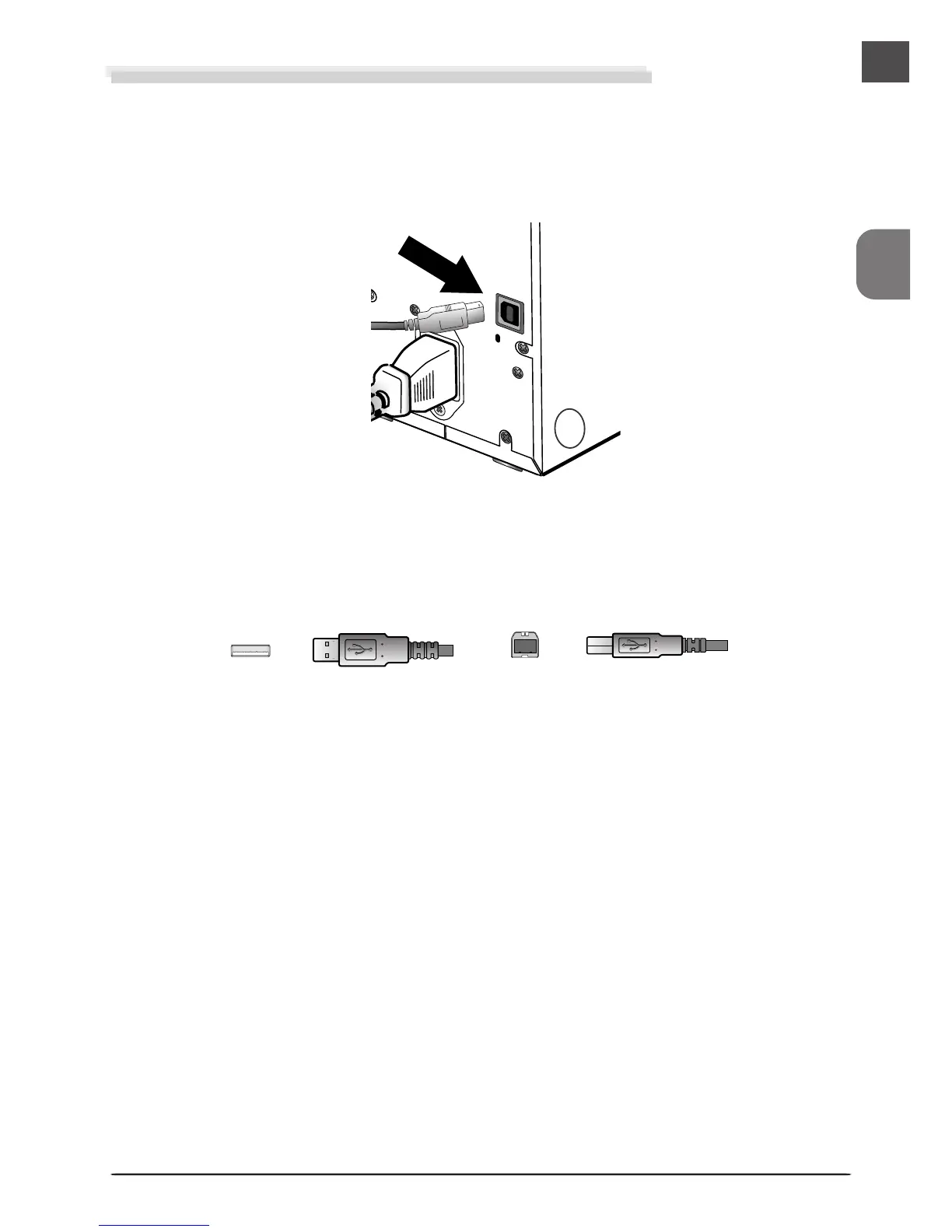
Connector A
(connect to computer)
Connector B
(connect to scanner)
• Using the USB cable provided with your scanner, con-
nect Connector B to the connector on the rear of the
scanner, and Connector A to your computer.
Connecting the Interface Cable (COOLSCAN IV ED)
After confirming that the scanner is off, connect the supplied USB cable to the scanner using
the B connector, and insert the A connector to the computer’s USB port.
Connect the cable as shown. Attempting to insert the connector in another orientation could not
only damage the connector, but also damage the scanner or computer or interfere with their
correct functioning.
COOLSCAN IV ED












 To Next Page