4000 ED
37
3
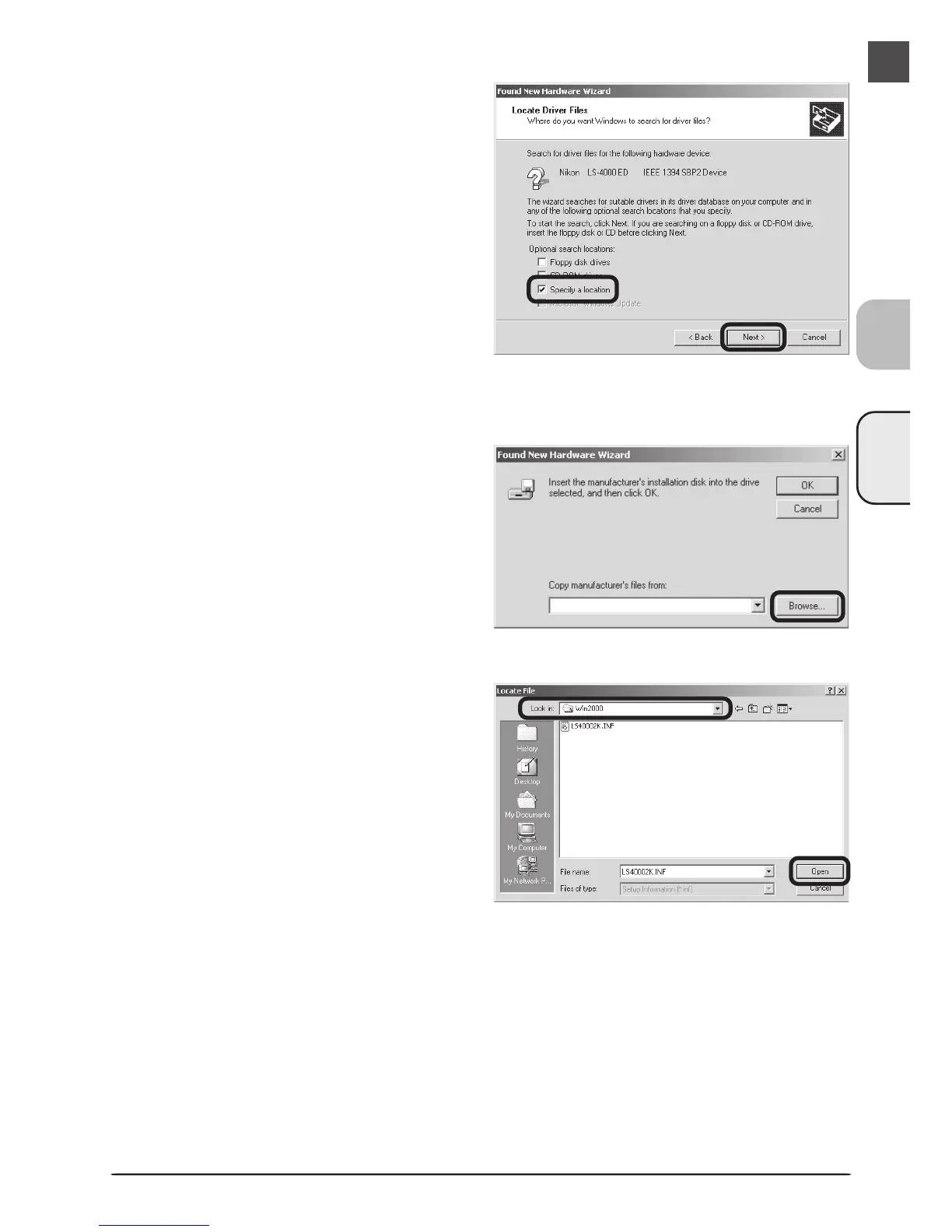
Select Specify a location
Select Specify a location and click Next.
4
Click Browse…
When the dialog shown at right is dis-
played, click Browse….
5
Select the Win2000 folder
The Locate File dialog will be displayed.
Select the “Nkscan” CD from the Look
in menu and open each of the “INF,”
“LS4000,” and “Win2000” folders in
turn. Select the file LS40002K.INF and
click Open.












 To Next Page