4000 ED
56
7
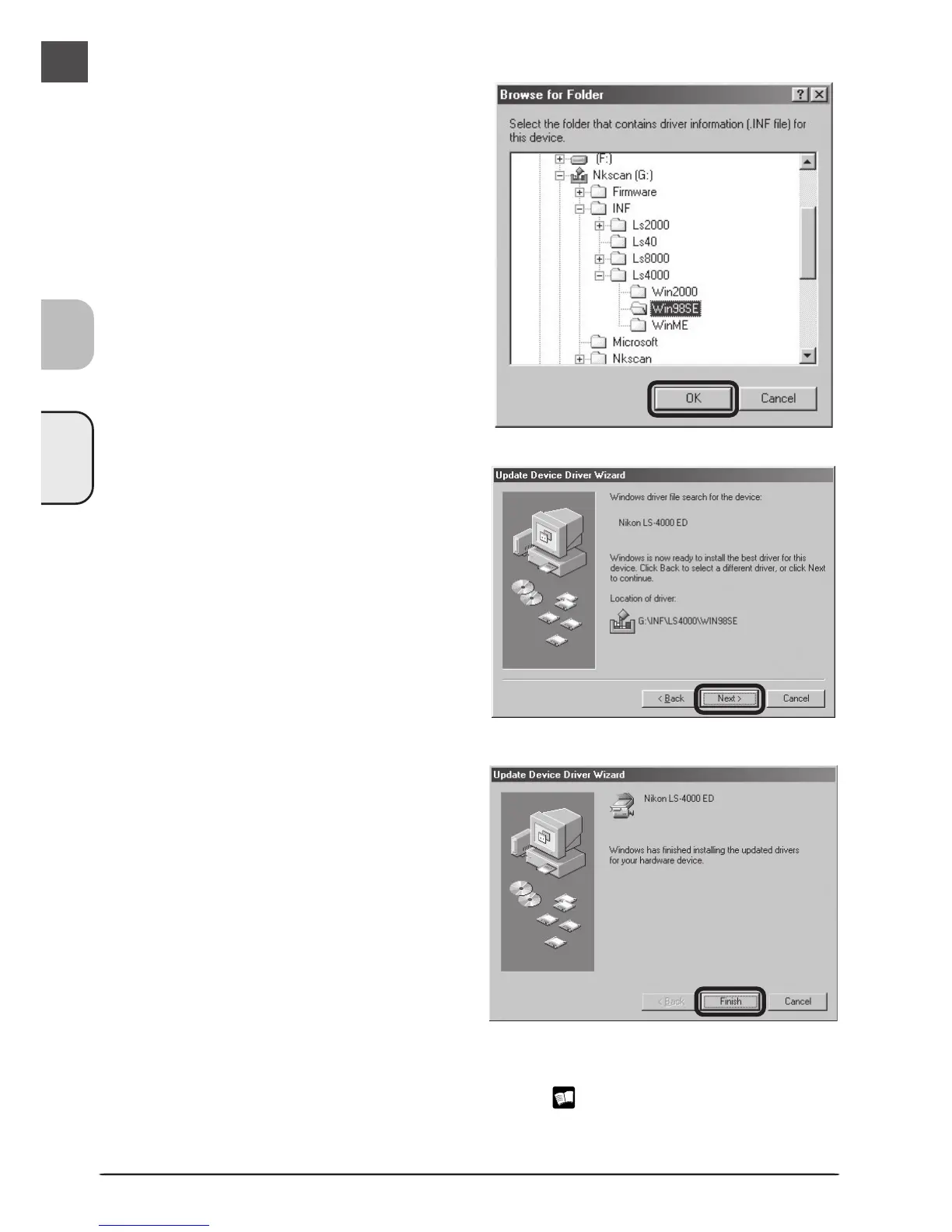
Begin installation of the device drivers
A dialog will be displayed stating that Win-
dows has found the drivers for the device.
Click Next.
8
Click Finish
Click Finish to complete installation.
9
Confirm device registration
Confirm that the scanner has been correctly registered with the system as described in
“Confirming Device Registration (Windows 98 SE)” ( 53–54).
6
Select the Win98SE folder
The Browse for Folder dialog will be dis-
played. Select the “Win98SE” folder un-
der “Nkscan” > “INF” > “Ls4000” and click
OK to return to the dialog shown in step
5. Confirm that the path “\INF\
LS4000\Win98SE” appears after the drive
letter of the CD-ROM drive and click Next.












 To Next Page