Self-Timer Operation
------
Yo
u can use the self-timer
whe
n you
wa
nt
to
be in the photograph
or
re
duce
camera shake .
. . . . . . . . . . . . . . . . . . . . . . . . . . . . . . . . . . . . . . . . .
...
. . . . . . . . .
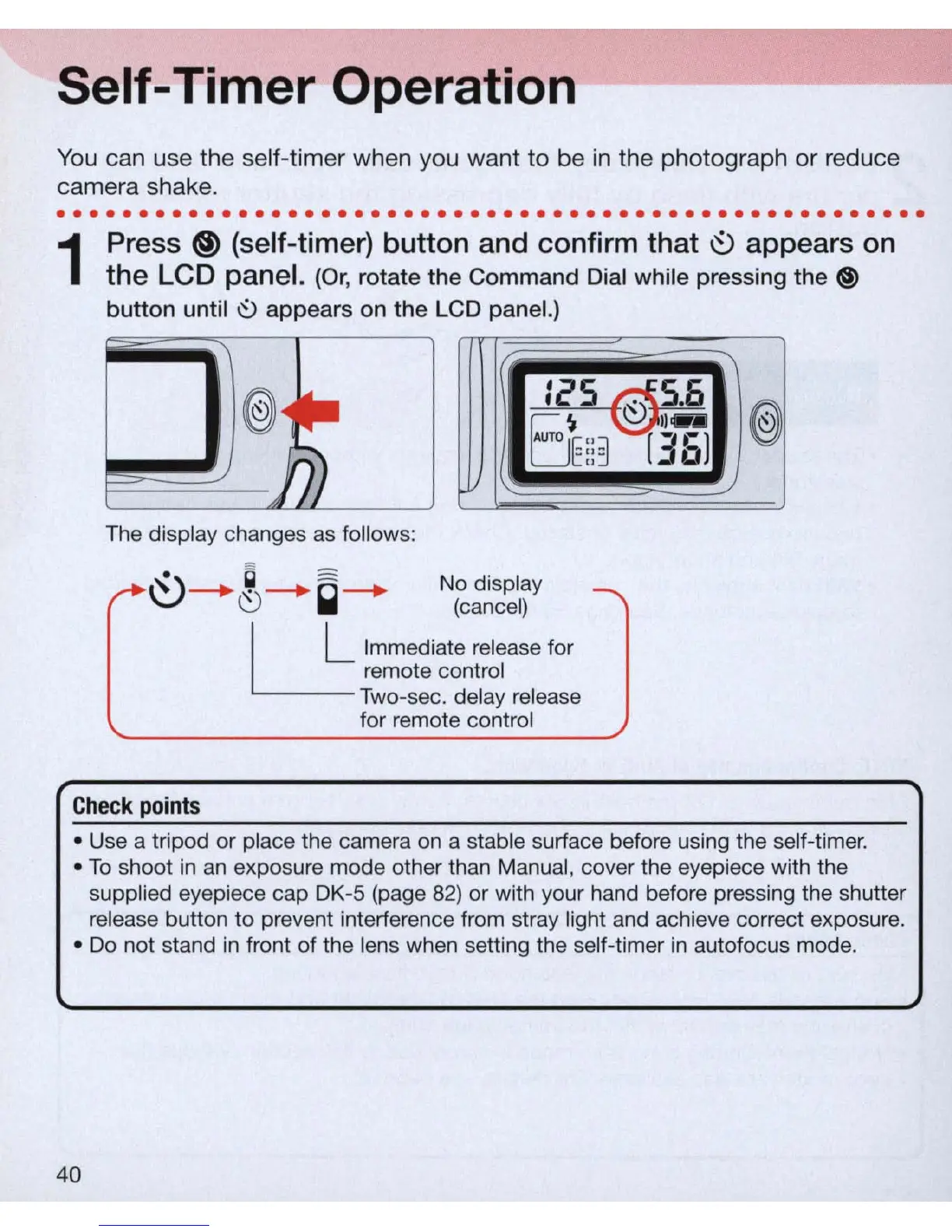
1
Press
@)
(self-timer) button and confirm that
19
appears
on
the LCD panel. (O
r,
rotate the Command Di
al
while pressing the ®
button until
~
appears on the LCD paneL)
:25 @
5.6
~
II
..
6E
:
:~
[36)
The display changes as follows:
Check
points
No display
(cancel)
I L Immediate release for
~
remote control
Two-sec. delay release
for remote control
@
• Use a tripod or place the camera
on
a stable surface before using the
se
lf-ti
mer.
• To shoot
in
an
exposure mode other than Manual, cover the eyepiece with the
supplied eyepiece cap DK-5 (page
82)
or with your hand before pressing the shutter
release button
to
prevent interference from stray
lig
ht and achieve correct exposure.
• Do not stand
in
front of the lens when setting the self-timer
in
autofocus mode.
40



 To Next Page