Delete the pictures.
Press
J; a confirmation dialog will be displayed.
Highlight [Yes] and press J to delete the selected pictures.
Deleting Selected Pictures
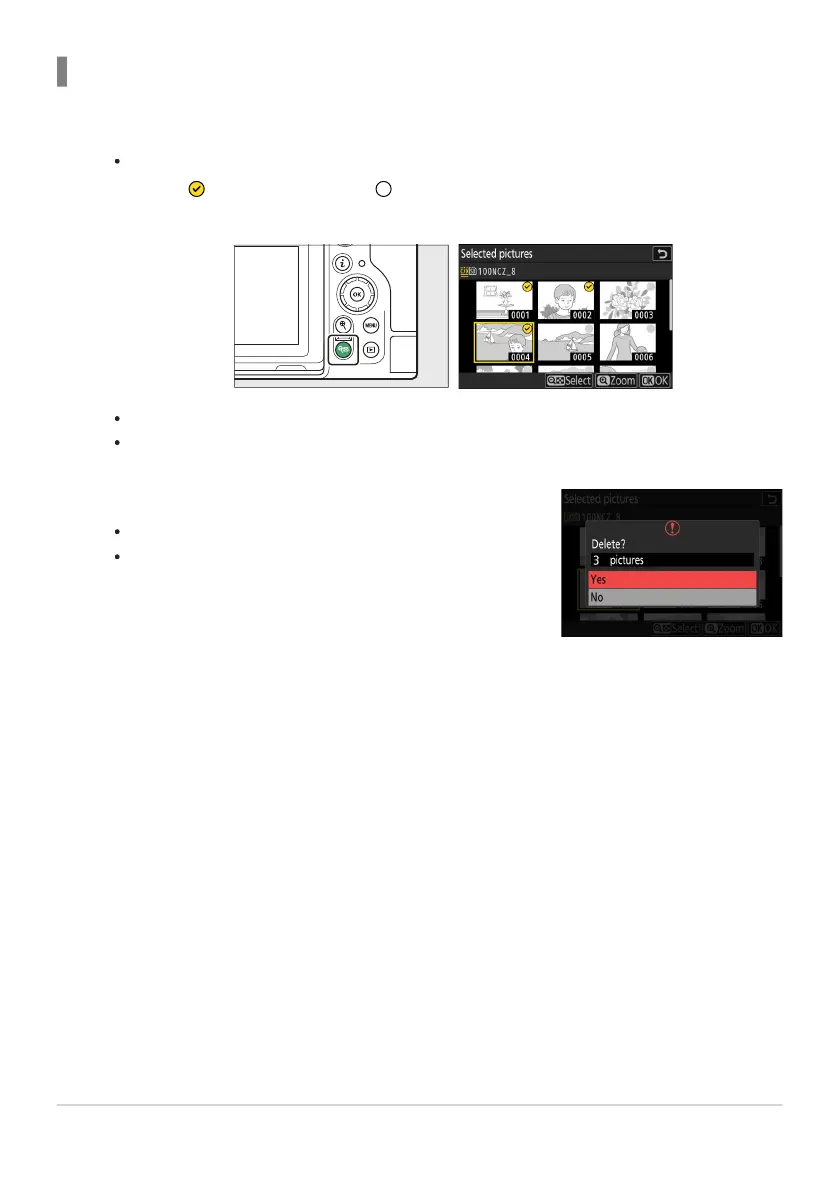
Select pictures.
Highlight pictur
es and press the W (Q) button to select; selected pictures are marked with
a check (
). To remove the check ( ) and deselect the current picture, press the W (Q)
button again.
R
epeat until all the desired pictures are selected.
To view the highlighted picture full screen, press and hold the X button.
245
Deleting Pictures
1
2


 To Next Page