Attaching an EP‑5B Power Connector and
EH‑5d, EH‑5c, or EH‑5b AC Adapt
er
Turn the camera off before attaching an EP‑5B power connector and EH‑5d, EH‑5c, or EH‑5b AC
adapter.
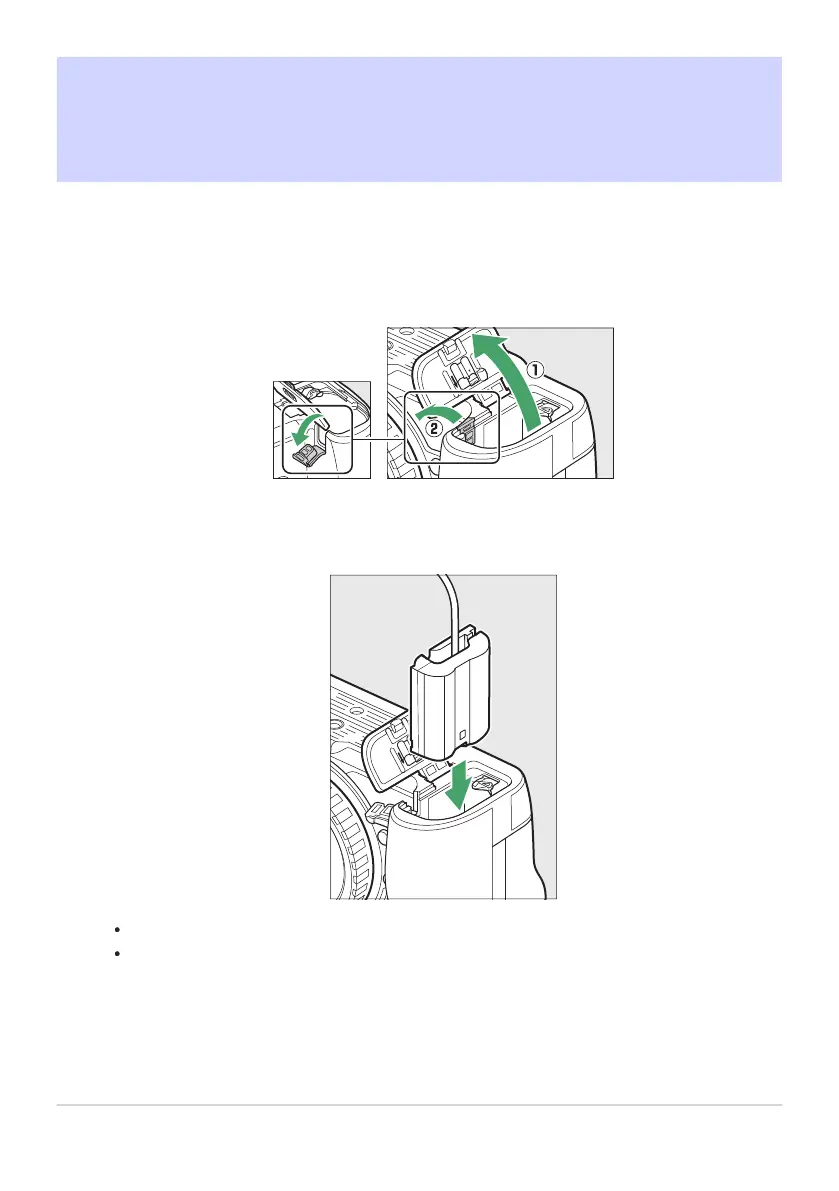
Open the battery chamber (q) and power connector (w) covers.
Insert the EP‑5B power connector.
Be sure to insert the connector in the correct orientation.
Using the connect
or t
o keep the orange battery latch pressed to one side, slide the
connector into the battery chamber until the latch locks the connector in place.
890
Attaching an EP‑5B Power Connector and EH‑5d,
EH‑5c, or EH‑5b A
C Adapter
1
2



 To Next Page