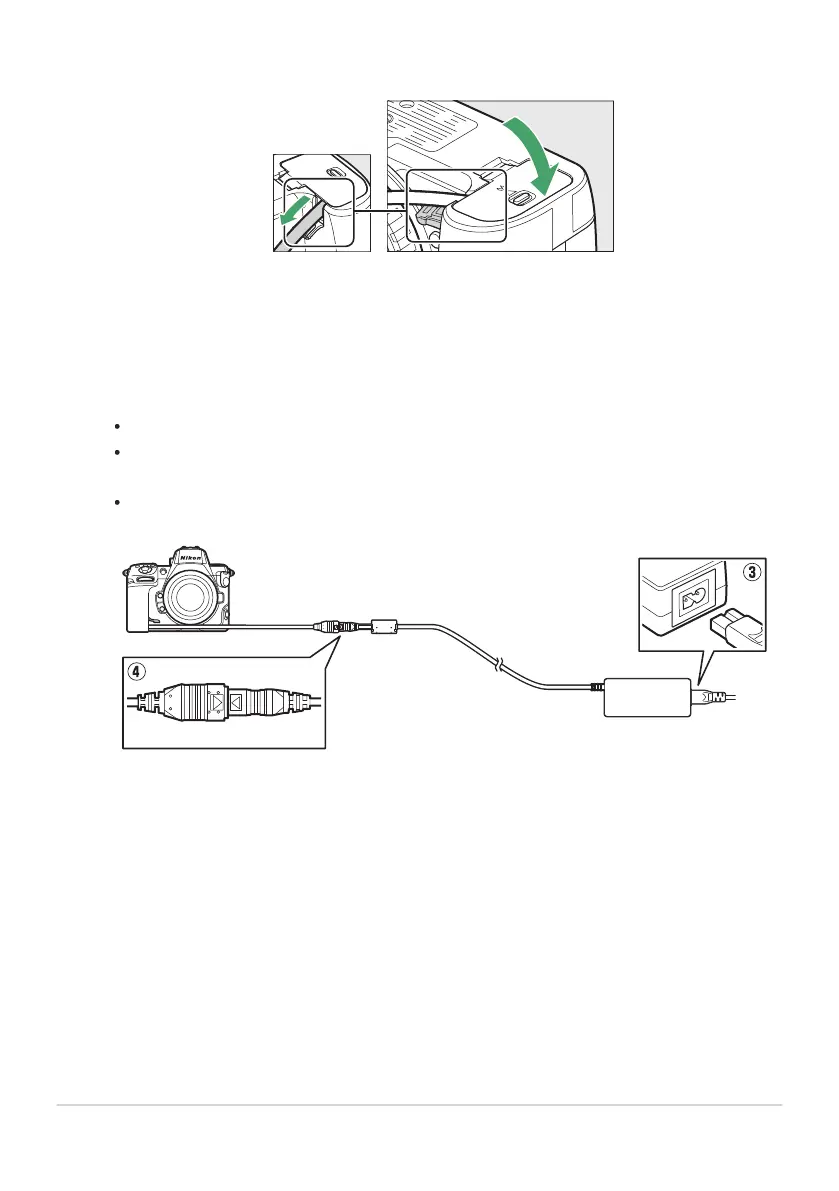
Close the battery chamber cover.
Position the power connector cable so that it passes through the power connector slot and
close the batt
ery chamber cover.
Connect the EH‑5d/EH‑5c/EH‑5b AC adapter to the EP‑5B power connector.
Connect the power cable to the AC socket on the EH‑5d, EH‑5c, or EH‑5b AC adapter (e).
Insert the DC plug from the EH‑5d, EH‑5c, or EH‑5b AC adapter into the DC IN connector
(r).
When the camera is used with a power connector and EH‑5d, EH‑5c, or EH‑5b AC adapter,
P appears in place of the battery level icon in the shooting display.
891
Attaching an EP‑5B Power Connector and EH‑5d,
EH‑5c, or EH‑5b A
C Adapt
er
3
4



 To Next Page
 Loading...










