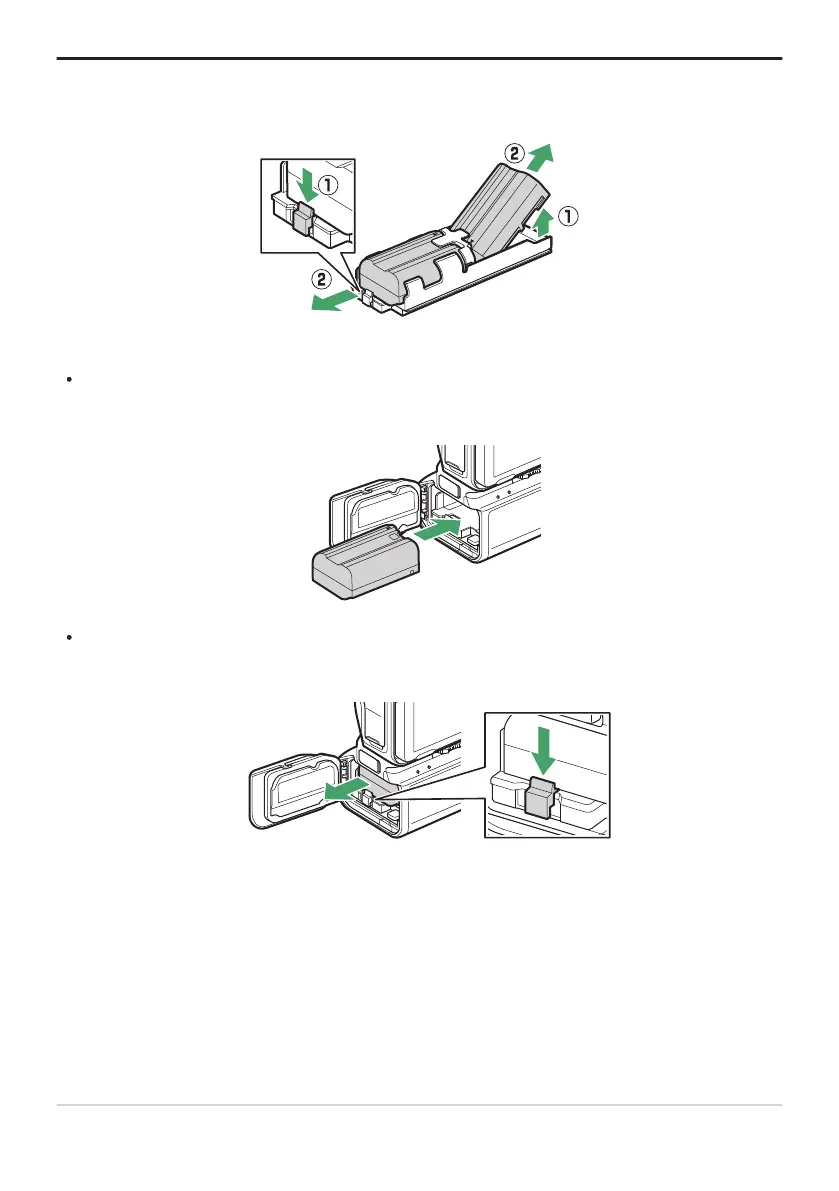
Tip: Removing the Batteries
Remov
e the holder and then remove the batteries as shown.
Tip: Exchanging the Battery in ChamberA
The batt
ery in Chamber A can be exchanged without removing the battery holder. Insert the battery
as shown, stopping when the latch clicks into place.
The battery in ChamberA can be removed by pressing the latch as shown and sliding the battery
from the holder
.
877
Optional MB-N12 Power Battery Packs



 To Next Page