12 ã1999 Nokia Mobile Phones. All Rights Reserved.
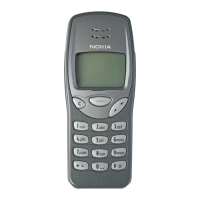
Scroll keys
When the display is clear: enters the
names and phone numbers stored in Phone
book. enters the list of last dialled
numbers.
When in the menu: Browse through menus
and settings.
When keying in a name or number or writing a text message:
moves the cursor to the left and to the right.
During a call: Adjust the earpiece volume.
C key
When keying in a name or number: Deletes
the character to the left of the cursor. When
pressed and held, deletes all characters from
the display.
When in a menu function: Returns from a
menu to the previous menu level. When
pressed and held, exits the menu functions.
When you receive a call: Rejects the incoming call.


 To Next Page