Nokia FastMile Outdoor Unit User Manual Installation procedure
Issue: 01P03 3TG-00088-AAAA-TCZZA 77
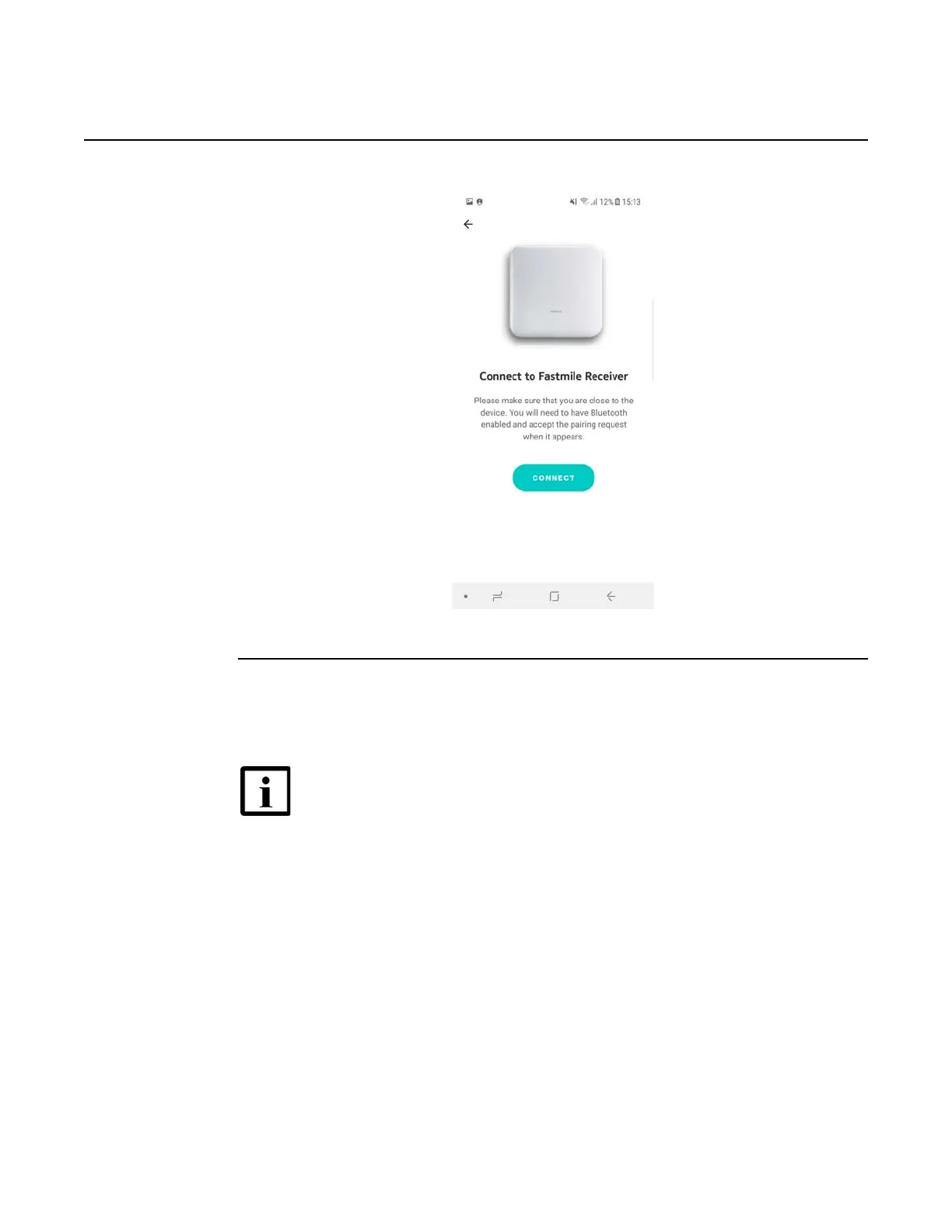
Figure 41 Screen showing the connect prompt
5 If Bluetooth is not enabled, the Nokia Field Assistant app requests that you allow the
Bluetooth pairing request.
Allow the Bluetooth pairing request by tapping on “Pair”.
Figure 25 shows the screen for the Bluetooth pairing request.
Note — Only one active Bluetooth connection is allowed towards the
Nokia FastMile Outdoor Unit. This means that at any one time, only one
mobile phone device can have a Bluetooth connection to the Nokia
FastMile Outdoor Unit. In case of a new Bluetooth connection attempt
from a different mobile phone, at the same time, the new connection will
not be accepted by the Nokia FastMile Outdoor Unit.





 To Next Page