AG 5500
System Administration 189
Displaying Current Profiles and Connections {Statistics}
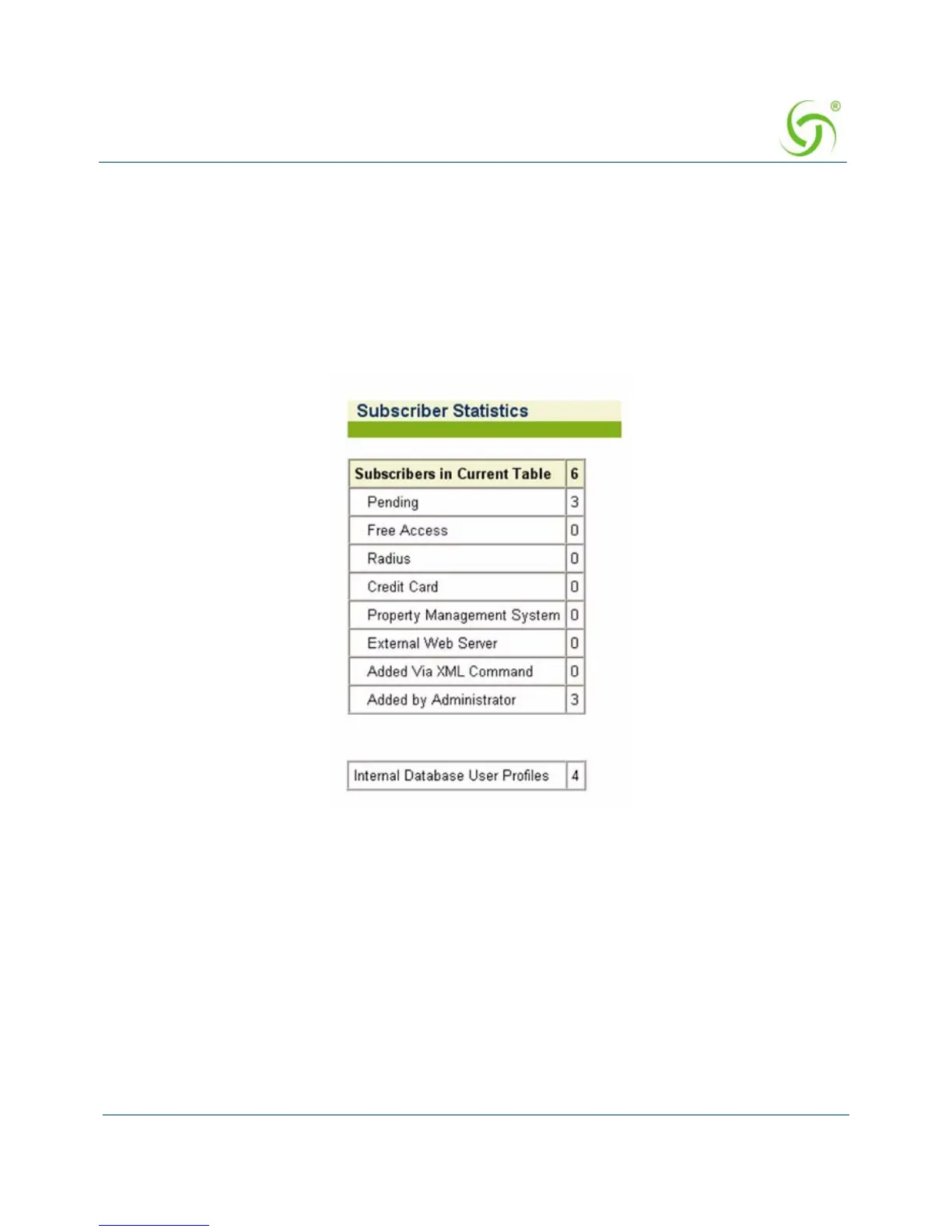
You can view the total number of profiles and connections currently stored in the AG 5500’s
database of authorized subscribers. The displayed list includes the number of subscribers
currently in the database (Current Table) and a numerical breakdown of how the subscribers
can utilize the system (for example, free access, credit card, etc.). The total number of user
profiles stored in the AG 5500’s internal database is also shown.
To view the Subscriber Statistics, go to the Web Management Interface, click on
Subscriber
Administration, then click on Statistics. The Subscriber Statistics screen appears:
ag5500_userguide.book Page 189 Tuesday, June 5, 2007 7:31 PM


 To Next Page