1
NORAM 65ET GRADER
2-38
General Information
2
Electronic Display
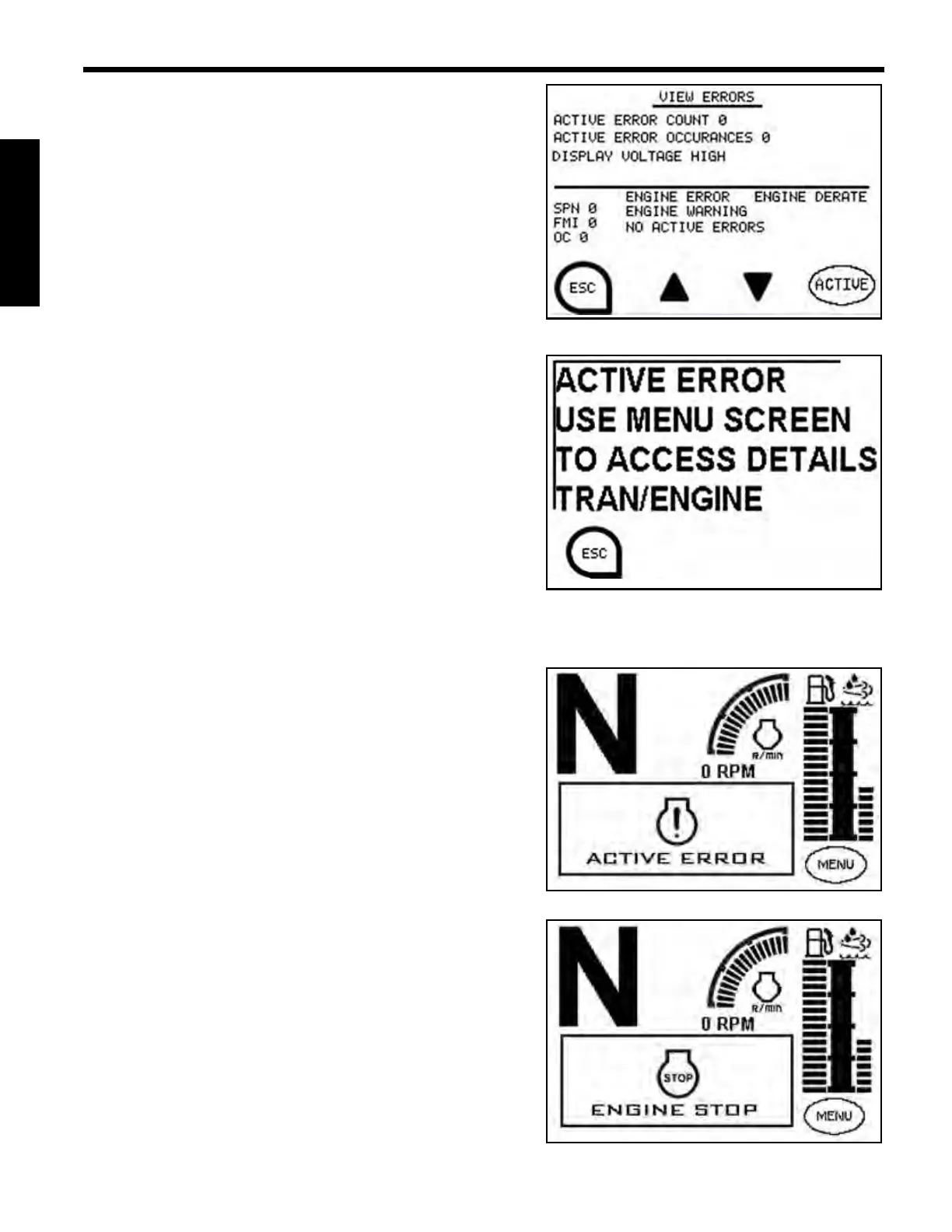
View Errors Screen
View Errors Screen displays:
• Active Error Count
• Active Error Occurrences
• Display Voltage High
• SPN Error Code
• FMI Error Code
• OC (Number of Occurrences)
Active Error Screen
The Active Error Screen will be displayed at start-up if an
error is active and during normal operation if an error
becomes active. The Active Error Screen will continue to
be displayed every 30 seconds until the error is resolved.
To exit the Active Error Screen, press the Control Key
associated with the “ESC” icon.
To view a list of fault codes refer to the 65ET Service
Manual.
The right red indicator lamp will be illuminated during an active error.
Active Engine Error Screen
The Active Engine Error Screen will be displayed when an
engine error is active.
The left amber indicator lamp will be illuminated during
an engine error.
Engine Stop Screen
The Engine Stop Screen will be displayed when a
shutdown request is received from the engine.
The left amber and left red indicator lamps are
illuminated during a shutdown request.



 To Next Page