35
IP2449EN
16. Using of the menus
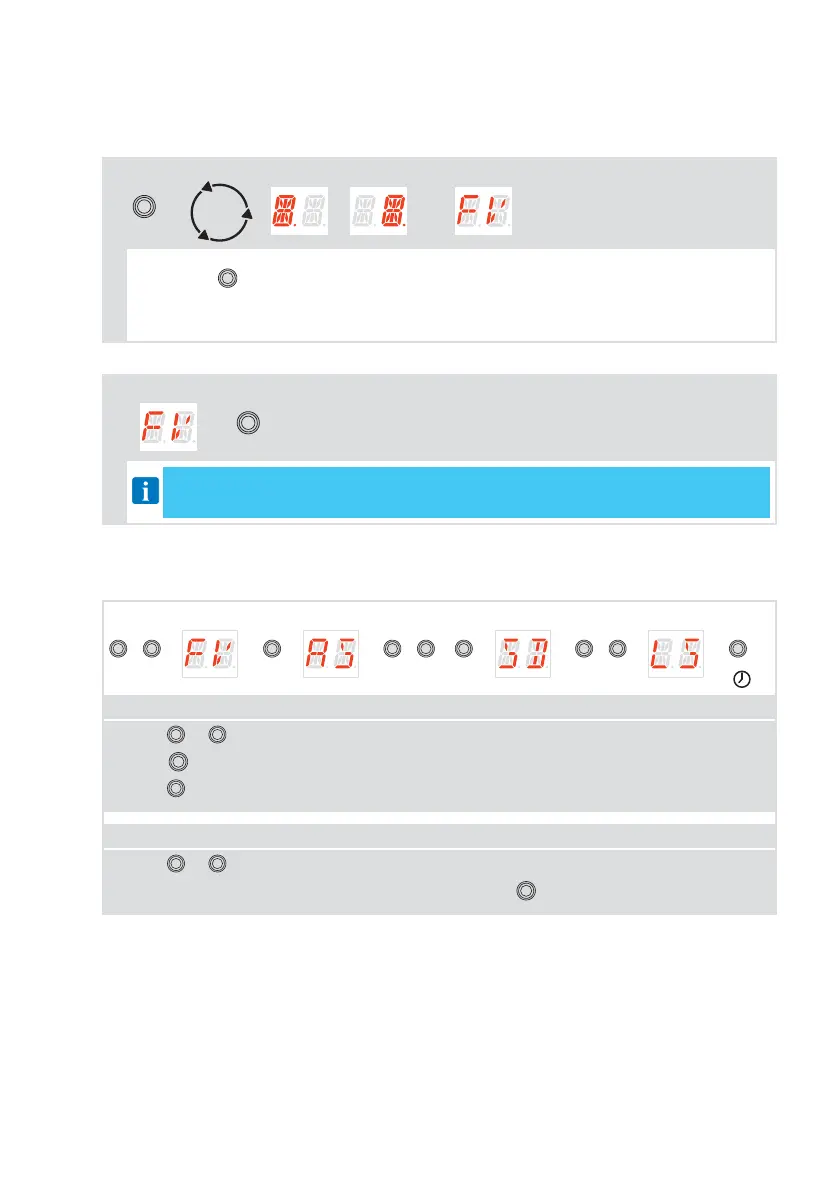
16.1 Switching the display ON and OFF
The procedure to switch ON the display is as follows:
MAIN LEVEL
ENTER
→
CHECK
START
( , ) →
• The display indicates by default the status of the door
• Press the
ENTER
key
• The display functioning check starts
• The main level menu is displayed
The procedure to switch OFF the display is as follows:
MAIN LEVEL
→
ESC
After 60 seconds of inactivity, you exit the configuration menu and the display indicates
the status of the door
16.2 Navigation keys
VALUE LEVEL PARAMETER MAIN LEVEL PRINCIPALE
UP
o
DOWN
→ →
ENTER
→ →
UP
o
DOWN
→
ENTER
→ →
UP
o
DOWN
→ →
ENTER
2”
PARAMETER LEVEL
• Press
UP
or
DOWN
to scroll through the menus.
• Press
ENTER
to go in PARAMETER LEVEL.
• Press
ESC
to exit from a sub-menu.
PARAMETER LEVEL
• Press
UP
or
DOWN
to scroll through the parameters inside the specific sub-menu.
• To set a parameter, select the desired VALUE and press
ENTER
for 2 seconds to save.



 To Next Page