<
.: :.
. . _, .-‘i
.’ ,
: :: .
: ..1
I,
Feature Operations /
121
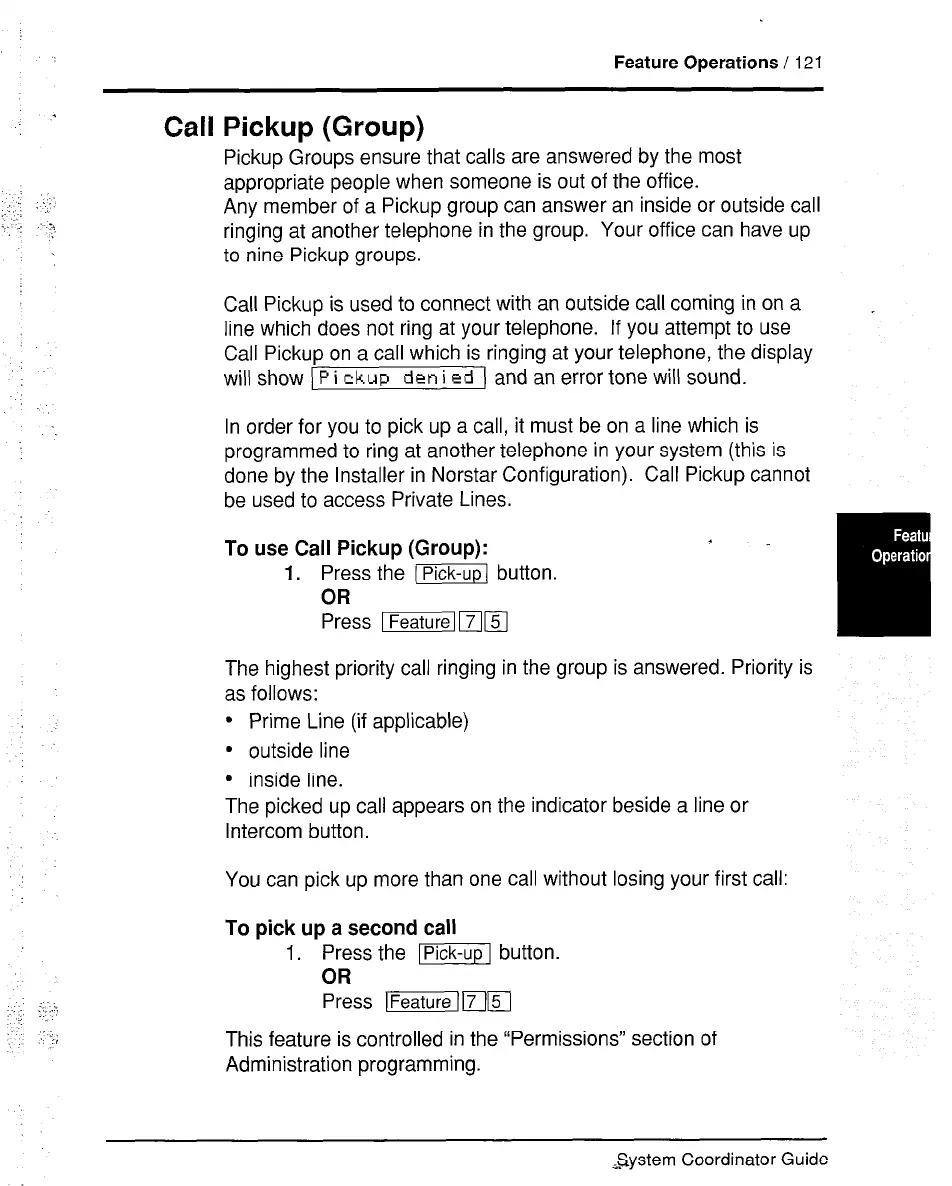
Call Pickup (Group)
Pickup Groups ensure that calls are answered by the most
appropriate people when someone is out of the office.
Any member of a Pickup group can answer an inside or outside call
ringing at another telephone in the group. Your office can have up
to nine Pickup groups.
Call Pickup is used to connect with an outside call coming in on a
line which does not ring at your telephone. If you attempt to use
Call Pickup on a call which is ringing at your telephone, the display
will show ) P i
ckup den
i Ed 1 and an error tone will sound.
In order for you to pick up a call, it must be on a line which is
programmed to ring at another telephone in your system (this is
done by the Installer in Norstar Configuration). Call Pickup cannot
be used to access Private Lines.
To use Call Pickup (Group):
1.
Press the -Pick-up button.
OR
I
The highest priority call ringing in the group is answered. Priority is
as follows:
l
Prime Line (if applicable)
l
outside line
l
inside line.
The picked up call appears on the indicator beside a line or
Intercom button.
You can pick up more than one call without losing your first call:
To pick up a second call
1. Press the IPick-upl button.
OR
Press ~IFlFI
This feature is controlled in the “Permissions” section of
Administration programming.
,system Coordinator Guide



 To Next Page