/
,: ,
.‘.. ; - :‘,)
_ -.>
-‘i .j
:
.!
1.7 :j >‘..::!
;.. :
.A’.:
,..l,
:
Feature Operations I 147
Messages (Send/Reply/Waiting)
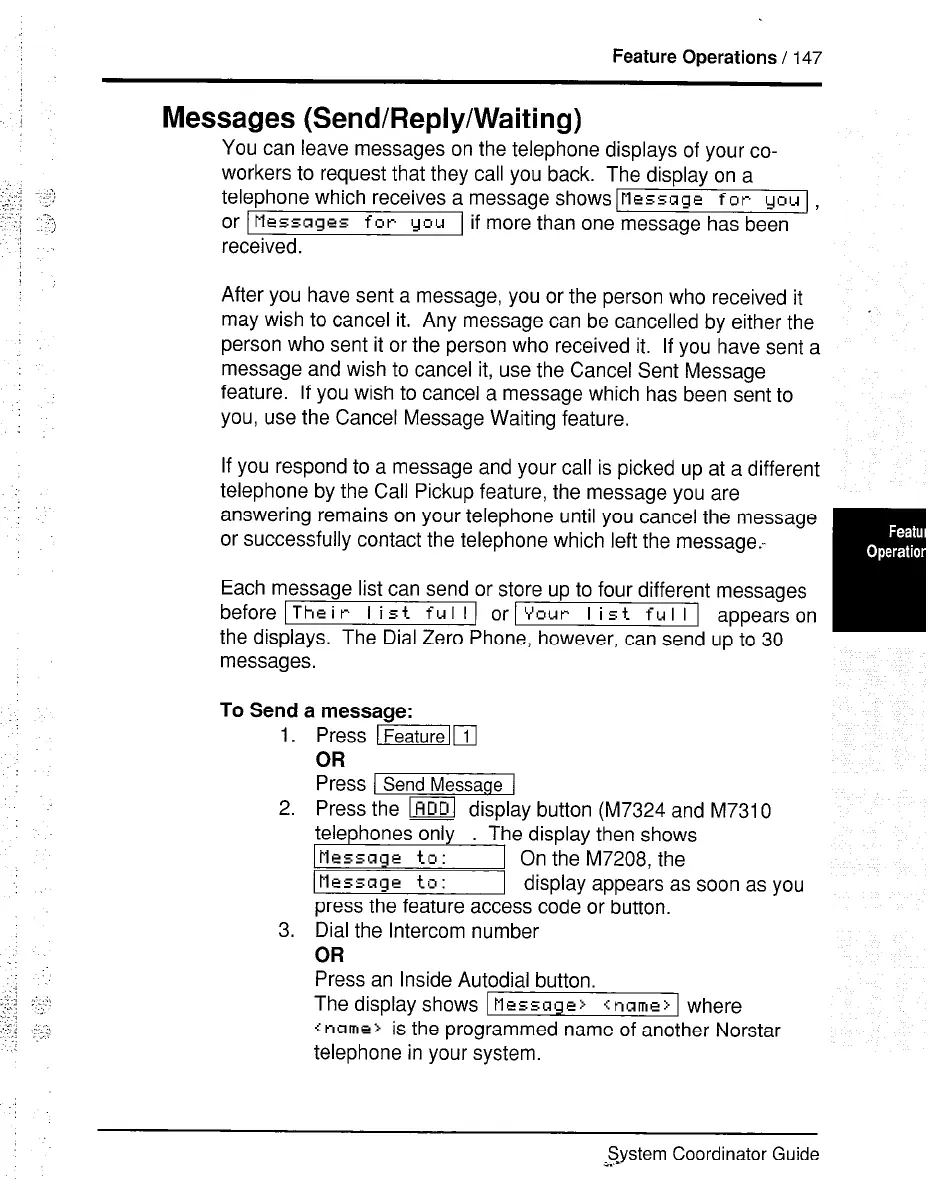
You can leave messages on the telephone displays of your co-
workers to request that they call you back. The display on a
telephone which receives a message shows/Message for CJQU I,
or Messages for you
if more than one message has been
received.
After you have sent a message, you or the person who received it
may wish to cancel it. Any message can be cancelled by either the
person who sent it or the person who received it. If you have sent a
message and wish to cancel it, use the Cancel Sent Message
feature. If you wish to cancel a message which has been sent to
you, use the Cancel Message Waiting feature.
.
If you respond to a message and your call is picked up at a different
telephone by the Call Pickup feature, the message you are
answering remains on your telephone until you cancel the message
or successfully contact the telephone which left the message.-
Each message list can send or store up to four different messages
before ITheir I ist ful I) ot-Your I ist ful II appearson
the displays. The Dial Zero Phone, however, can send up to 30
messages.
To Send a messaae:
1.
2.
3.
Press mm
OR
Press / Send Messaoe 1
Press the @ display button (M7324 and M7310
;,“y;i;,“s ;;ly . ‘;e;~~~;;;;;~
IMessage to :
1 display appears as soon as you
press the feature access code or button.
Dial the Intercom number
OR
Press an Inside Autodial button.
The display shows 1 Message> <name> 1 where
x name> is the programmed name of another Norstar
telephone in your system.
System Coordinator Guide
a..-



 To Next Page