.:.I: .,:
. . . .
-: :
.-: .:
Administration / 35
Entering Administration:
1.
2.
3.
4.
5.
Release all calls on your M7324 or M7310 telephone.
Indicators for calls on other teleohones stav ON.
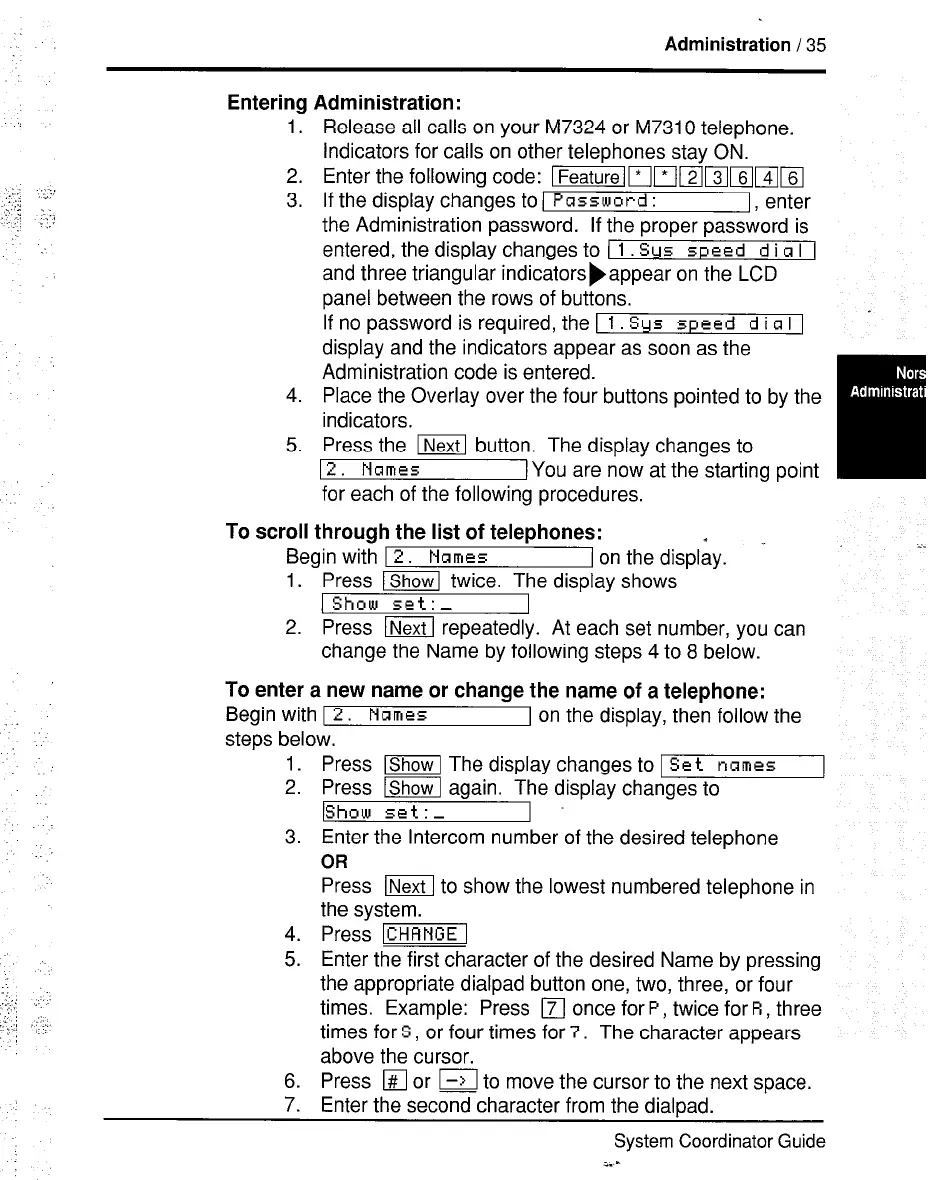
Enter the following code: &mWammsllm
If the display changes to 1
Password :
I, enter
the Administration password. If the proper password is
entered, the display changes to (
1 Sys speed d i R I 1
and three triangular indicatorsbappear on the LCD
panel between the rows of buttons.
If no password is required, the 1
1 Sys speed d i a I 1
display and the indicators appear as soon as the
Administration code is entered.
Place the Overlay over the four buttons pointed to by the
indicators.
Press the m button. The display changes to
12. Names
[You are now at the starting point
for each of the following procedures.
To scroll through the list of telephones:
I
Begin with 12.
Names
I on the display. - i.
1. Press ~ twice. The display shows
1 Show set:-
2. Press m repeatedly. At each set number, you can
change the Name by following steps 4 to 8 below.
To enter a new name or change the name of a telephone:
Begin with I 2.
Names
I on the display, then follow the
steps below.
1.
2.
3.
Press lShowl The display changes to 1 Set
names
Press lshowl again. The display changes to
IShow set: -
4.
5.
Enter the Intercom number of the desired telephone
OR
Press m to show the lowest numbered telephone in
the system.
Press -1
Enter the first character of the desired Name by pressing
the appropriate dialpad button one, two, three, or four
times. Example: Press
q
once for
P,
twice for R, three
times for S, or four times for 7. The character appears
above the cursor.
6.
Press
q
or I-->I to move the cursor to the next space.
7.
Enter the second character from the dialpad.
System Coordinator Guide
i.--



 To Next Page