Page 26 — Installation 1200 Series Display, Rev. A2
Flush Mount
Allow at least 2½-inches of clearance behind the display for
cables and connectors.
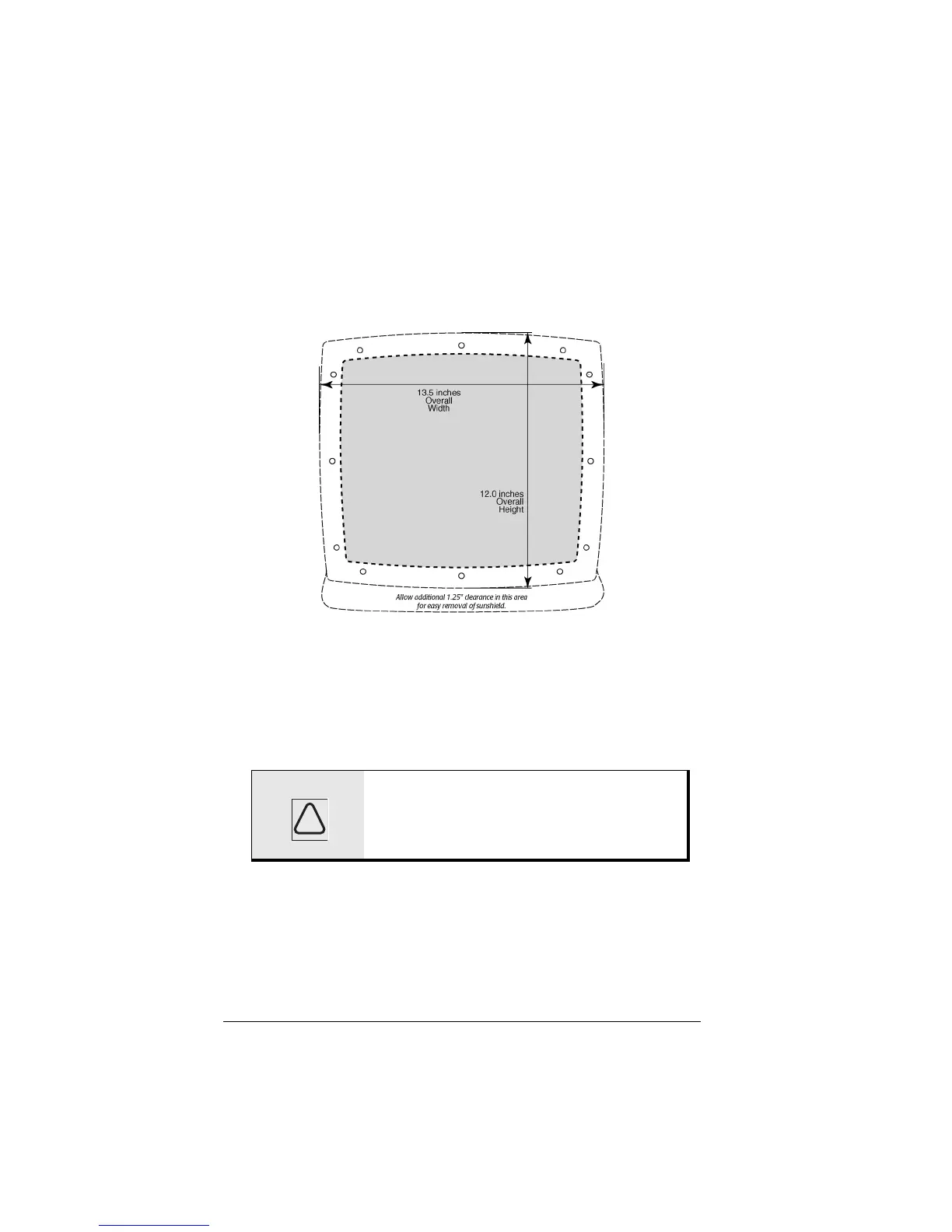
The figure above illustrates the recommended flush
mounting drilling dimensions and clearances.
A full-size version of this flush-mount installation template
(P/N GT1800) is included in the shipping carton with your
display.
Be sure to provide adequate ventilation, especially if the unit
is installed in a closed area. Poor ventilation will cause the
display to overheat, which in turn may cause the screen to
darken.
CAUTION: Make sure to mount the display on a
flat surface. Mounting on a curved
surface can distort or break the plastic
and compromise the waterproof seal.
!



 To Next Page