Page 32 — Optional vBox 1200 Series Display, Rev. A2
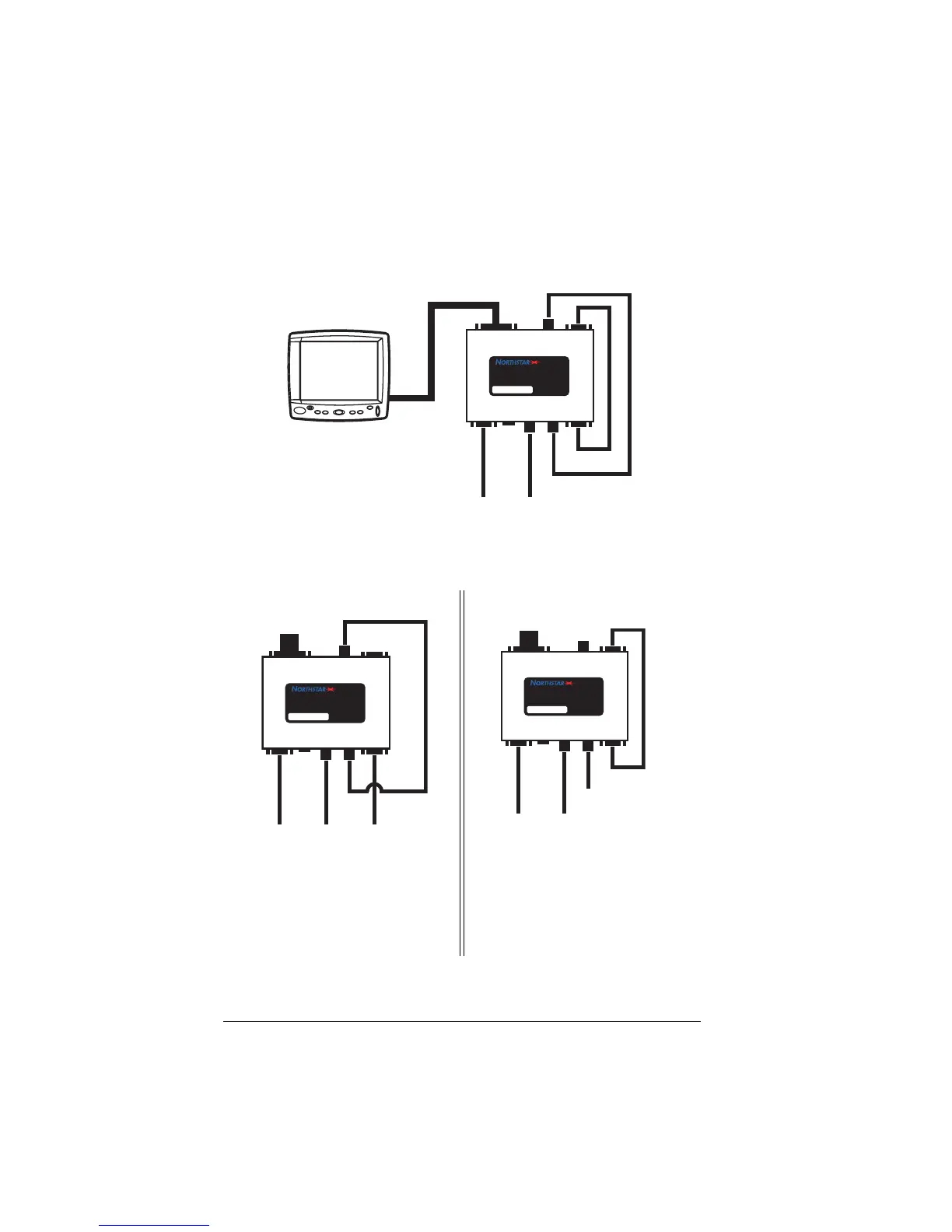
If you have only one data source and one video source, you
can drive both AUX inputs from the DATA OUT and VIDEO
OUT ports on the vBox as shown in the drawing below:
If you have only three connections to your display, use one
of the configurations shown below:
The two configurations above will satisfy the requirement for
This shows an Aux Data
source connected. The Aux
Video input is connected to
the redriven Video signal.
This shows an Aux Video
source connected. The Aux
Data input is connected to the
redriven Data signal.
vBox
Video/Data
Switch
P/N
VBOX
GPVBOX
S/N VBOX
DATA I R
AUX
DATA
VIDEO
OUT
VIDEO
AUX
VIDEO
DATA
OUT
From
Primary
Data
Source
From
Primary
Video
Source
1202
vBox
Video/Data
Switch
P/N
VBOX
GPVBOX
S/N VBOX
DATA I R
AUX
DATA
VIDEO
OUT
VIDEO
AUX
VIDEO
DATA
OUT
From
Primary
Data
Source
From
Auxiliary
Data
Source
From
Primary
Video
Source
To Display
vBox
Video/Data
Switch
P/N VBOX
GPVBOX
S/N VBOX
DATA IR
AUX
DATA
VIDEO
OUT
VIDEO
AUX
VIDEO
DATA
OUT
From
Primary
Data
Source
From
Primary
Video
Source
From
Auxiliary
Video
Source
To Display



 To Next Page