Page 34 — Optional vBox 1200 Series Display, Rev. A2
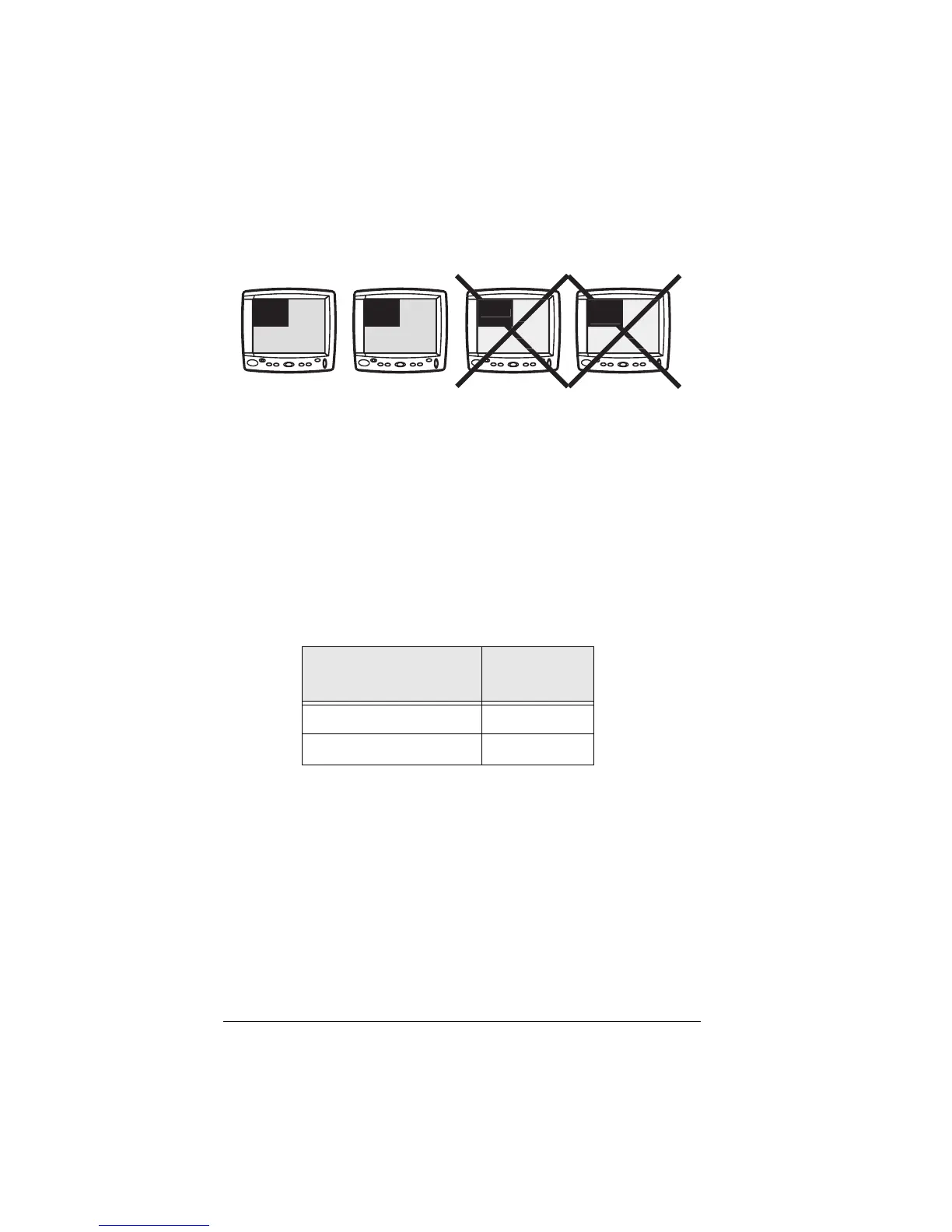
images together. It cannot display a primary image with an
auxiliary image. The illustration below summarizes this:
The two examples on the left will work. The two on the right
will not.
Miscellaneous Wiring
IR Repeater
If you wish to control audio/video devices remotely, you can
plug an infrared transmitter into the vBox (RJ45) connector
marked IR REPEATER. Terminate the IR repeater with a
male RJ-45 connector as shown in the table below.
Place the IR transmitter adjacent to the infrared receiver on
the device to be controlled.
Signal Redrive
The vBox will redrive the primary data and video signals that
it receives. If you wish to extend the cable length of these
signals, connect to the redrive outputs on the vBox. These
are marked VIDEO OUT and DATA OUT. The redriven signals
can be run a maximum of 50 feet.
IR Repeater
RJ-45 Pin Number
IR Signal
7IR +
8IR –
A
VIDE
VIDE
AUX
DATA
AUX
VIDEO
DATA
VIDEO



 To Next Page