Northstar EXPLORER 550/550i Installation and Operation Manual
23
5-1 Waypoints display
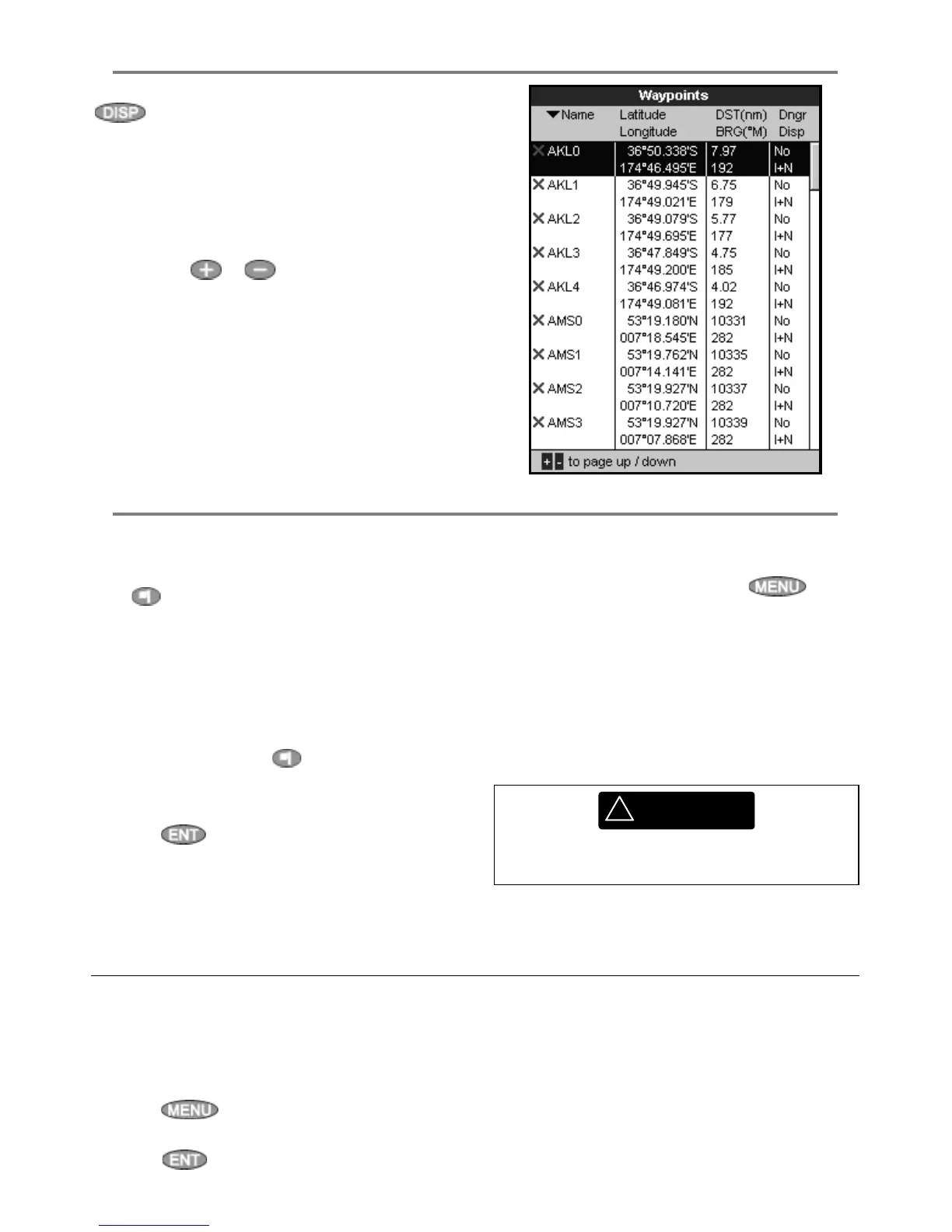
To go to the waypoints display, press
, select Other, then select Waypoints.
The waypoints display is a list of the waypoints
that have been entered, each with waypoint
symbol, name, latitude and longitude, distance
and bearing from the boat, type and display
option.
If there are more waypoints than will fit on the
display, press
or to scroll up or down a
page at a time.
5-2 Managing waypoints
5-2-1 Creating a new waypoint
Creating a new waypoint from any display
Press
. A new waypoint is created at the boat
position with the default name and data. To
change the default data, see section 5-2-3.
Creating and editing a new waypoint from
the chart display
1 To create a waypoint at the boat position,
press ESC to switch the chart to centre on
boat mode (or press
, see above).
Or, to create a waypoint at a different point,
move the cursor to that point on the chart.
2 Press
.
3 A new waypoint, with the default name and
data is created.
4 Change the waypoint data if necessary (see
section 5-2-7). Select
Save.
Creating a new waypoint from the
waypoints display
1 In the waypoints display, press
and
select
Create.
2 A new waypoint, with a default name and
data, is created at the boat position.
3 Change the waypoint data if necessary (see
section 5-2-7). Select
Save.
Note: Waypoints can also be created when a
route is created (see section 6-2-1).
Moving a waypoint from the chart display
1 In the chart display, move the cursor to the
waypoint to move.
2 Press
and select Move.
3 Move the cursor to the new position and
press
.
Moving a waypoint from the waypoints
display
To move a waypoint from the waypoints display,
edit the waypoint (see section 5-2-3) and change
the latitude and longitude.
5-2-2 Moving a waypoint
!
WARNING
Do not create a navigation waypoint on land
or in dangerous water.



 To Next Page