Northstar Explorer 557/567 Installation and Operation Manual
22
3-3 Distance and bearing calculator
The distance and bearing calculator can plot
a course of one or several legs and show the
bearing and length of each leg, as well as the
total distance along the course. The completed
course can be converted into a route.
To use the distance and bearing calculator:
1 Press
until the chart window
is displayed. Press and select
Distance.
2 Move the cursor to the start of the first leg. It
does not matter if this point is a waypoint or
not. Press
.
3 To add a leg to the course, move the cursor
to the end of the leg. It does not matter if this
point is a waypoint or not. The display shows
the bearing and length of the leg, as well
as the total distance along the course. Press
.
4 To remove the last leg from the course, press
and select Remove.
5 Repeat the above two steps to enter the
whole course.
6 To save the new course as a route, press
and select Save. This also saves any
new points on the course as new waypoints,
with default names. If necessary, edit the
route later (see section 6-2-2) and edit any
new waypoints later (see section 5-2-3).
7 Finally, press
to return to the chart
window.
For Ports by name: to search for a different
port name, press
. change the name,
then press .
5 Select the item and press
. The chart
window changes to show the item in the
middle of the display.
To see stored information about the item,
press
(see section 3-2-4).
3-2-6 Perspective view
Perspective view shows the chart from an
angle instead of from straight above. To turn
perspective view on or off, press and set
Perspective to
or .
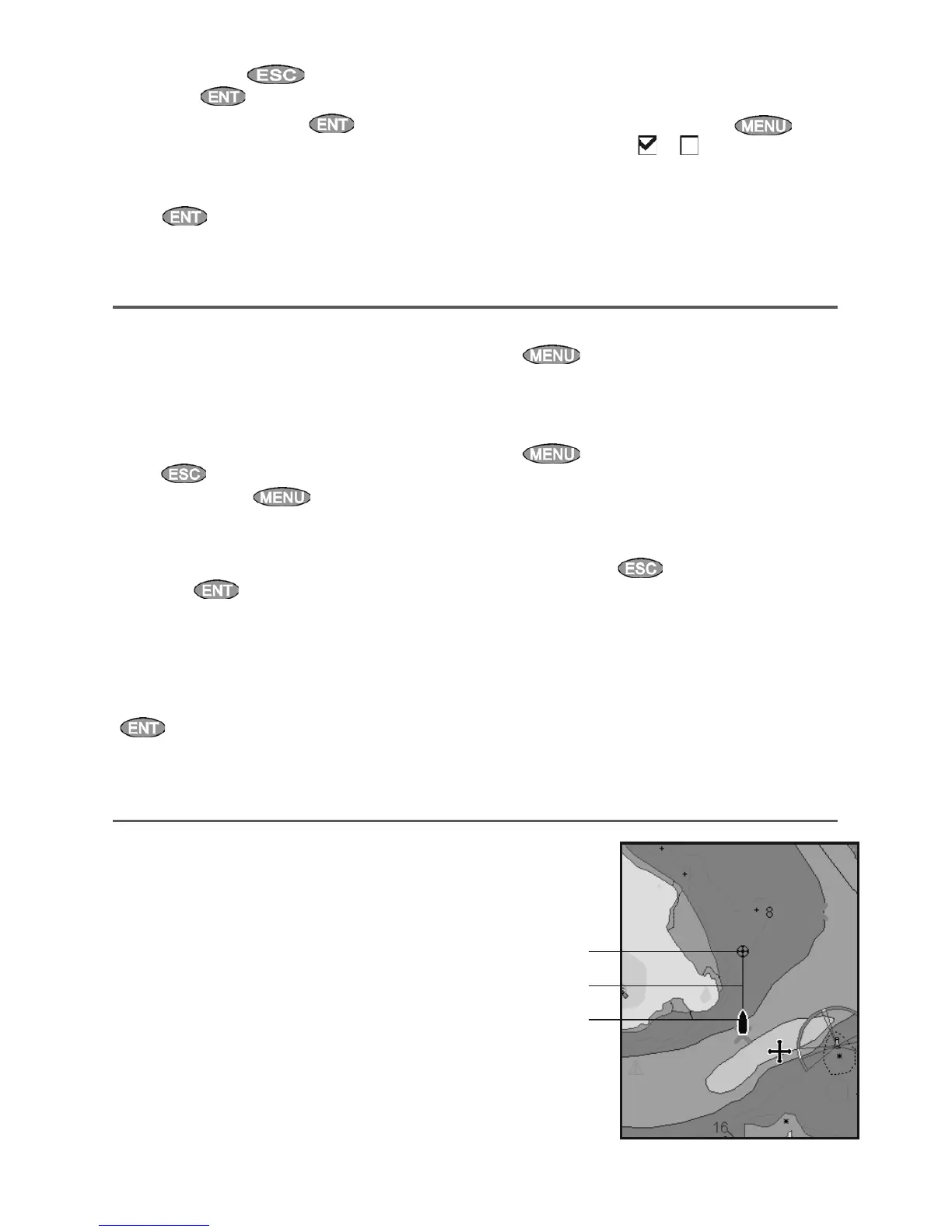
If Projected course is turned on, then the 557/567
will display the projected position based on the
course over ground (COG), speed and a specified
time. To turn Projected course on and off and to
set the time, see section 15-2.
A Projected position
B Boat’s projected course
C Boat position
3-4 Projected course
A
C
B



 To Next Page