Northstar Explorer 557/567 Installation and Operation Manual
40
11 Tides window
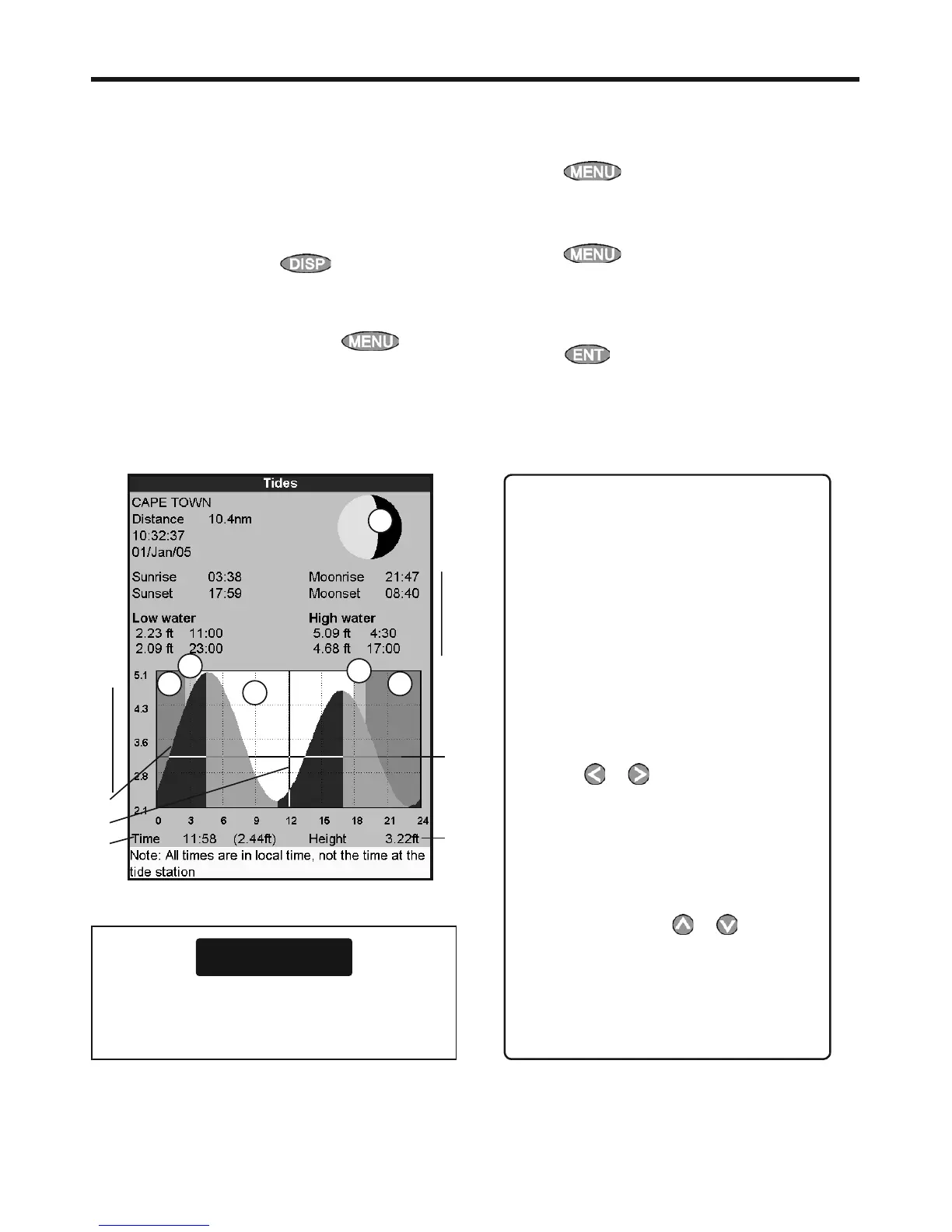
The tides window is available on C-MAP charts.
The tides window shows tide information at a
tide station for the selected date.
Note: The tides window requires the local
time offset to be set to work correctly (see
section 15-12)
To show the tides window for the tide station
nearest to the boat, press
, select More,
then select
Tides.
To go to the tides window for any tide station:
1 From the chart window, press
and
select
Find.
2 Select Tide stations.
3 A list of tide stations are displayed. Select the
tide station to display. The chart redraws with
the tide station centred.
4 Press
and select Chart info.
5 Select Tide height.
Choosing the date of the tide chart
1 Press
.
2 Select
Today, Next day or Prev day.
To choose a different date from these, select
Set date, edit the date,
press
.
A Tide station name and distance from
boat
B Current time and chosen date for
display
C Tide chart
D Night
E Dawn
F Day
G Dusk
H Tide height
I Time cursor, a vertical dotted line.
Press
or to move cursor
sideways
J Time of cursor and tide height at that
time
K Data for the chosen date
L Tide height cursor, a horizontal
dotted line. Press
or to move
cursor up and down.
M Height of cursor on the tide chart
N Moon phase for moon at the current
time on the chosen date
The tides window shows data for the chosen date
CAUTION
The tides window requires the local time
offset to be set to work correctly (see section
15-12)
A
C
B
J
K
G
F
H
N
L
M
D D
E
I



 To Next Page