Northstar Explorer 557/567 Installation and Operation Manual
54
Fuel consumption can change drastically
depending upon the boat loading and the
sea conditions. Always carry adequate fuel
for the journey, plus a reserve.
!
WARNING
Fuel functions require optional fuel flow sensors
to be installed. Press
twice, then select
Fuel:
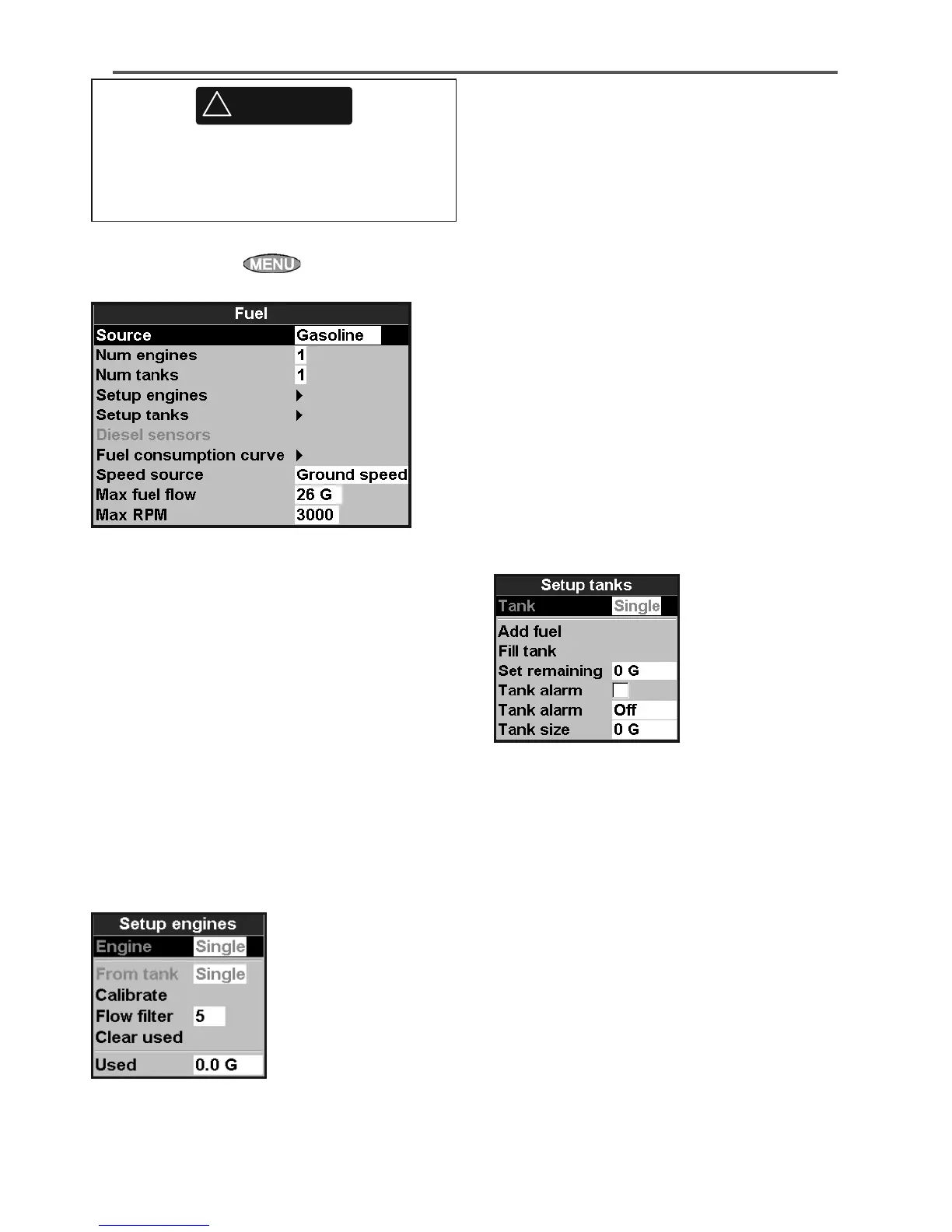
Source
Select the fuel flow sensors to use if the boat
has more than one set of fuel sensors. Normally
select Auto.
Num engines
Set the number of engines, or select 0 to disable
the fuel functions. If there are two engines they
are called port and starboard.
Num tanks
Set the number of fuel tanks. If there are two
tanks they are called port and starboard.
Setup engines
If the boat has more than one engine, select
Engine and select each engine in turn.
For the selected engine, you can enter:
15-4 Setup > Fuel
From tank: The fuel tank the engine is
connected to.
Flow filter: Most engines do not draw fuel from
the tank at a steady rate. To give a stable fuel flow
reading, the 557/567 calculates the flow by taking
several measurements and averaging them. Use
the Flow filter to set the period over which the
fuel flow is averaged.
The Flow filter can be set from 0 to 30 seconds.
Use the lowest value which gives a stable flow.
Usually a value of 5 to 10 seconds will give a
satisfactory result for two-stroke carburettor
engines. Fuel injected or four-stroke engines may
require a larger value.
This setting affects the Fuel flow and Fuel
economy reading on the Fuel window but it does
not affect the Fuel used reading.
Setup tanks
If the boat has more than one tank, select Tank
and select each tank in turn.
For the selected tank, you can enter:
Add fuel, Fill tank, Set remaining:
See section 10-3.
Tank alarm: See section 10-4.
Tank size: The tank capacity. Northstar
recommends measuring tank size by draining
the fuel tank, filling it to capacity and using the
fuel dispenser’s reading. Beware of air pockets,
especially in underfloor tanks.
Fuel consumption curve
See section 10-6.



 To Next Page