NOVUS AUTOMATION www.fieldlogger.net 27/104
ETHERNET INTERFACE CONFIGURATION - TCP/IP
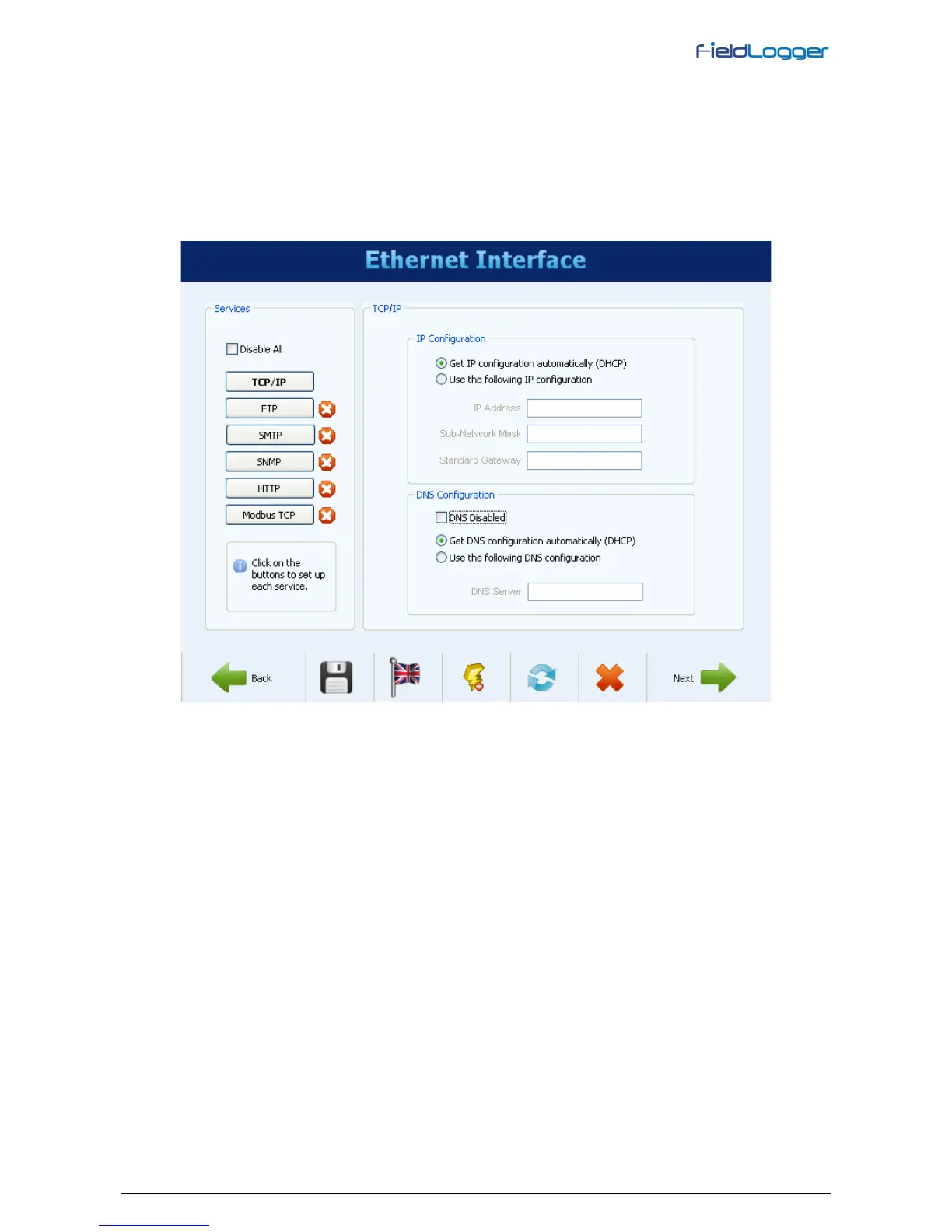
Once the interface is enabled, the buttons on the left allow you to enable and configure each of the services offered by
this interface. The icon on the right of each button shows whether the related service is enabled or not.
The first configuration to be made is the selection of using fixed IP or DHCP and, in the case of fixed IP, to choose the
parameters relating to it, such as FieldLogger IP, the subnet mask and default gateway.
Moreover, we must choose whether or not to use DNS, which can be used to connect to the e-mail server or FTP server
(when FieldLogger is the FTP client for the daily download of data through this service). If so, you must configure the
DNS server's IP number or, if the DHCP option has been selected, you can choose to search for the DNS server’s IP
from the DHCP server.
Ethernet Interface - TCP/IP Configuration


 To Next Page