NOVUS AUTOMATION www.fieldlogger.net 34/104
ETHERNET INTERFACE CONFIGURATION - CLOUD
From firmware version 1.60, the FieldLogger allows a NOVUS Cloud connection, a data storage service in the cloud
offered by NOVUS, in order to facilitate access to your data.
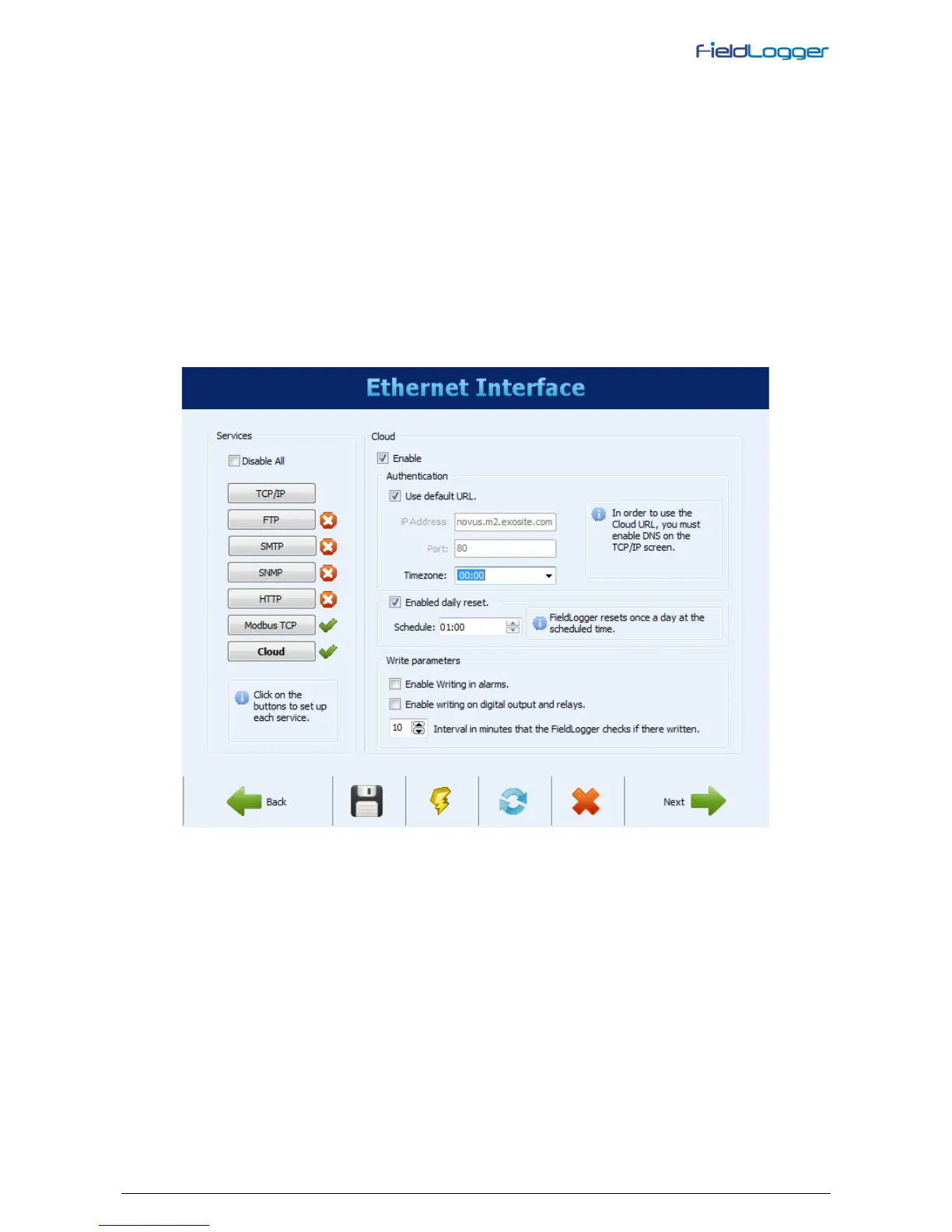
Cloud button allows you to enable a Publishing Service of your data on NOVUS Cloud. Only two parameters are
needed: the connection mode selection, by default URL (you must enable the DNS with the TCP/IP button) or by IP
address (not recommended in most cases) and your time zone. The connection port is fixed. During summer time (DST),
we recommend to use both the time zone and the "normal" time (without daylight saving time). For this, you must set
your computer´s clock back an hour before sending the configuration to the FieldLogger.
From firmware version 1.61 on, it is also possible to write to FieldLogger digital outputs and to its alarm setpoints from
NOVUS Cloud. Writing to the digital outputs (relays included) is only possible if they are configured as “Modbus
controlled output” (check digital channels configuration). The writing to this parameters from the Cloud should be enabled
in its configuration, as well as the time period that FieldLogger should check if there is any new value to be written.
From firmware version 1.64 on, it is possible to schedule a daily reset for the FieldLogger. This is a common practice in
routers assuring that, when everything else goes wrong and communication cannot send data anymore, a fresh new start
will make things right again.
Remember to hire and enable NOVUS Cloud service before setting up this feature on your device.
Ethernet Interface – NOVUS Cloud Access Configuration


 To Next Page