NOVUS AUTOMATION www.fieldlogger.net 65/104
NON STEP-BY-STEP
In the previous versions of the configuration software, this was the only available procedure and it was kept for
compatibility reasons.
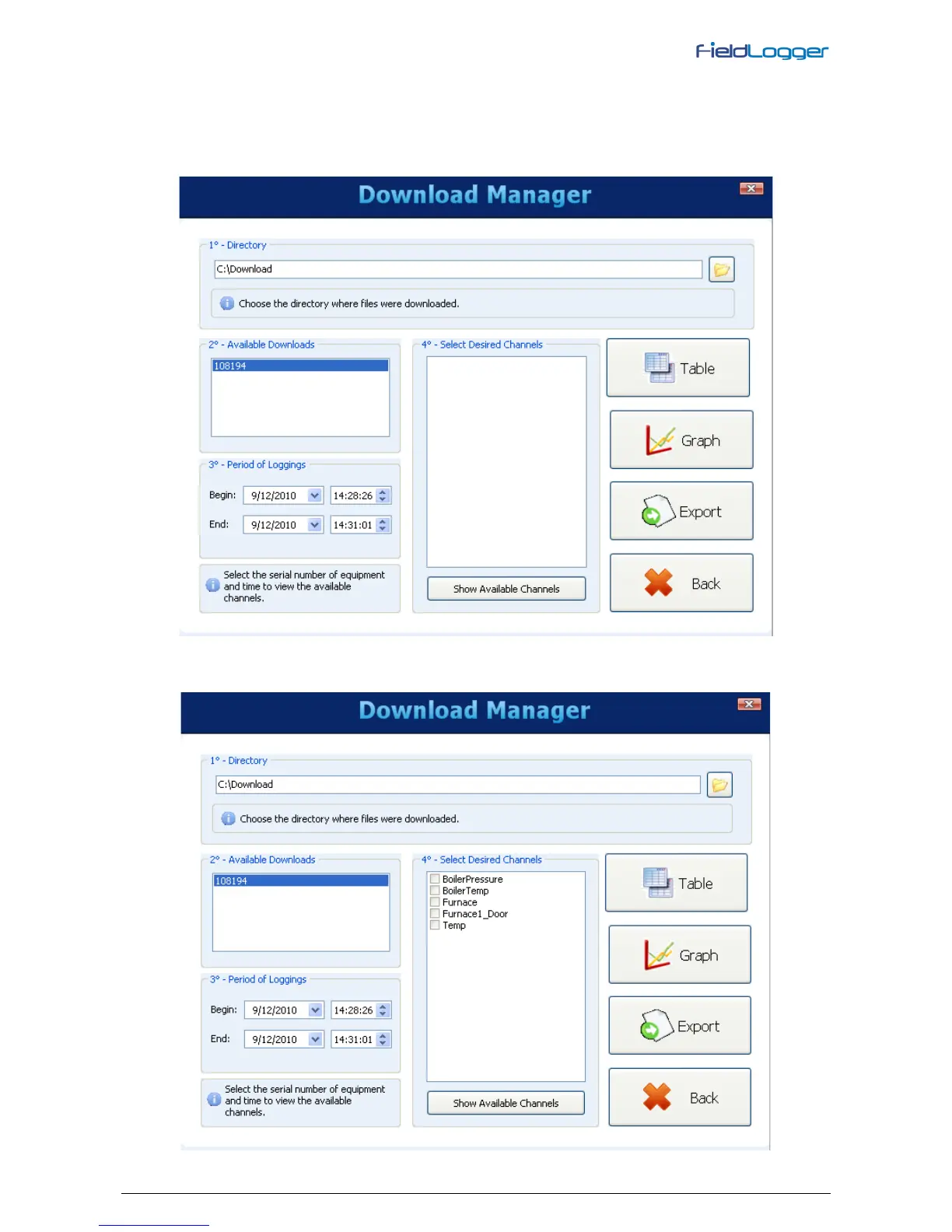
The proper procedure is to select the source folder of the logged data (logging database). In the "available downloads"
field will be displayed all devices that have downloaded data available.
You must choose, through the respective serial number, the equipment that has data of interest at this time. After that,
you must define the timCe period of interest and click on "Show available channels".


 To Next Page