NOVUS AUTOMATION www.fieldlogger.net 33/104
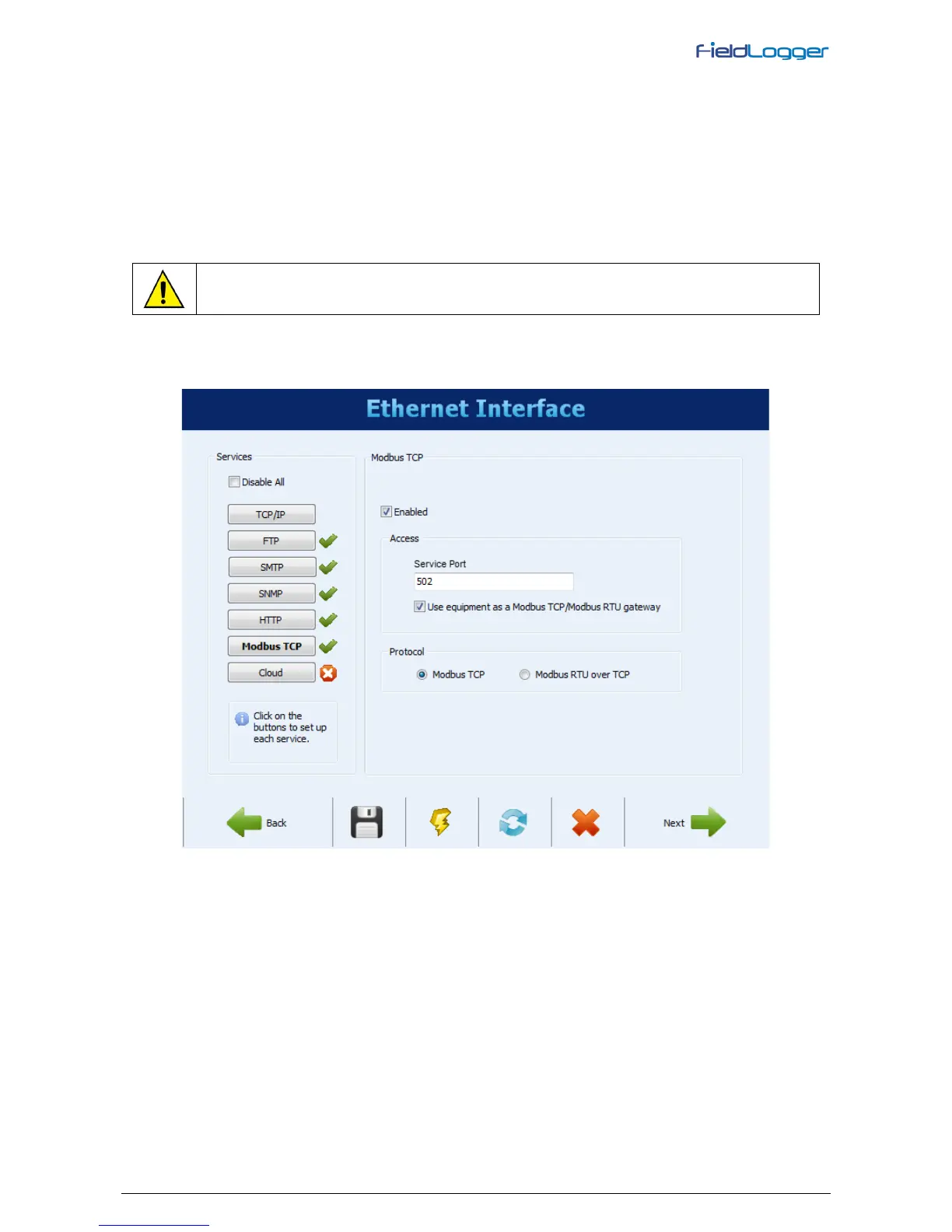
ETHERNET INTERFACE CONFIGURATION – MODBUS TCP
Finally, the Modbus TCP button allows you to enable the Modbus TCP communication protocol, used to read and write
data in FieldLogger. Additionally the Configuration software itself uses this protocol to communicate with FieldLogger in
order to read and write configuration parameters, view diagnostic data and download logging data, when Ethernet
interface has been selected. FieldLogger should be accessed by the “255” identification (ID). Any other ID used in a
FieldLogger Modbus-TCP access will be understood as being targeted to a RS485 slave in the RS485 network, reached
through the gateway function. On this case, if this functionality is enabled, the data packet will be forwarded to the RS485
bus.
When RS485 interface is configured as a Modbus master and Modbus TCP protocol is enabled, the gateway functions
can be enabled, which allows the user to send Modbus commands by the Ethernet interface (Modbus TCP) to the slaves
connected to the Modbus RTU network through FieldLogger.
only available from firmware version 1.10 on.
You can choose, from firmware version 1.40 on, the communication protocol of this interface between “Modbus TCP” or
“Modbus RTU over TCP”.
Ethernet Interface - Modbus TCP Configuration


 To Next Page